Access Historical Azure Container Logs
Azure only keeps active logs in containers. When the API, Outcrop (the DataForge agent that runs inside your network, shown as Agent in the DataForge UI), or Core are restarted, logs move to the Log Analytics resource in the Resource Group. All Azure DataForge environments have Log Analytics enabled automatically. For more information, see Microsoft Azure Documentation.
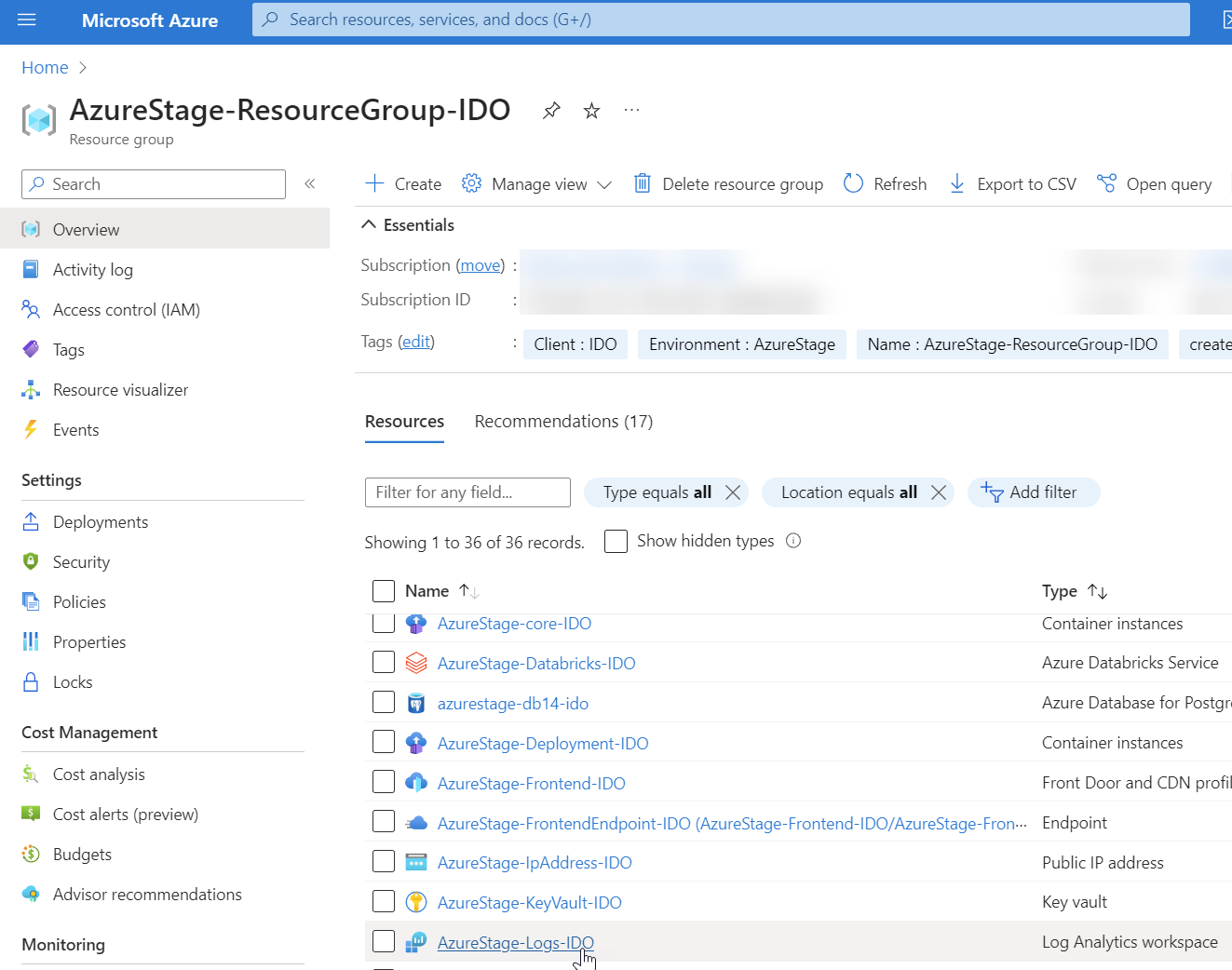
Open the Resource Group and navigate to <EnvironmentName>-logs-<ClientName> (search for "Logs" in the Resource Group search bar).
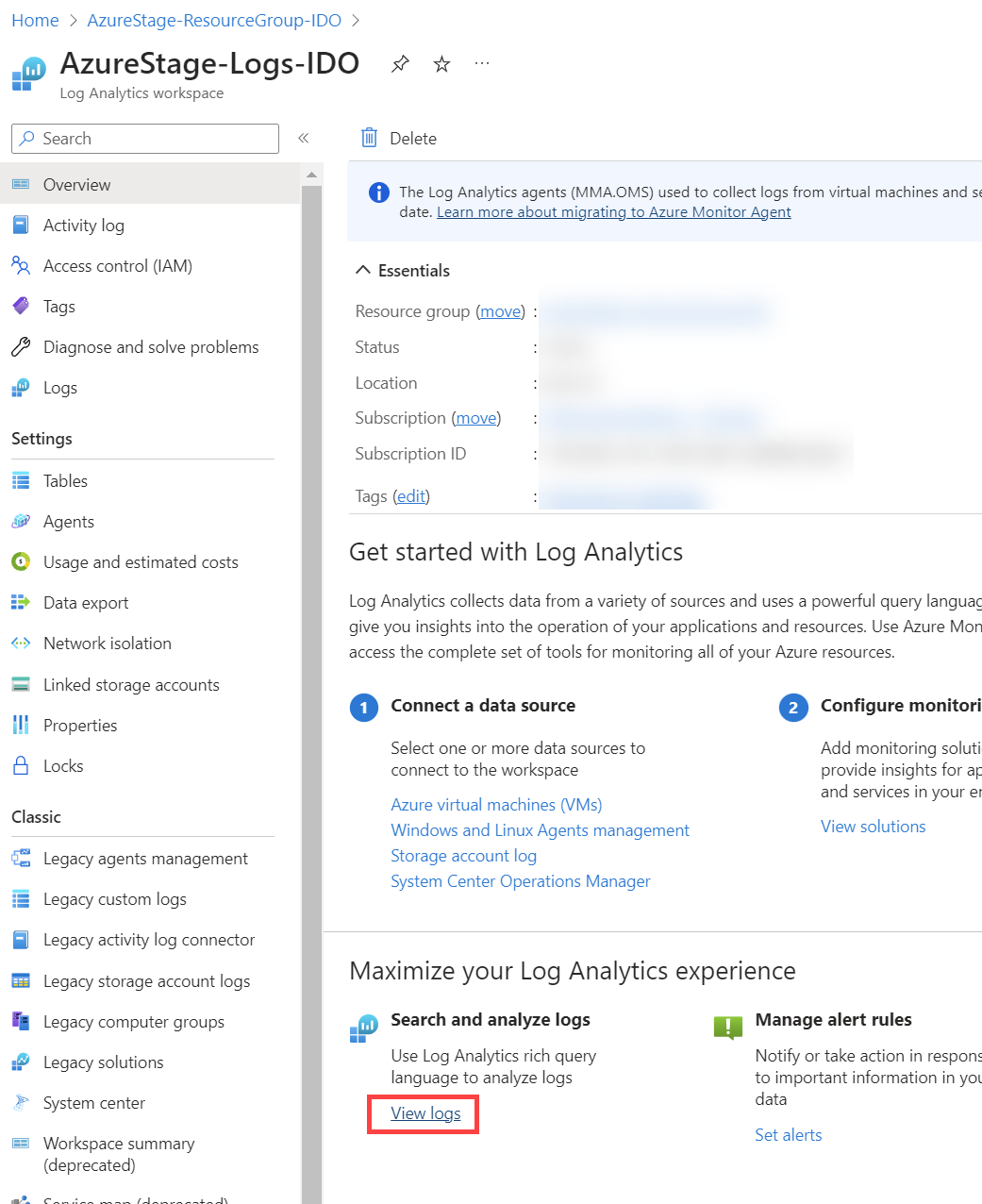
At the bottom of the Logs page, select the link to "View Logs".
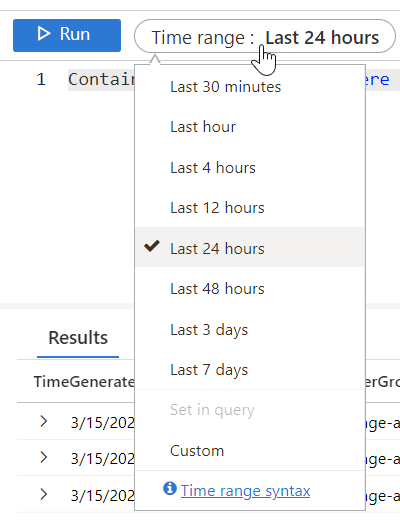
Close the suggested queries pop-up to access the Query Editor. Adjust the Time range to filter results, using the Custom option for specific dates and times.
Enter a query in the query editor and select Run to see the historical log results.
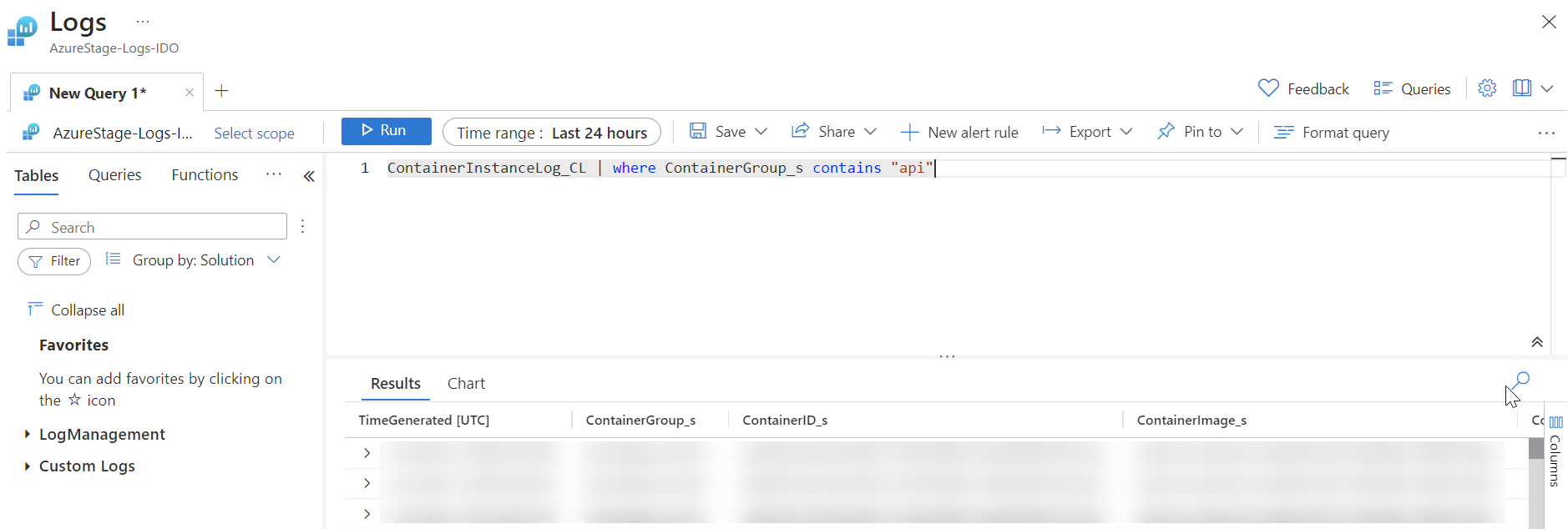
Here are some helpful example queries for common containers and postgres:
To view Postgres logs:
AzureDiagnostics | where Resource contains "DB14"
To view API logs:
ContainerInstanceLog_CL | where ContainerGroup_s contains "api"
To view Core logs:
ContainerInstanceLog_CL | where ContainerGroup_s contains "core"
To view Outcrop logs:
ContainerInstanceLog_CL | where ContainerGroup_s contains "agent"