Cloning with Outputs Overview
Summary and Use Case
Two output patterns arise when cloning: Multi Group Outputs and Single Group Outputs.
Multi Group Outputs
A Multi Group Output contains mappings from Sources in a number of different DataForge Groups. To build on the earlier Company 1 example, imagine a scenario where Company 1 and Company 2 Groups exist in an environment. Each Group has a Sales Order Detail Source and the user wants to write all of Sales data into a single Output table. The setup looks something like the below image.
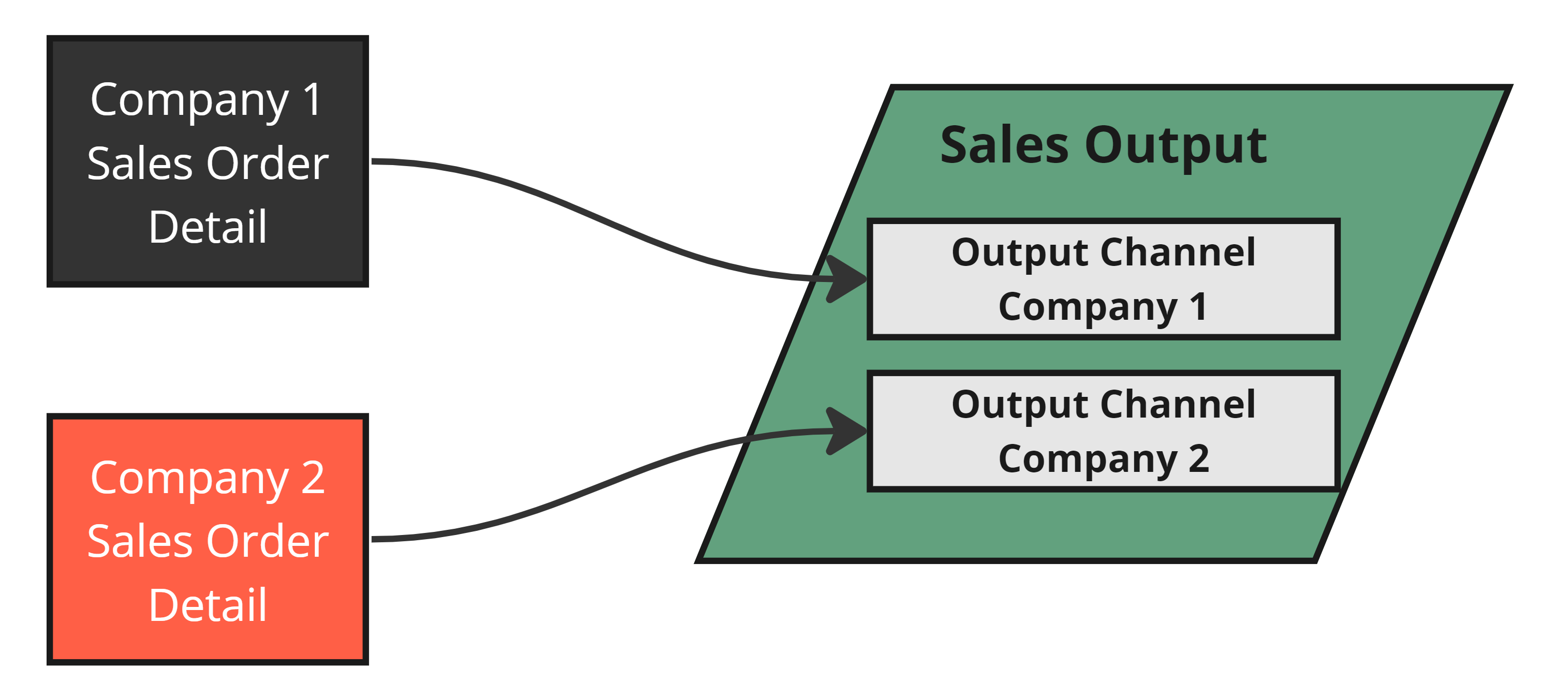 Both Sources are mapped into the same Output
When cloning to create Company 3, the desired behavior adds a new Channel to the existing output for the Company 3 Sales Order Detail source.
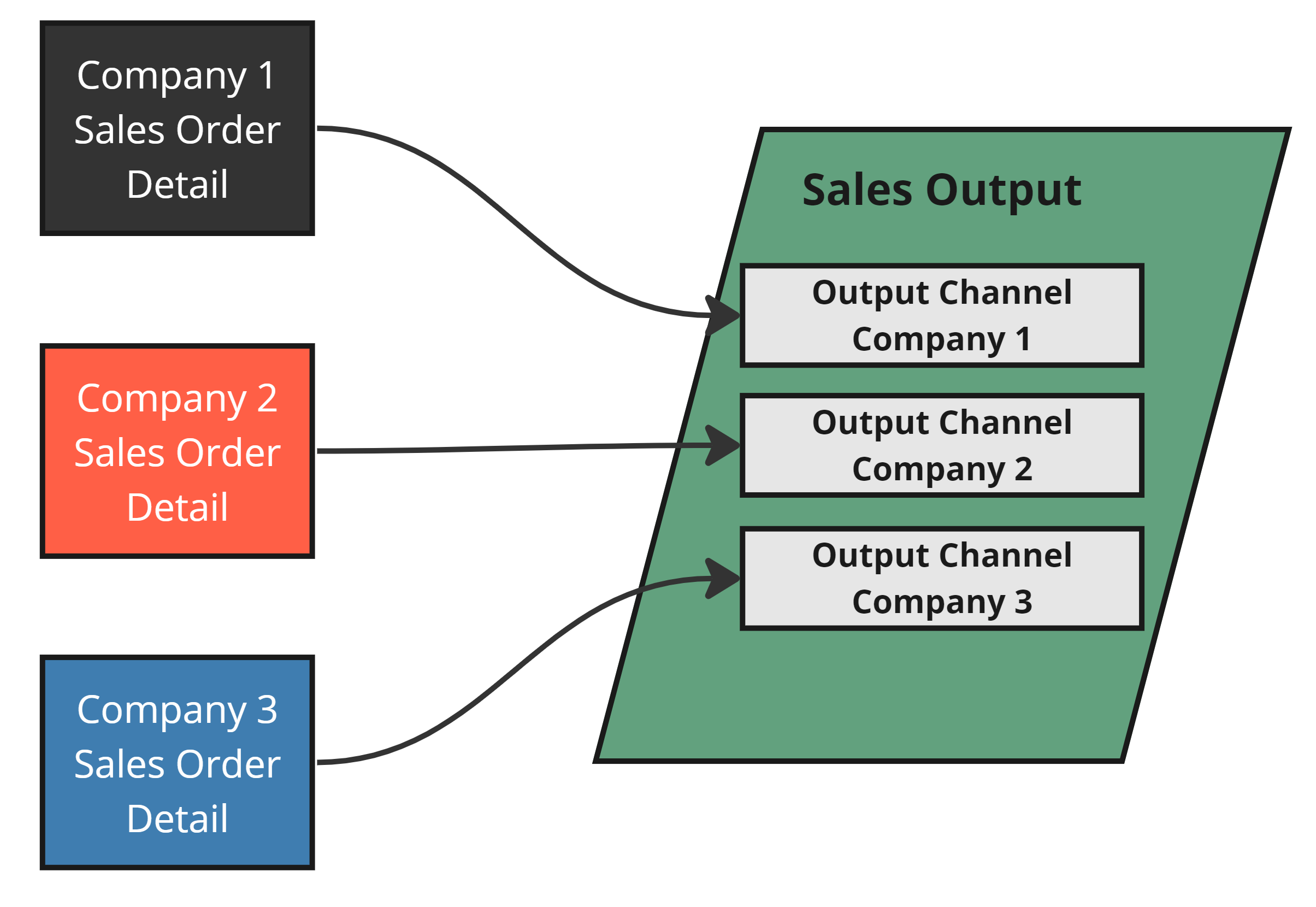 The Company 3 Source has been mapped into the same Output
Single Group Outputs
A Single Group Output contains mappings from Sources that are all in the same Group (or just one Source). Again imagine a scenario where Company 1 and Company 2 Groups exist in an environment. The user wants to write Sales data to a SEPARATE table for each Source, similar to the image below.
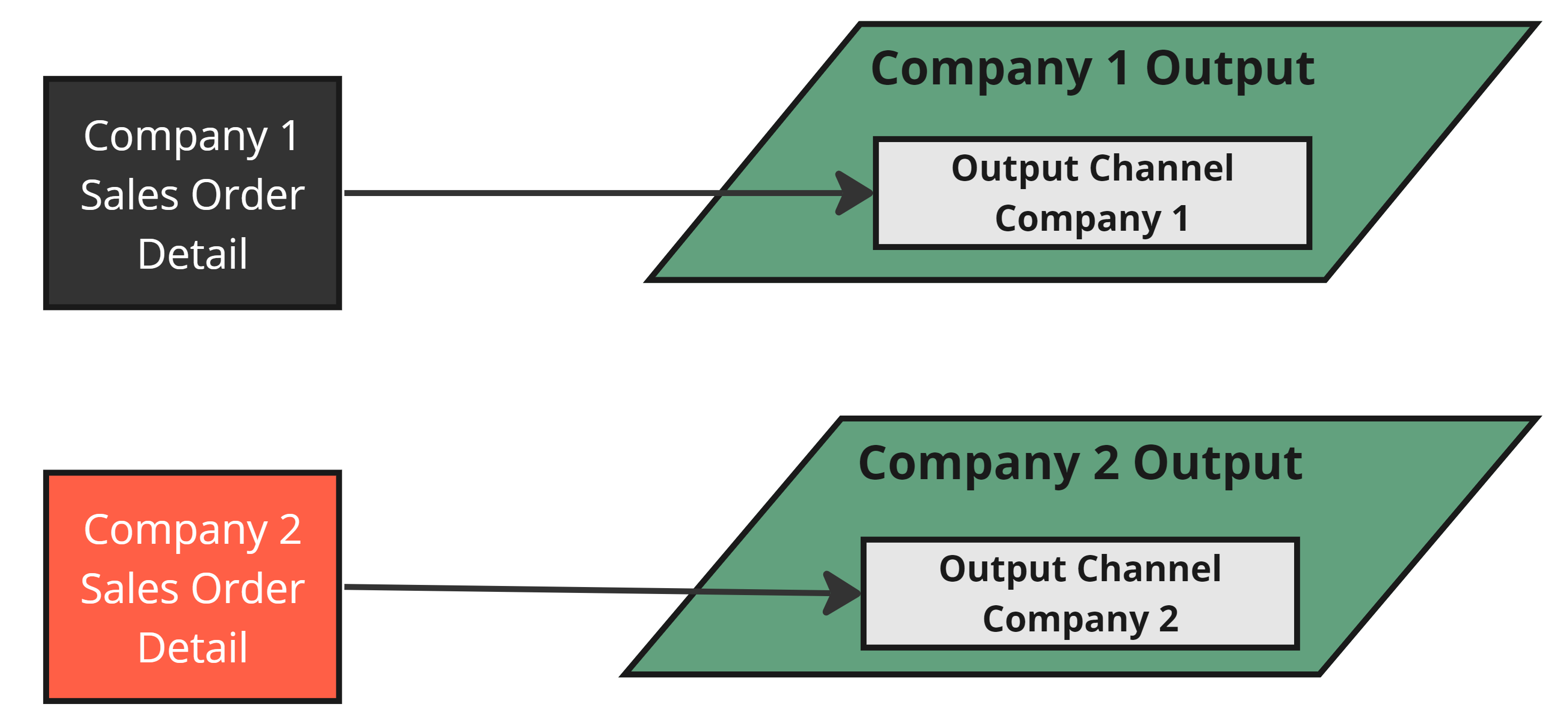
The Sources each write to separate Outputs
When cloning to create Company 3, a brand new Output is created with the Company 3 source(s) mapped into it.
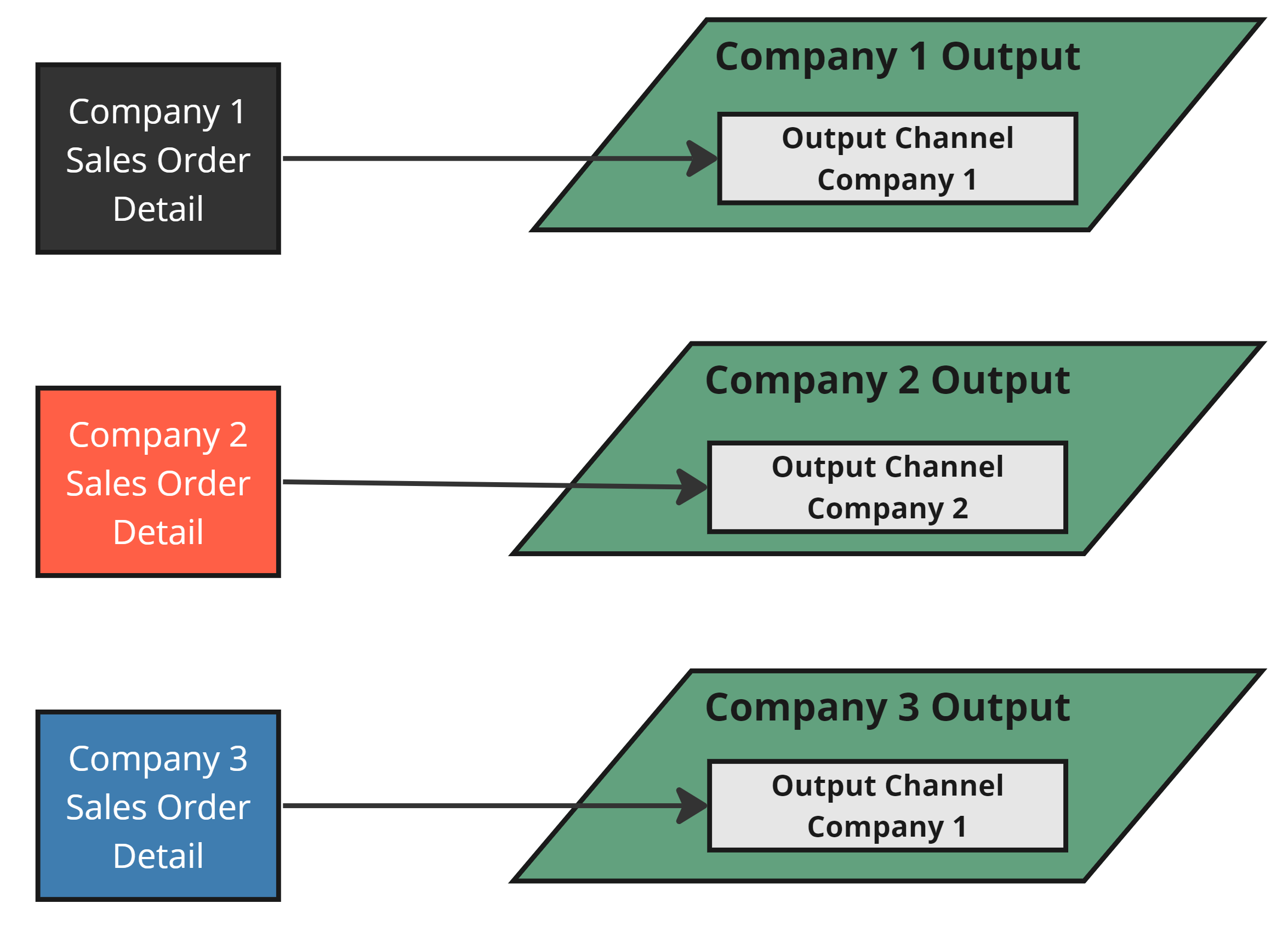
The newly created Company 3 Source has its own Output
The Example
The upcoming sections show how Output Name Templates control whether an Output is treated as Single Group or Multi Group. The example expands on the Cloning Overview by adding two outputs, shown below.
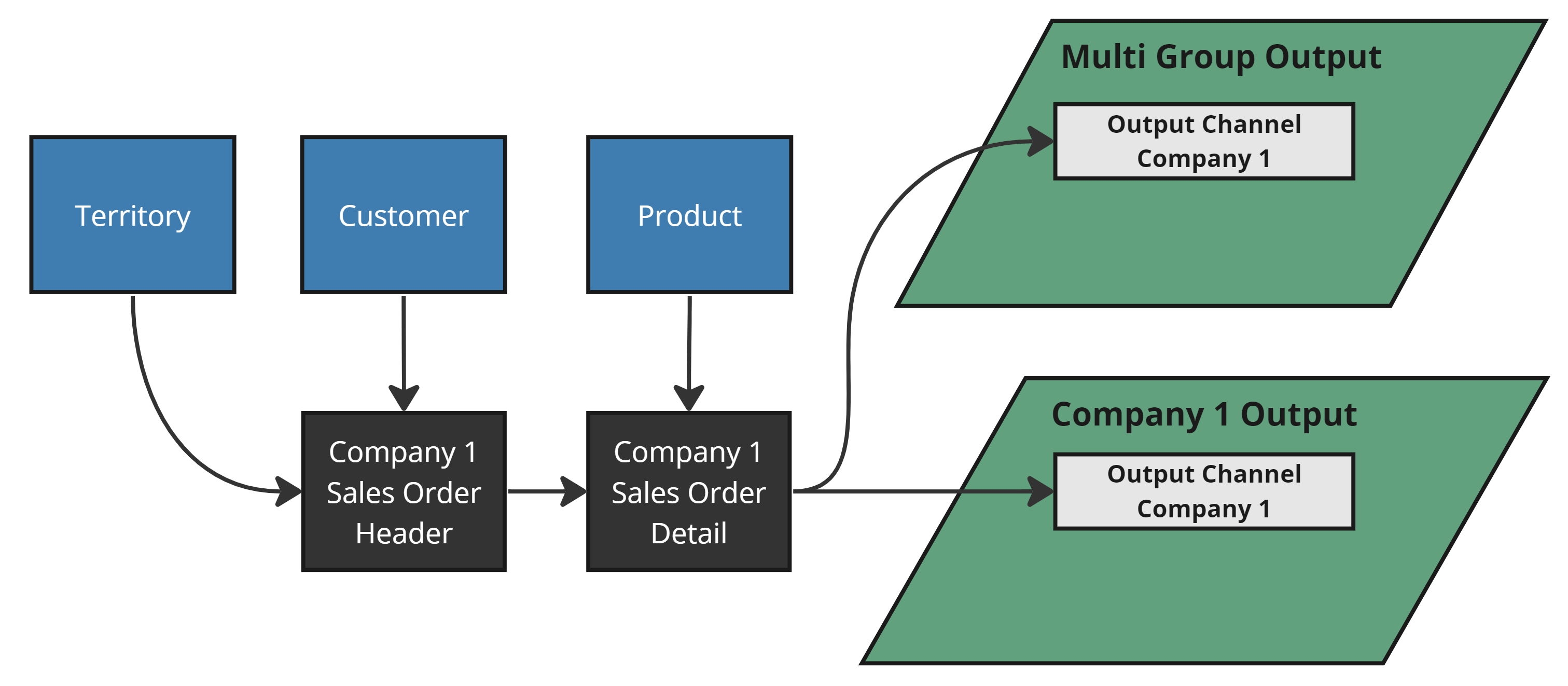
Our starting example with 2 Outputs
After cloning, the environment should look like the image below — a new Single Group Output and a new Channel in the Multi Group Output.
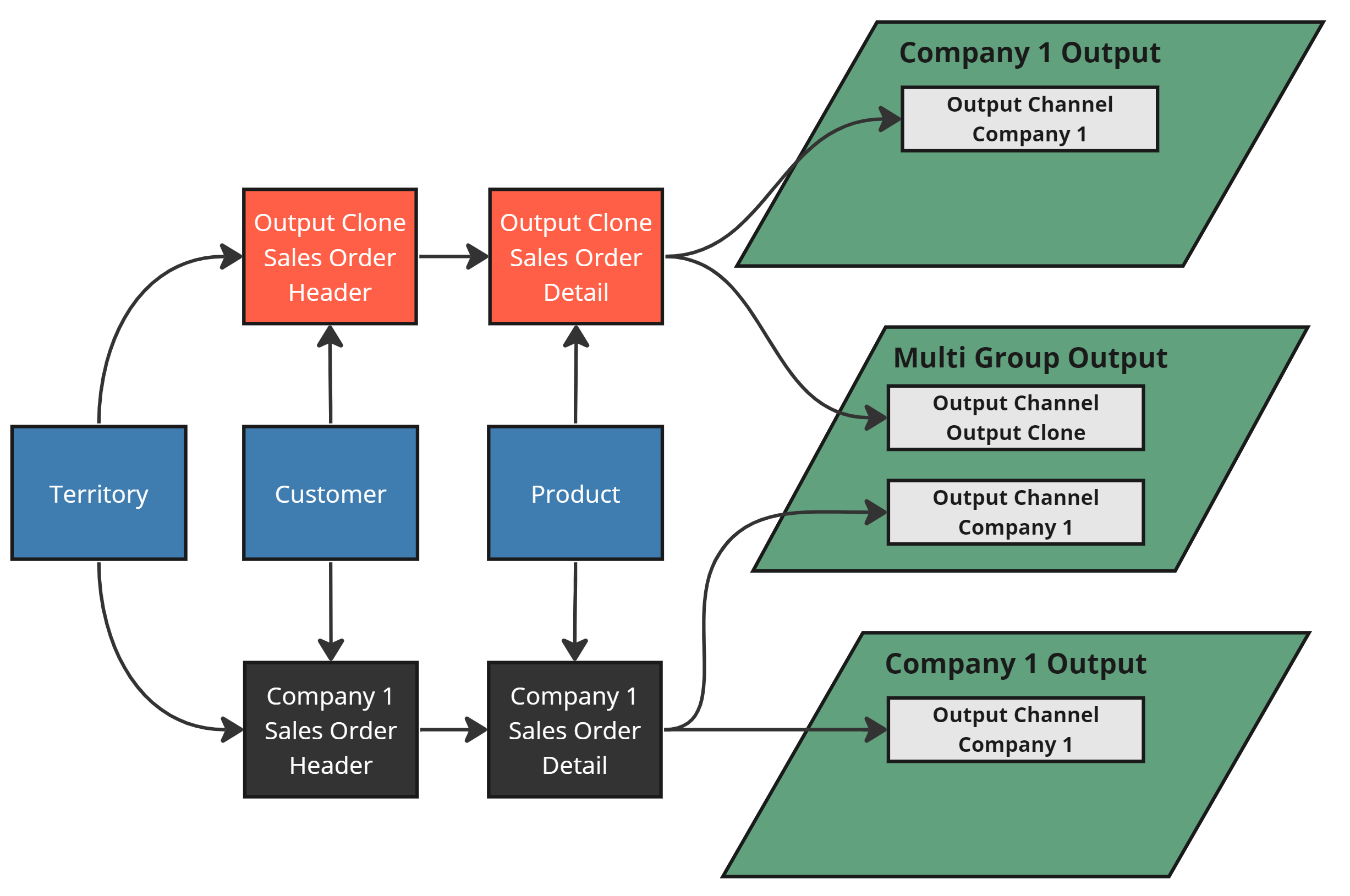
Desired Clone Output