AWS - Creating GitHub Fork And Setting Up Terraform VCS Provider
Creating GitHub Fork
Open the private dataforgelabs/dataforge-infrastructure repository in GitHub and click the Fork button in the top right of the page. If access is denied for the repository or fork, reach out to your Deployment team or submit a ticket to Support to gain access.
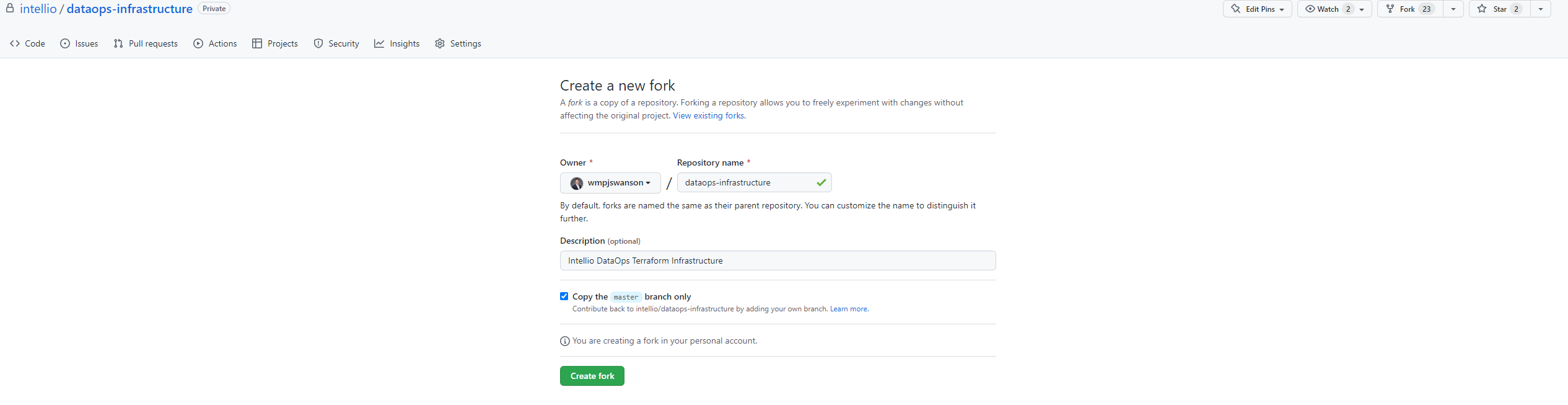
Keep default settings and click "Create Fork". The fork will be created in the GitHub account being used to fork.
Setting up Terraform VCS Provider
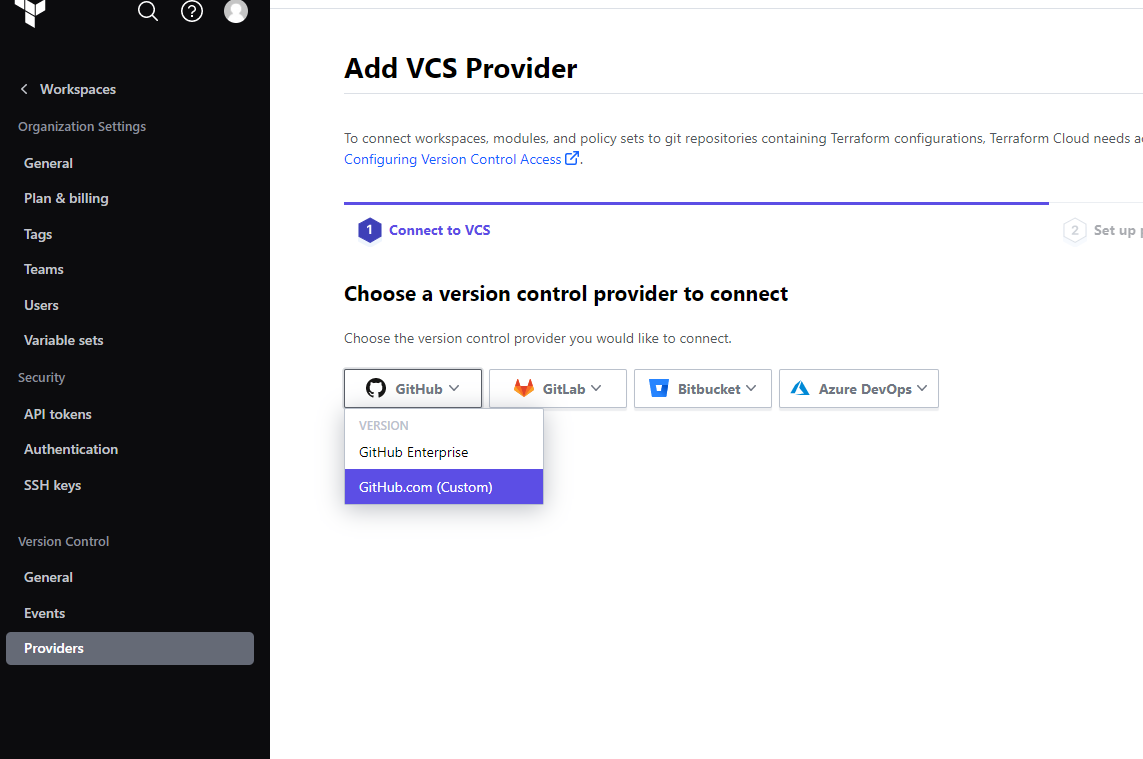
In Terraform Cloud, go to Providers → Add a Provider and choose GitHub (Custom).
Follow the on-screen steps to set up an OAuth connection between GitHub and Terraform.
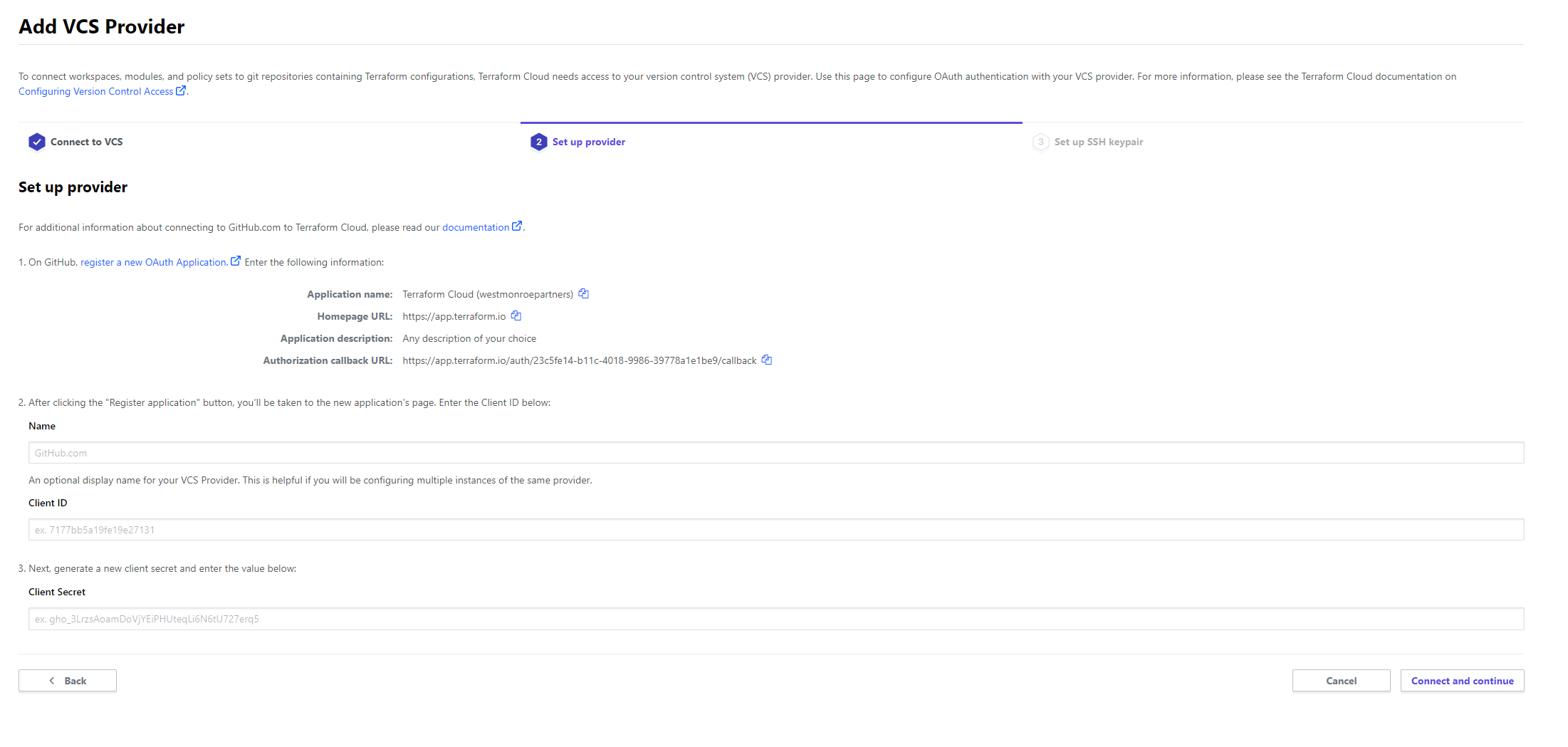
Click Connect and continue. On the authorization page, click Request Access for the organization before proceeding.
The VCS connection is now available for workspace creation.