Data Processing Engine and Steps
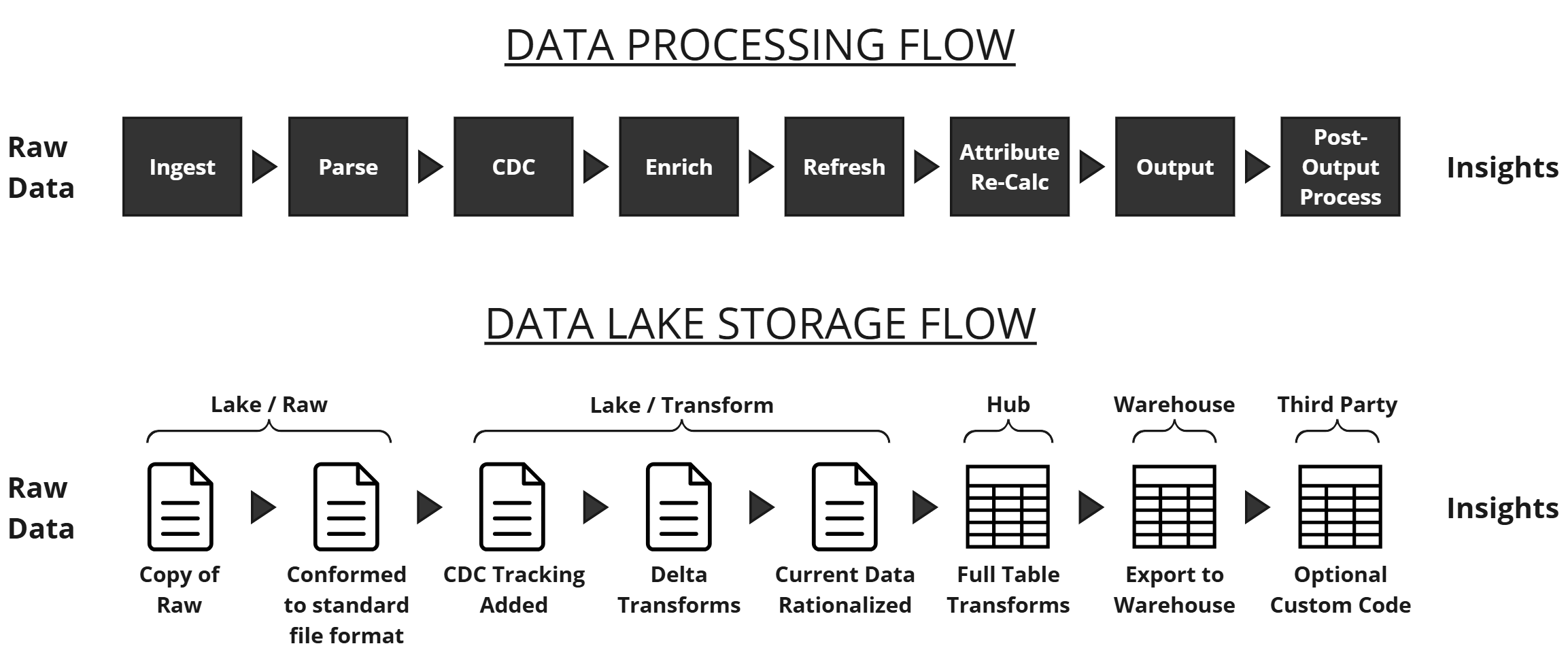
DataForge processes data left to right through the logical data flow. It does not create data — it copies, transforms, and outputs it. Resources required increase progressively through the steps.
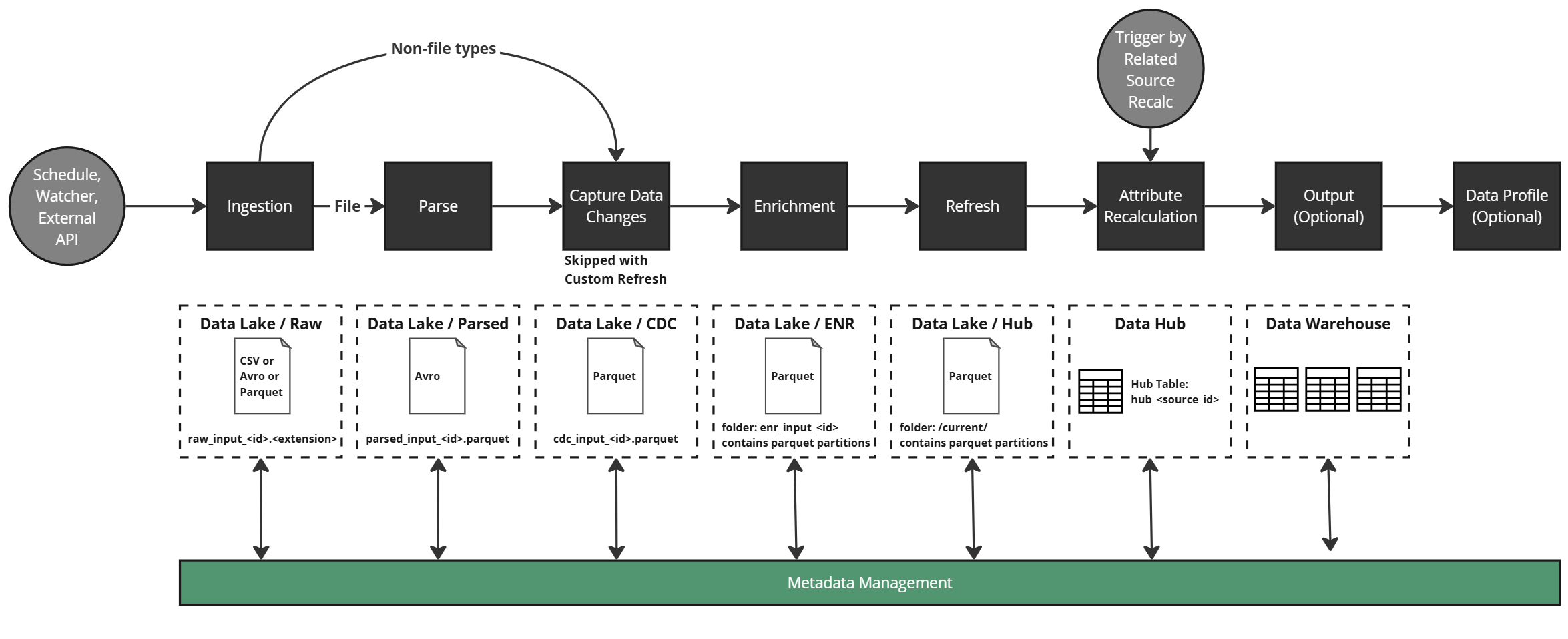
Ingestion
Copies raw data into cloud storage. File sources are brought over as-is; non-file types (table, API, etc.) are extracted as parquet files. No transformation occurs.
Parse
Converts ingested files to a common format so downstream steps don't need to know the original ingestion format.
Change Data Capture (CDC)
Tags data changes and applies column metadata based on the configured Refresh Type:
| Refresh Type | Impact |
|---|---|
| Full | Deletes existing data and reloads from scratch each ingestion |
| Key | Compares key column(s) and optional date/timestamp to update to the most current data |
| Sequence | Uses sequence column(s) to determine overlap |
| Timestamp | Uses date column(s) for time-range overlap detection |
| None | All data is assumed new — appended to the hub table |
| Custom | Runs a user-defined delete query on the hub table before merging ingested data |
Enrichment
Executes business rules at the row level. Two rule types: Enrichments (computed columns) and Validations (boolean data quality checks). No windowing, aggregation, or keep-current logic occurs here — each rule creates a custom column.
Refresh
Merges enriched data into the source hub table — the single "source of truth" dataset per source. Depending on refresh type, history and change tracking may also be captured.
Attribute Recalculation
Applies cross-row calculations (windowing, ranking, aggregations) to the hub table. Rules marked Keep Current recalculate for all data on every new input; Snapshot rules only run during Enrichment.
Note
Keep Current rules are more resource-intensive. Use Snapshot rules in Enrichment when possible.
Output
Maps source hub table columns to a destination schema and sends data to the configured output. Aggregations and relational logic can be applied at this stage. Rows can be filtered by validation status or custom expressions.
Data Profile
Optional process providing column-level statistics. Controlled in source settings; detailed profiles appear on raw schema and rules.