Components
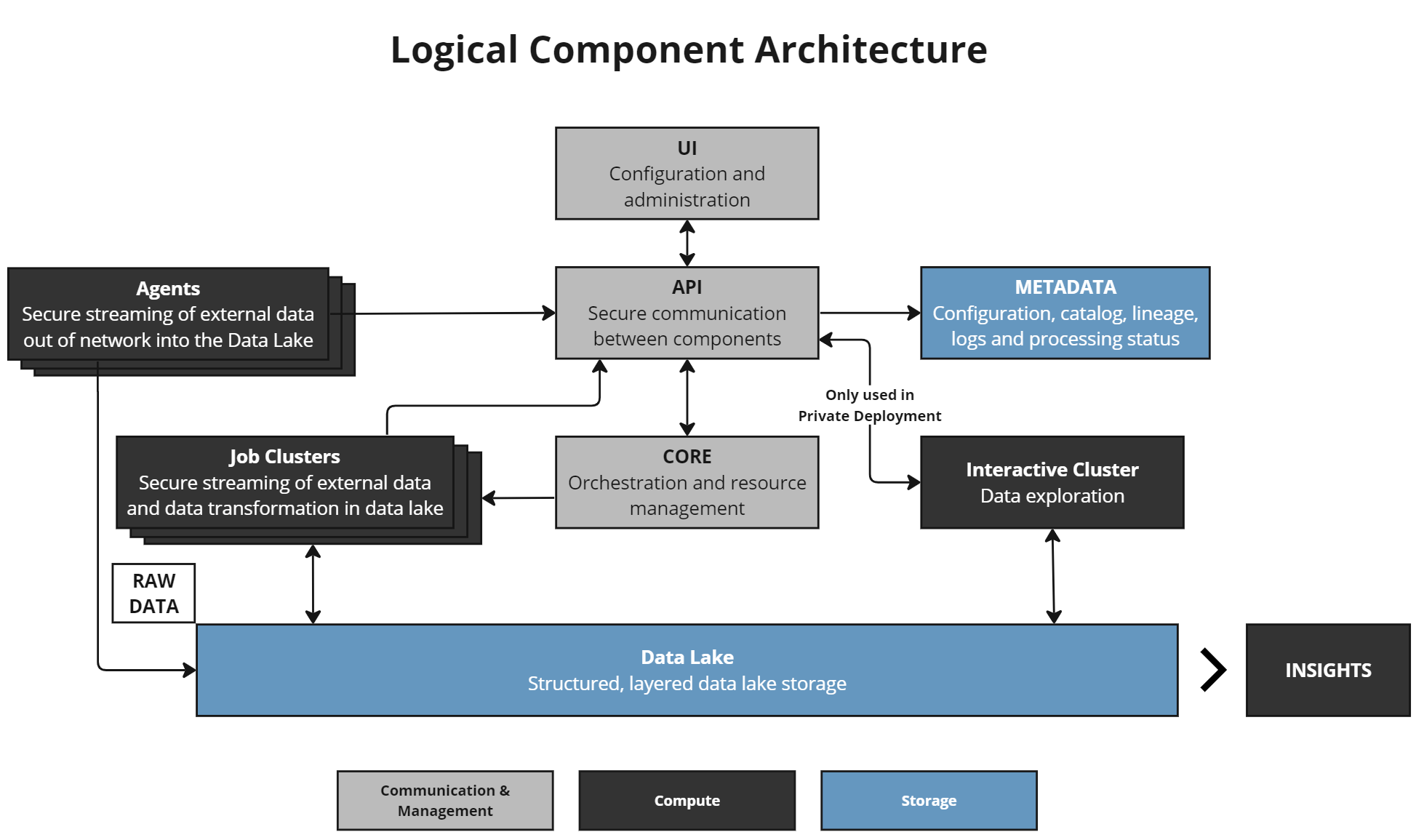
DataForge leverages cloud components in AWS, Azure, or GCP. Regardless of platform, the component roles remain the same.
UI (User Interface)
The workspace front end — the left-hand menu and configuration screens. See User Interface for details.
API
Lightweight communicator between all infrastructure components. The API strictly routes requests and does not execute business logic.
Metadata
Stores the majority of business logic and transformation rules in PostgreSQL databases and functions.
Core
The orchestration engine. Manages process execution, handoffs, restarts, queues, and the workflow engine. Works with Metadata for business logic ordering and with Job Clusters for compute lifecycle.
Outcrop
Outcrop, the DataForge agent that runs inside your network. Optional tool for moving data from client infrastructure (typically out-of-network) into DataForge cloud. Only used during the Ingest stage.
Interactive Cluster (Private Enterprise only)
Performs lightweight SQL operations against the Data Lake for UI features such as Data Viewer.
Job Cluster
Executes data processing jobs. Core starts a Job Cluster with validated business logic from the Metadata layer as parameters. Job Clusters focus only on data processing — Core controls when they start, run, and shut down.
Data Lake
Cloud storage for source data — S3 (AWS), Azure Data Lake Gen 2 (Azure), or Google Storage (GCP). Source hub tables in Databricks are built on data stored here.
Infrastructure
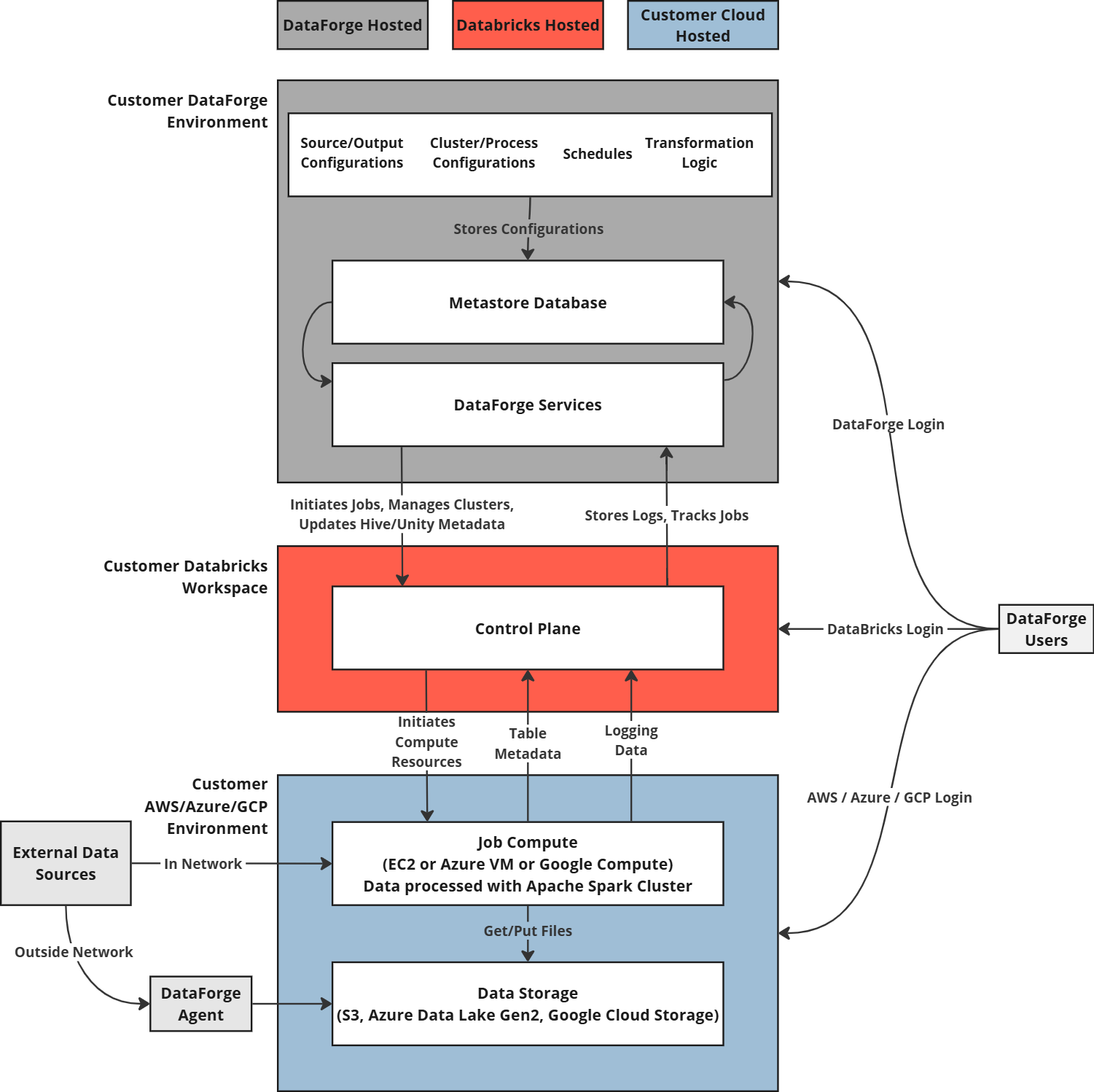
The diagram above shows the Standard deployment. Private Enterprise deployments place all resources in the customer-managed VPC with private keys for compliance requirements.
Terraform
DataForge uses Terraform to codify and manage all infrastructure services and dependencies. For a detailed component list, request access to the private dataforgelabs/dataforge-infrastructure GitHub repository and use terraform show to generate a human-readable list for your cloud vendor.