Performing a Clone with Relationships
The prior sections configured both Group and Master Data Relations for Company 1. The setup is shown below.
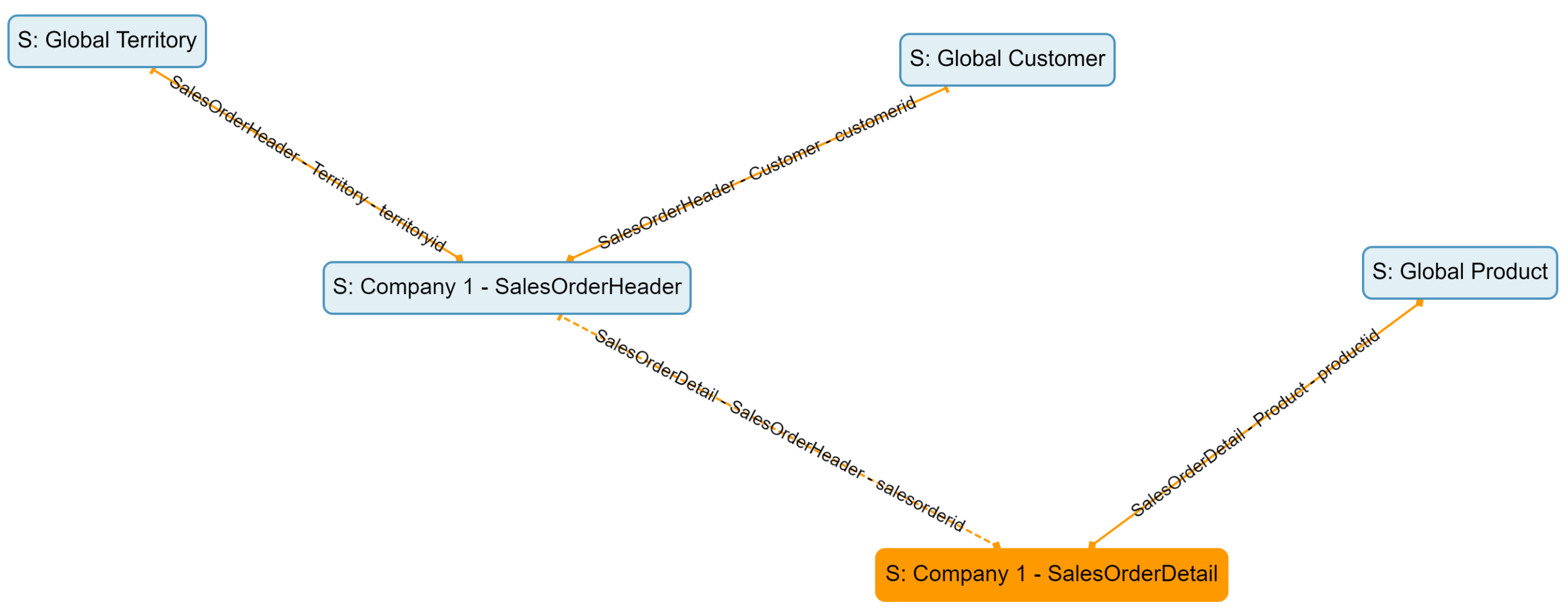
Company 1 Setup
Performing the Clone
To perform the clone, follow the steps described here, this time updating the Group name to Company 2. Be sure to validate all of the screen to ensure no unexpected objects are exported or cloned!
The Results
After Cloning, two new Company 2 Sources have been created for Sales Order Detail and Sales Order Header. See the image below.
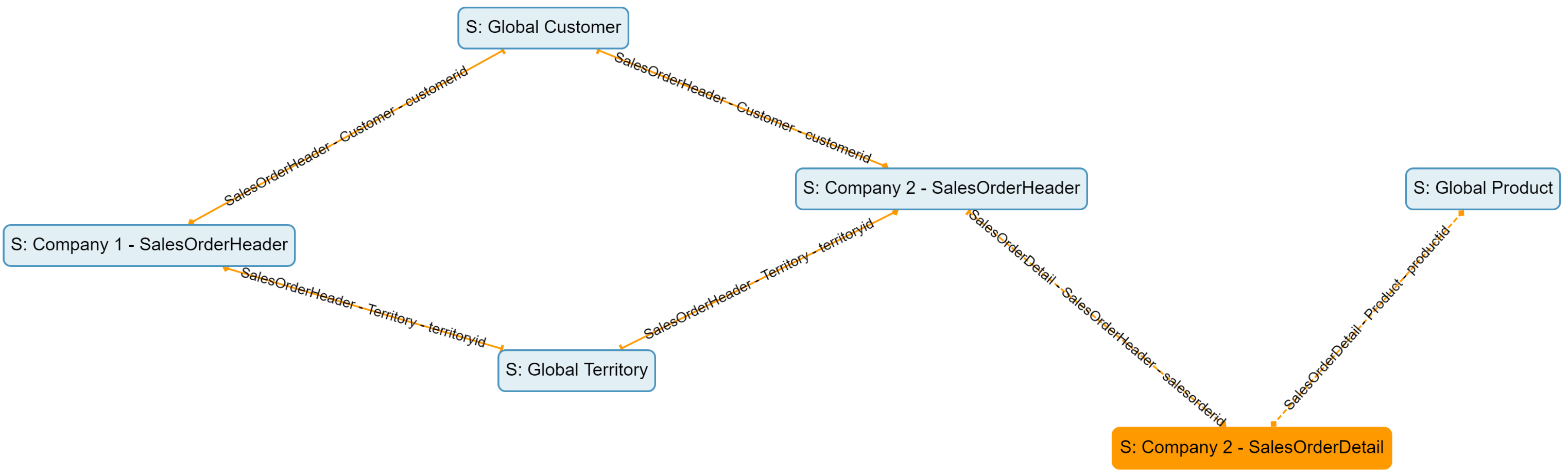
Company 2 Relations A few things to notice
- Company 2 Sales Order Detail is related to Company 2 Sales Order Header because they have a Group Relation between them.
- Company 2 Sales Order Detail is related to the SAME Global Product as Company 1 Sales Order Detail because it is a Master Data Relation.
- Company 2 Sales Order Header is related to the SAME Global Territory and Global Customer Sources as Company 1 Sales Order Header because they are Master Data Relations
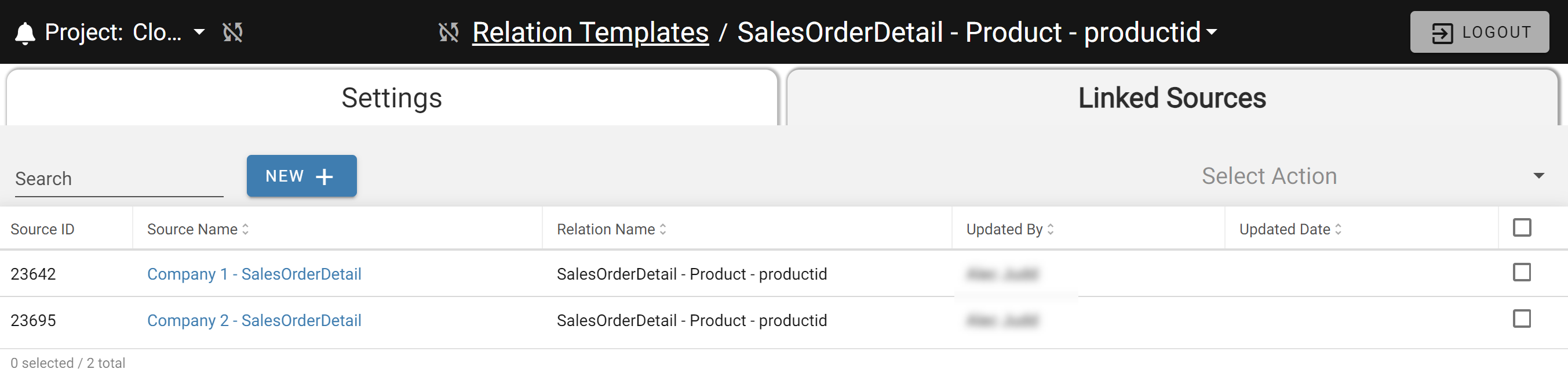
- Company 1 Sources are not directly related to any Company 2 Sources because they are in different Groups. The Linked Sources tab on any Relation Template now shows sources from both Company 1 and Company 2.
The next section covers how Rule Templates control Enrichment and Validation Rule behavior during cloning.