Cloning with Relations Overview
Summary and Use Case
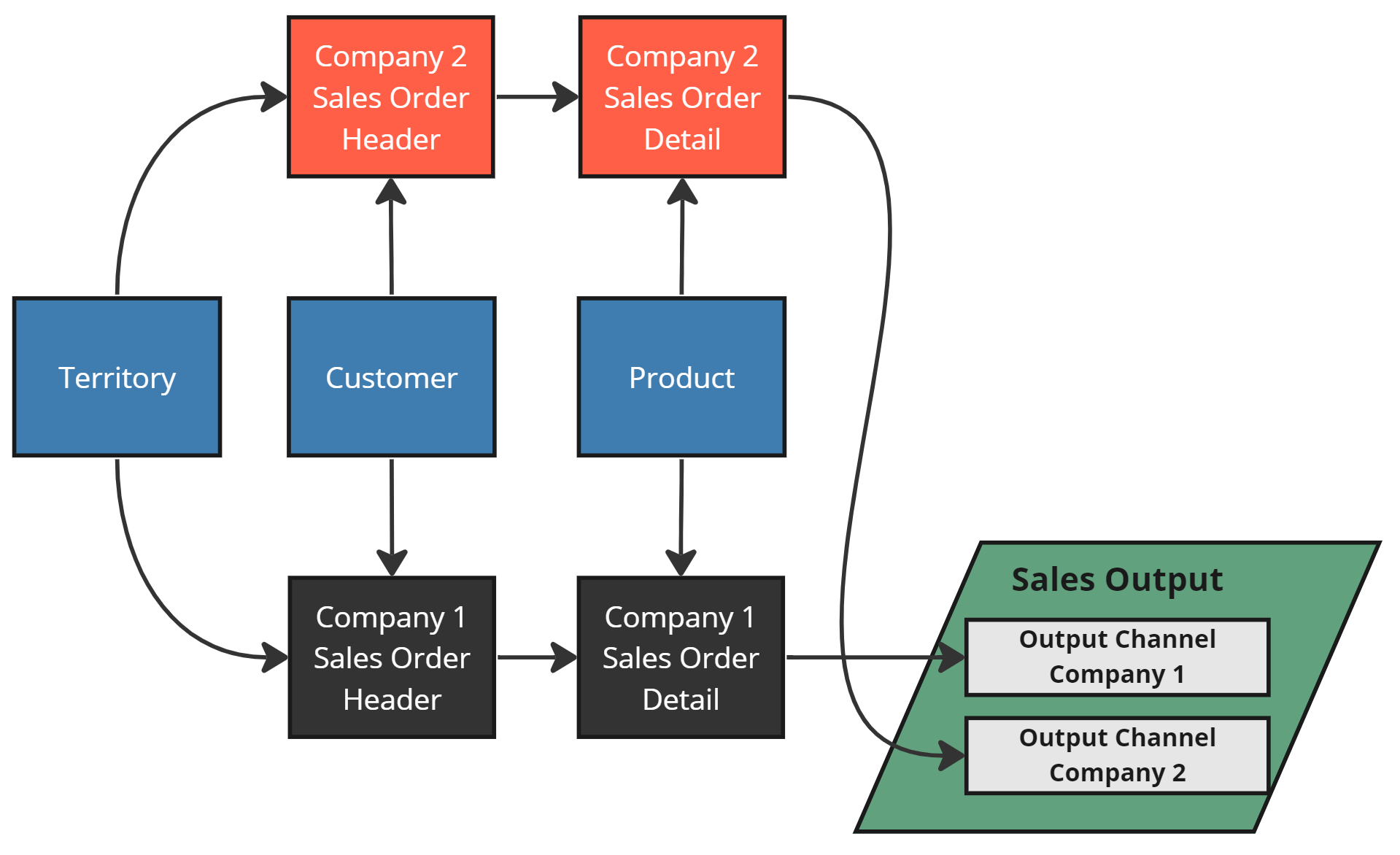
Real configurations are more complex than the basic clone example — they contain Relations. In the Company 1 example below, there are 4 relations: 3 between Company 1 Sources and Sources outside the Group (Product, Territory, Customer), and 1 between two Sources within the same Group (Sales Order Header and Sales Order Detail). The sections below cover desired cloning behavior for each type.
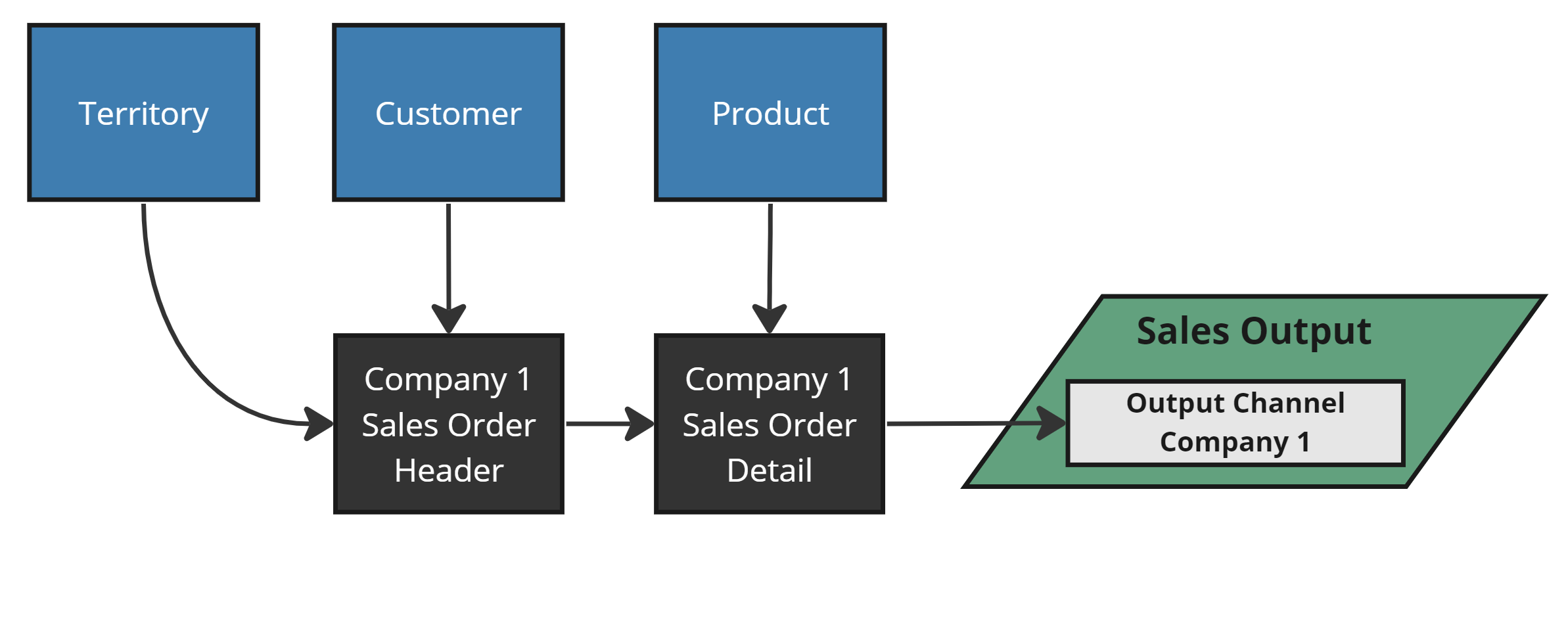 Company 1 Relations
Master Data Relations
Relations to Sources outside the Group (Product, Territory, Customer) are shared — there's no separate copy per Group. When cloning, Company 2 Sources should relate to the same global Sources. These are Master Data Relations. After cloning, the single shared Source gains a new relation to the cloned Source.
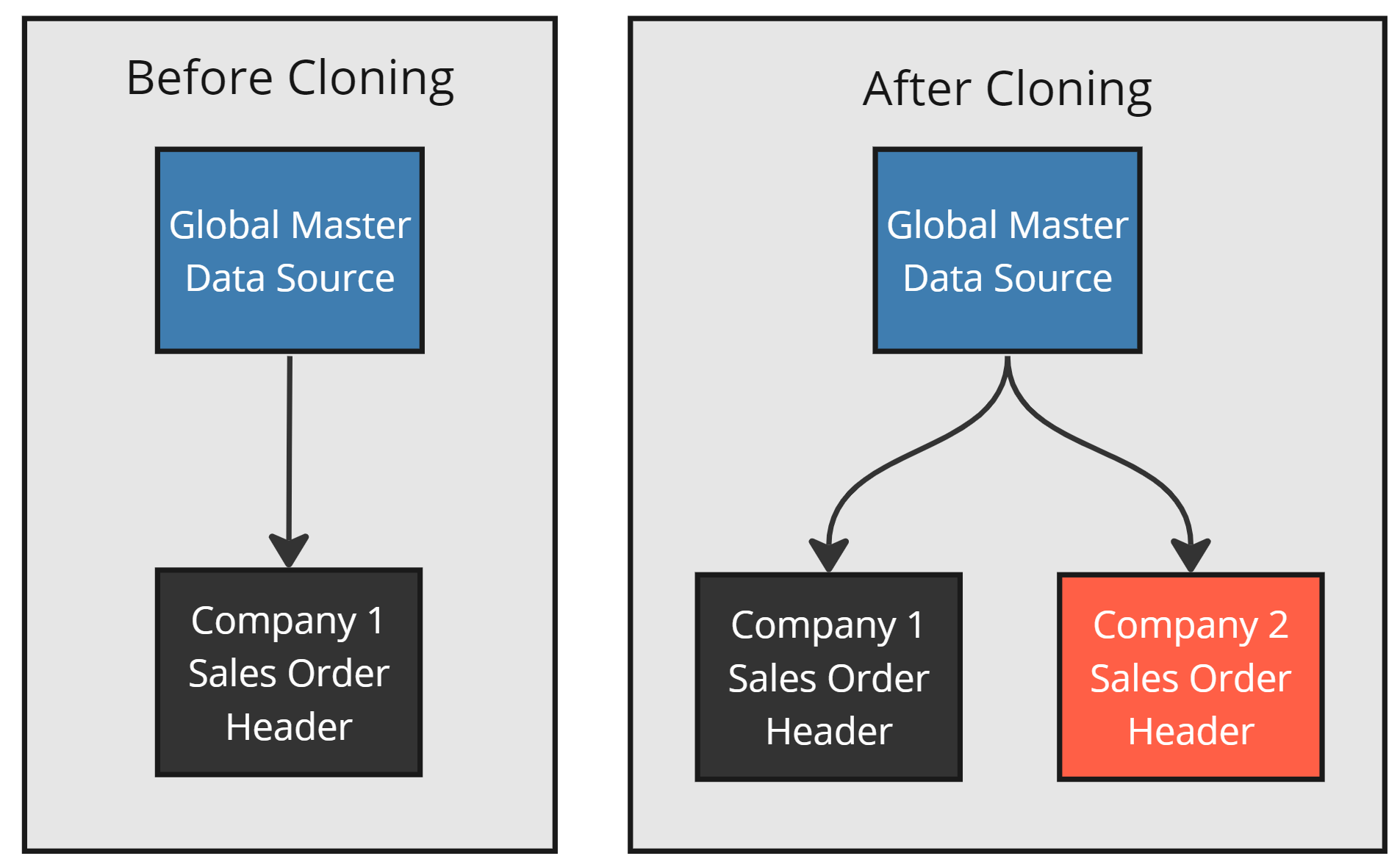
A Master Data Relation Clone
Group Relations
The relation between Sales Order Header and Sales Order Detail exists within the Group. When cloning, the new Company 2 Sources should relate to each other — not to the original Company 1 Sources. These are Group Relations. The desired behavior keeps the new Group fully independent from the original.
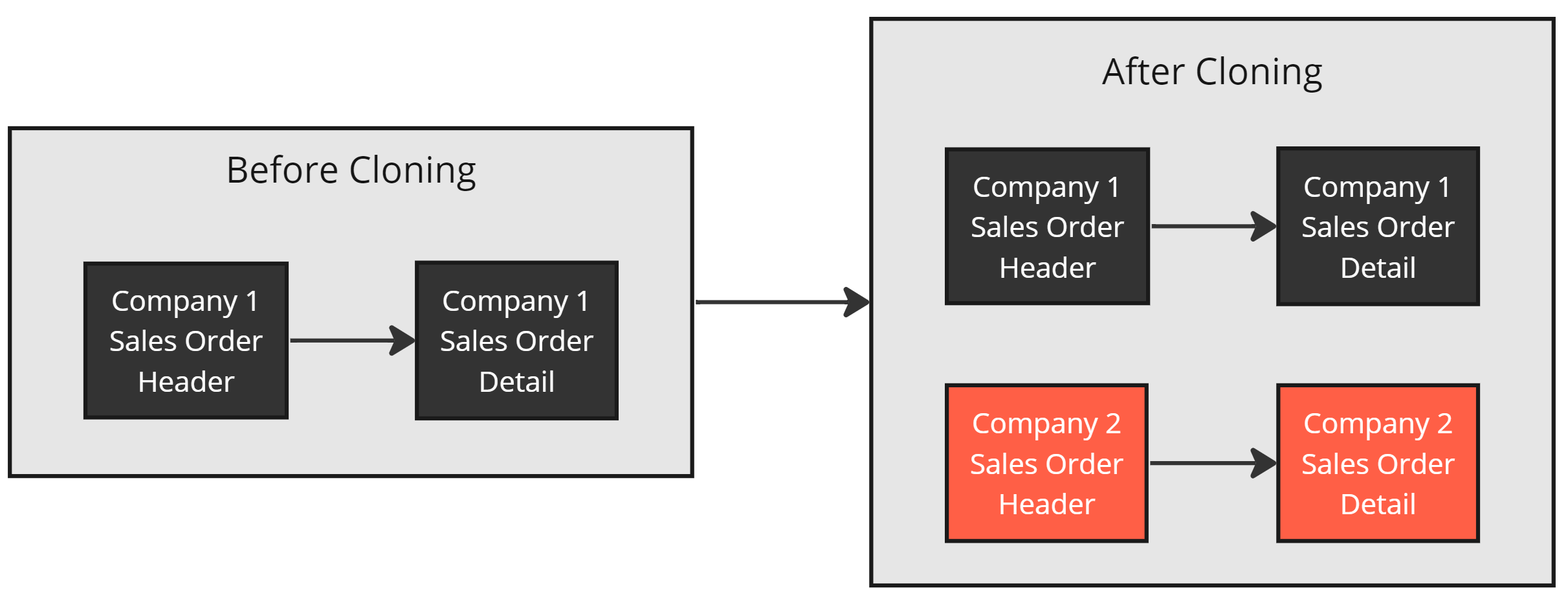
Desired Behavior for Group Relations
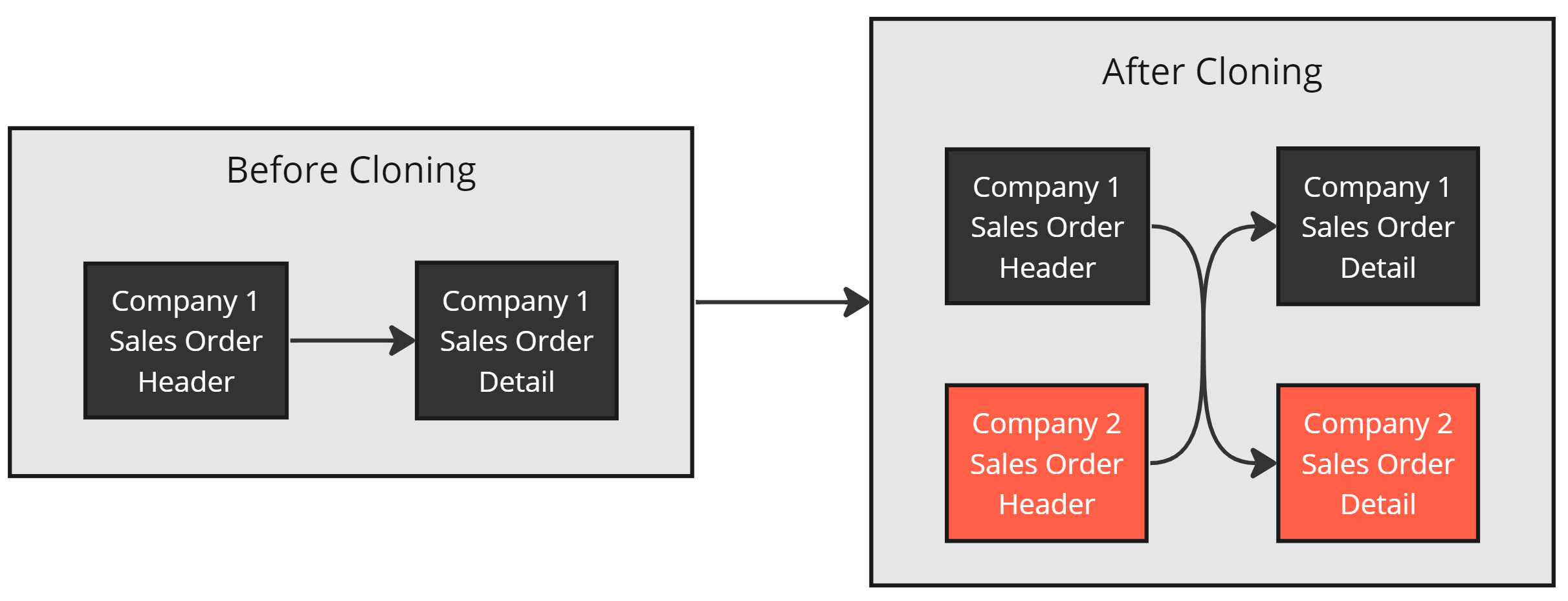
Undesired Behavior
Example
The image below shows desired cloning behavior with both Master Data and Group Relations applied.
The next sections cover creating Relation Templates to control Group vs. Master Data behavior. It is recommended to use a Relation Template for ALL relations on any Source that will be cloned.