Source Name Templates
Use Case
Source Name Templates dynamically insert the Group name into a Source's name. Take the Company 1 source from the Groups documentation:
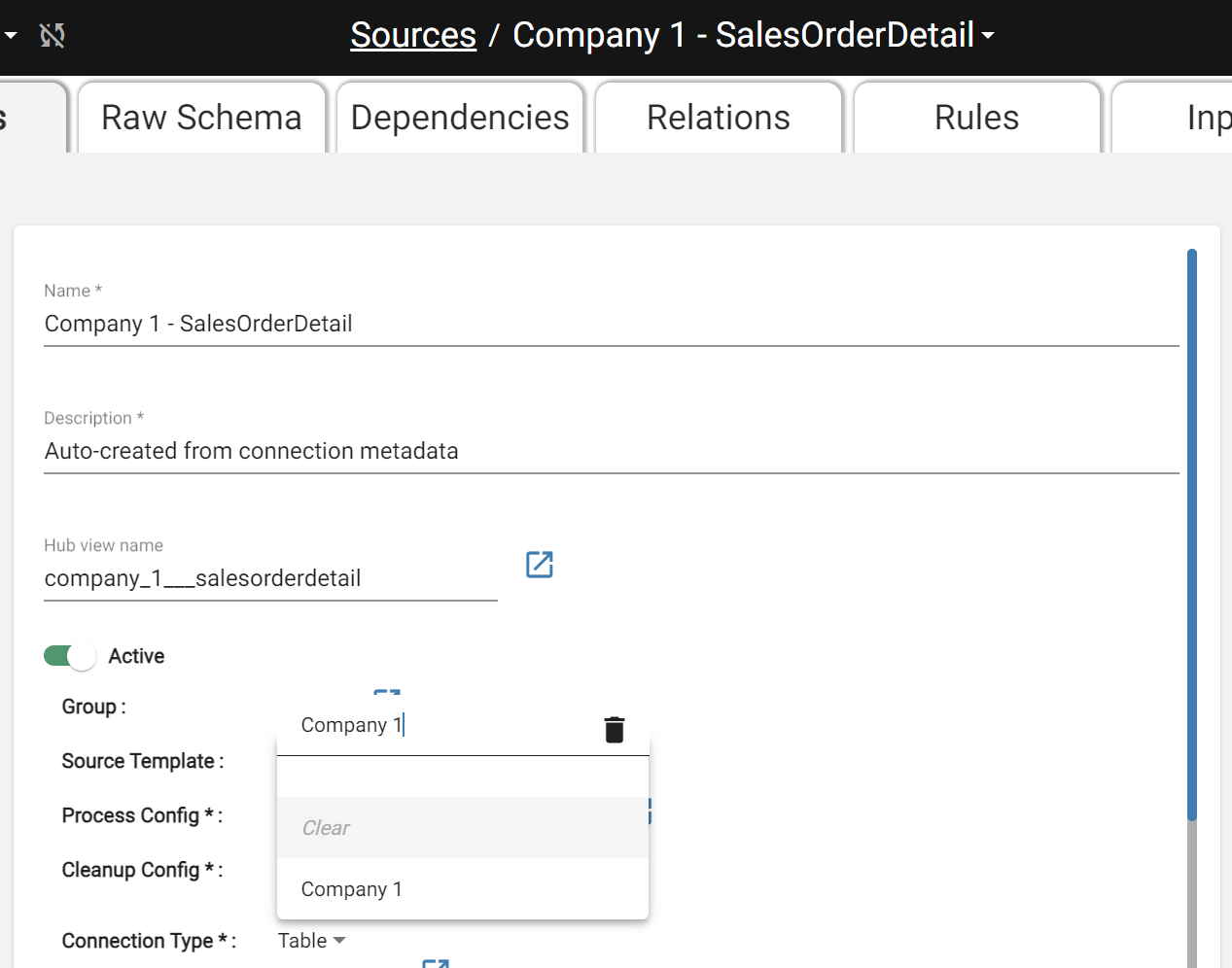
The Company 1 Source
The name "Company 1 - SalesOrderHeader" reflects its Group, but nothing prevents a user from manually changing it incorrectly. Source Name Templates solve this by automatically placing the Group name into the Source name.
Source Name Templates
A Source Name Template has one field — Source Name — which must contain ${GROUP} somewhere. DataForge replaces ${GROUP} with the Group name at runtime. For "Company 1 - SalesOrderDetail", the template would look like the image below.
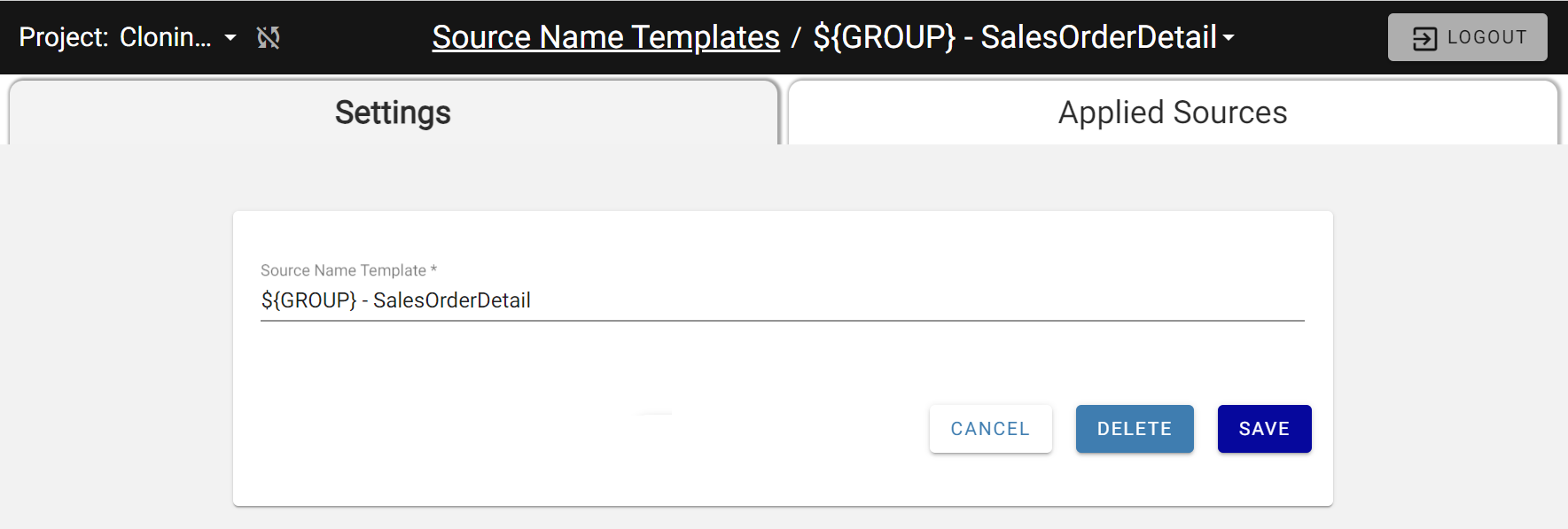
Creating the Sales Order Detail Source Name Template
Notice the ${GROUP} token where "Company 1" would normally go and the rest of the Source name is normal.
Applying the Name Template
On the Source Settings page, select the Group and Source Name Template from the dropdowns. The Name field becomes read-only and is calculated automatically.
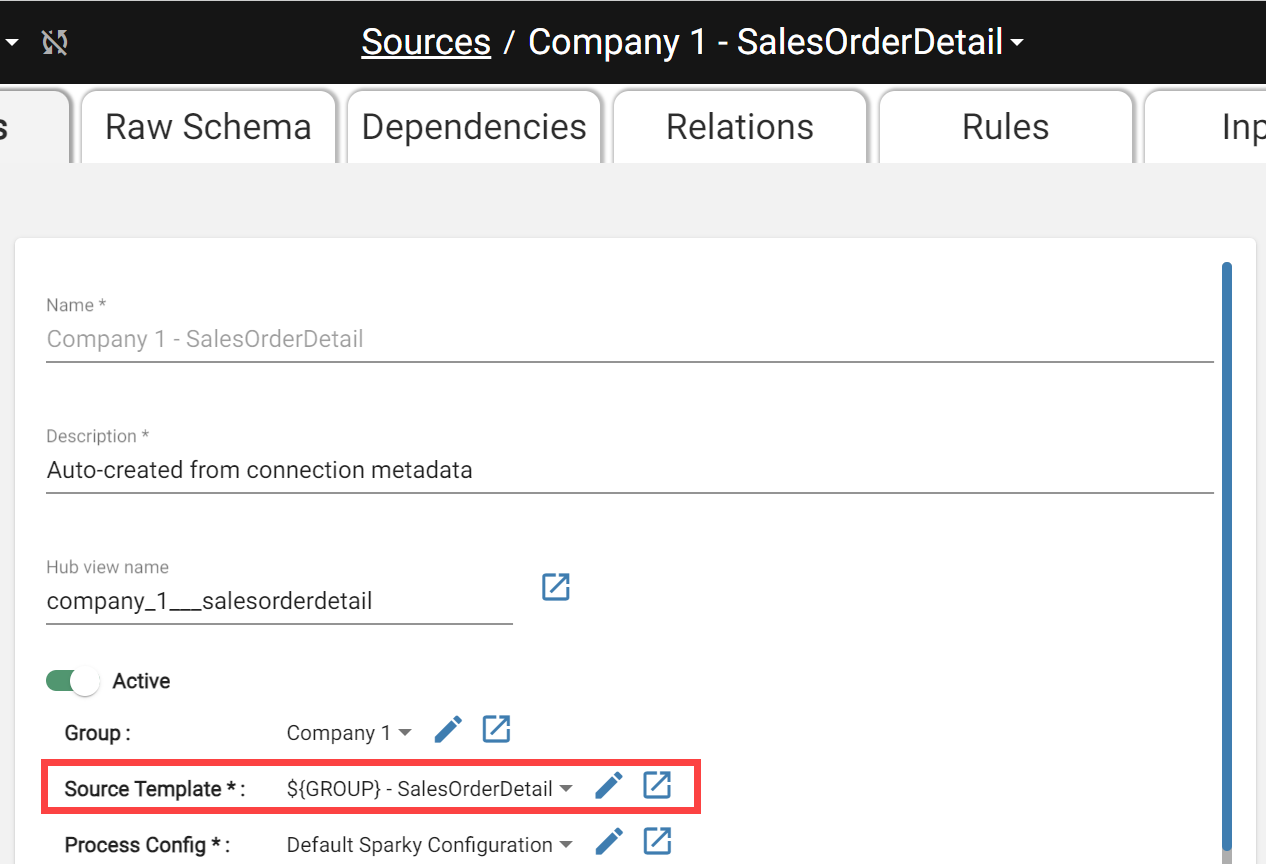
When cloning, all new Sources derive their names from the applied Source Name Template and the new Group name.