Sub-Sources
Overview
Sub-sources let you work with complex nested arrays (Array of Struct) without flattening, exploding, or managing extra tables. You create relations and rules directly within the nested data structure.
Example: An Order source with an order_detail field containing an array of JSON objects. Each array element is a row; each struct key (qty, price, …) is a column. This is a denormalized 1:M relationship stored in a single column.
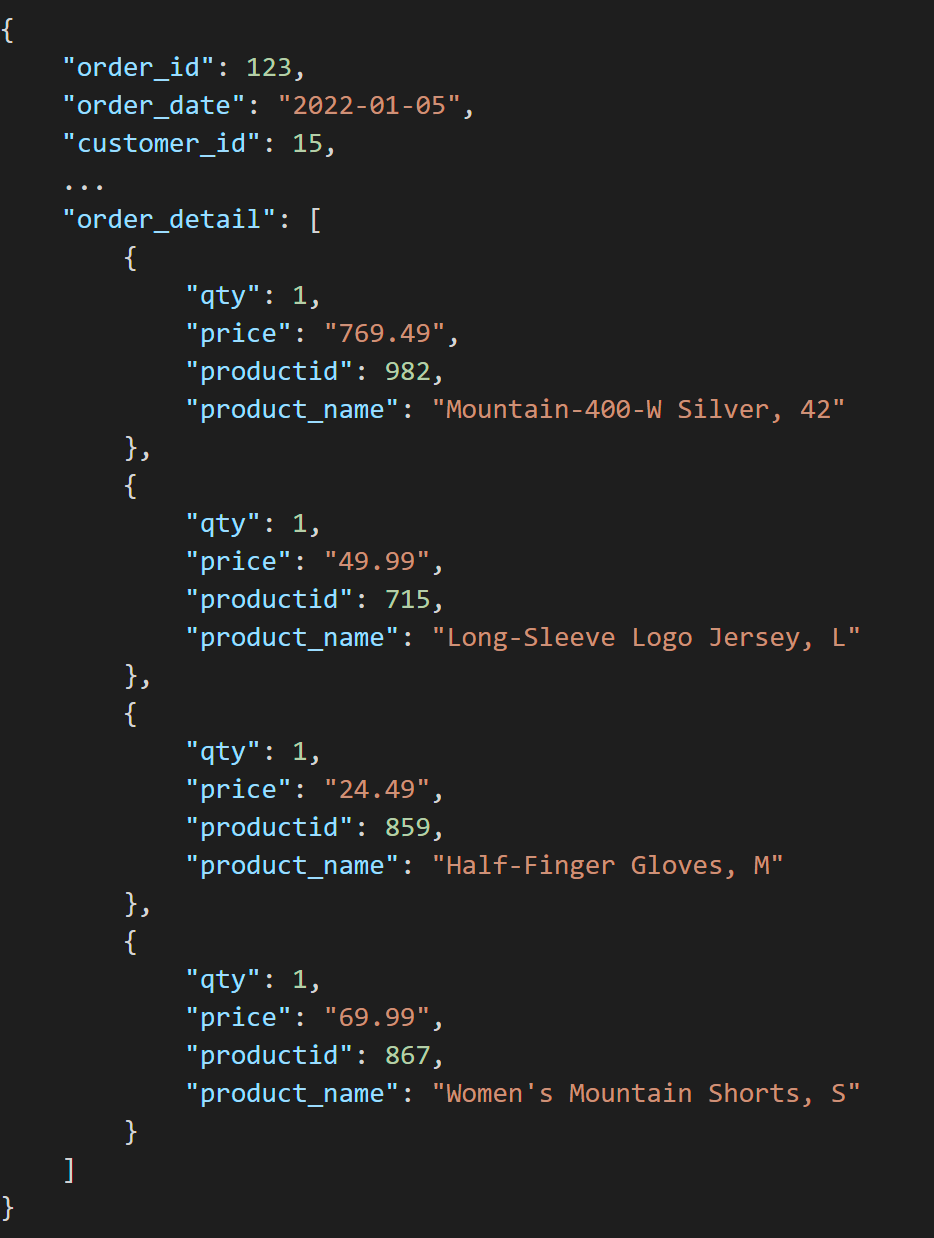
A developer creates an Order source, then adds a sub-source rule pointing to the order_detail array<struct<>> attribute. Within the sub-source, they can build relations and rules directly against each order_detail struct.
Creating a new sub-source
In the parent source, create a rule pointing to an ARRAY<STRUCT<...>> attribute and set the Type to Sub-source.
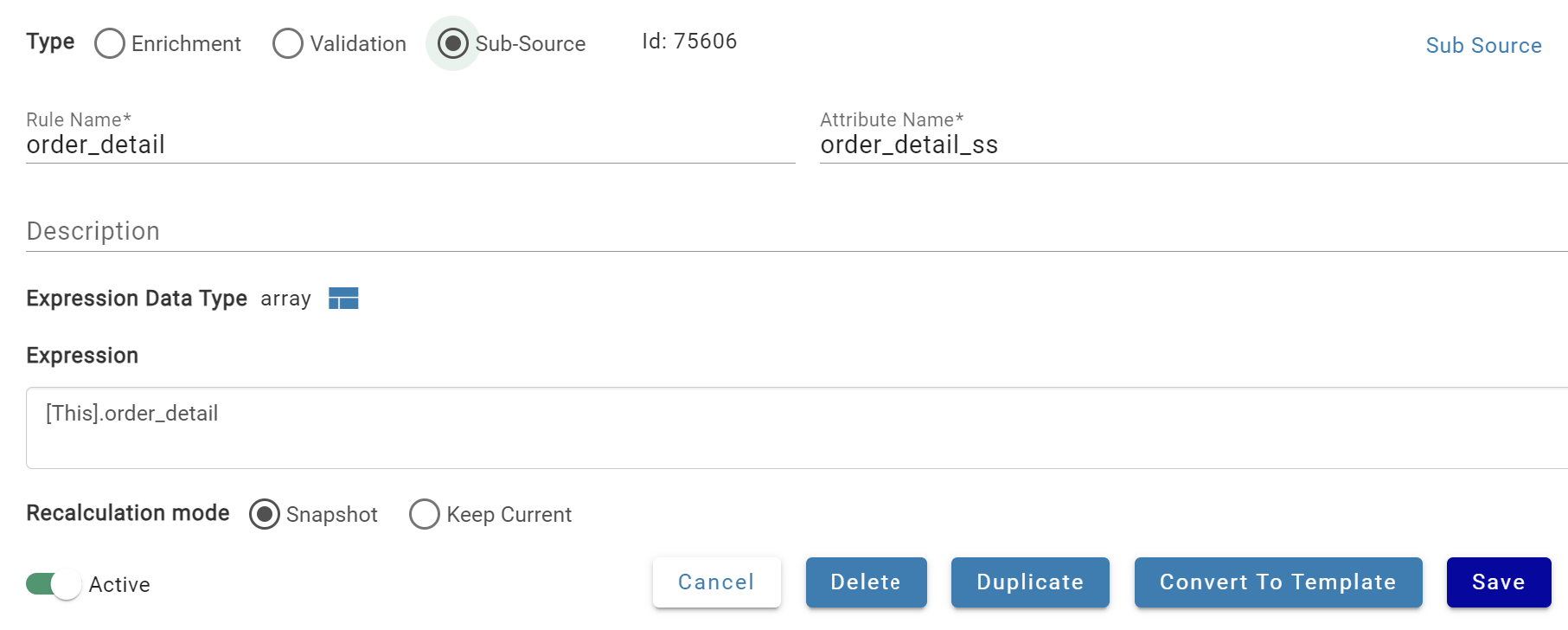
After saving, a sub-source appears on the Sources page named "Source name-Rule name" (modifiable). Add relations and rules within the sub-source to transform the data. Sub-source processing runs at the parent source level — recalculate the parent to apply new sub-source rules.
Sub-sources display the same tabs as regular sources, but several are inherited from or managed by the parent. See below for which tabs are available.

Settings
The settings tab is available in sub-sources with the majority of settings inherited from the parent source. The sub-source can be renamed or given a new description in the settings tab.
Raw Schema
The raw schema tab is available in sub-sources. Raw schema is auto-updated from parent sub-source rule schema. Each raw attribute represents a top level key of the source attribute struct.
Dependencies
The dependencies tab is not available in sub-sources. The sub-source inherits the dependencies of its parent source as the parent is calculated.
Relations
The relations tab is available in sub-sources. Each sub-source has an implicit relation with M:1 cardinality to its parent source. Additional relations can be added to the sub-source similar to working with relations in a regular source.
Rules
The rules tab is available in sub-sources. Rule results are included inside each struct within the array of the parent sub-source rule. Rules can be added to a sub-source similar to a regular source with the following limitations:
- No validation rules allowed within the sub-source
- No unique flag available for sub-source rule(s)
Inputs
The inputs tab is not available in sub-sources. All inputs are managed within the parent source where the sub-source rule is calculated.
Processes
The process tab is not available in sub-sources. All processes are managed within the parent source where the sub-source rule is calculated.
Data View
The data view tab is not available in sub-sources. To view data in a sub-source, query the parent source to view the sub-source rule results.
Processing and recalculating the sub-source
All processing for sub-sources happens within the parent source. The sub-source is a representation of the same nested complex array in the original parent source rule and is processed whenever the parent source is processed.
Outputs with sub-sources
Sub-sources can be mapped directly as a channel to any output. Sub-source outputs support all regular output functionality. Since sub-sources don't have inputs or processes, the output process is executed in the context of the parent source. When run, the output process parameters will contain the following structure:
- source_id: points to parent source of the sub-source
- output_id: points to the output the sub-source is mapped to
- output_source_id: points to the channel that contains the sub-source mapping
- input_id: points to the input of the parent source
Process visibility
Sub-source output (and manual reset output) processes are visible in the process tab of the parent source, process tab of the output the sub-source is mapped to, and the global processing page.
Output table refresh / deletes
Sub-source output channels inherit the refresh type/mechanism of their parent source. For example, if the parent source is set to Key refresh, the sub-source process will generate the output delete query as it would for the parent with an s_key delete algorithm. If the parent source is set to Full refresh, the sub-source process generates an output delete query that fully replaces the channel data set. The tracking system output fields of the sub-source output are always referencing the parent.