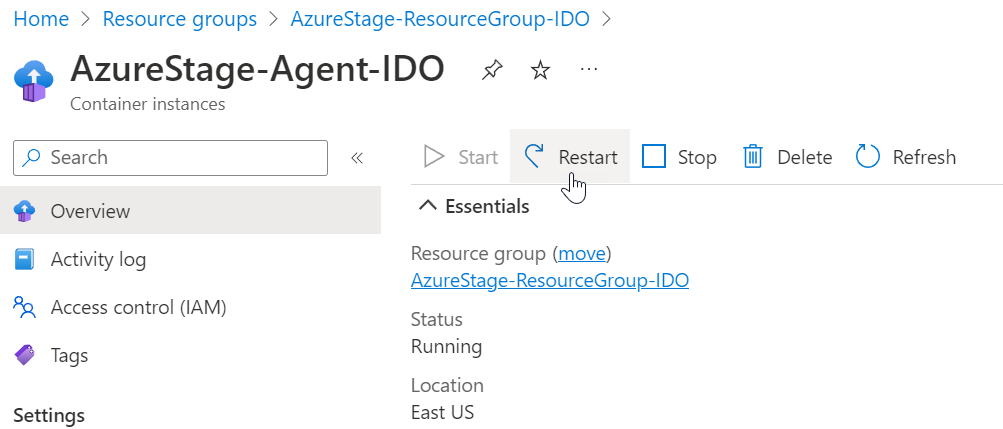
Restarting API, Core, or Agent Containers
Restarting API
Restart the API container when you see this error accessing DataForge:
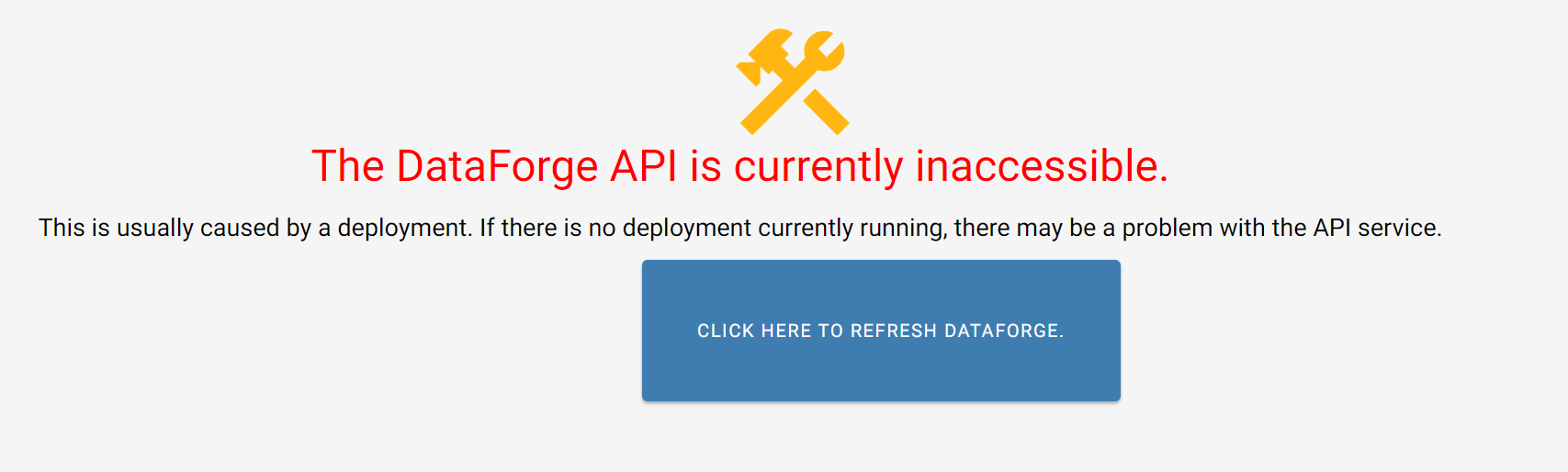
To restart the API container:
-
Open Microsoft Azure
-
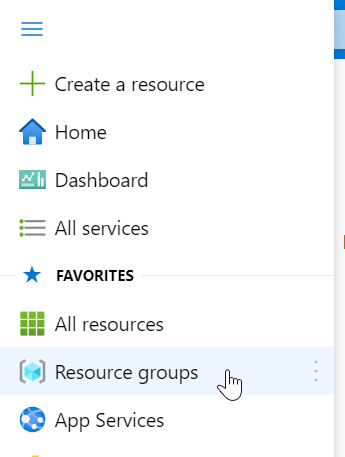
Navigate to the Resource Groups section
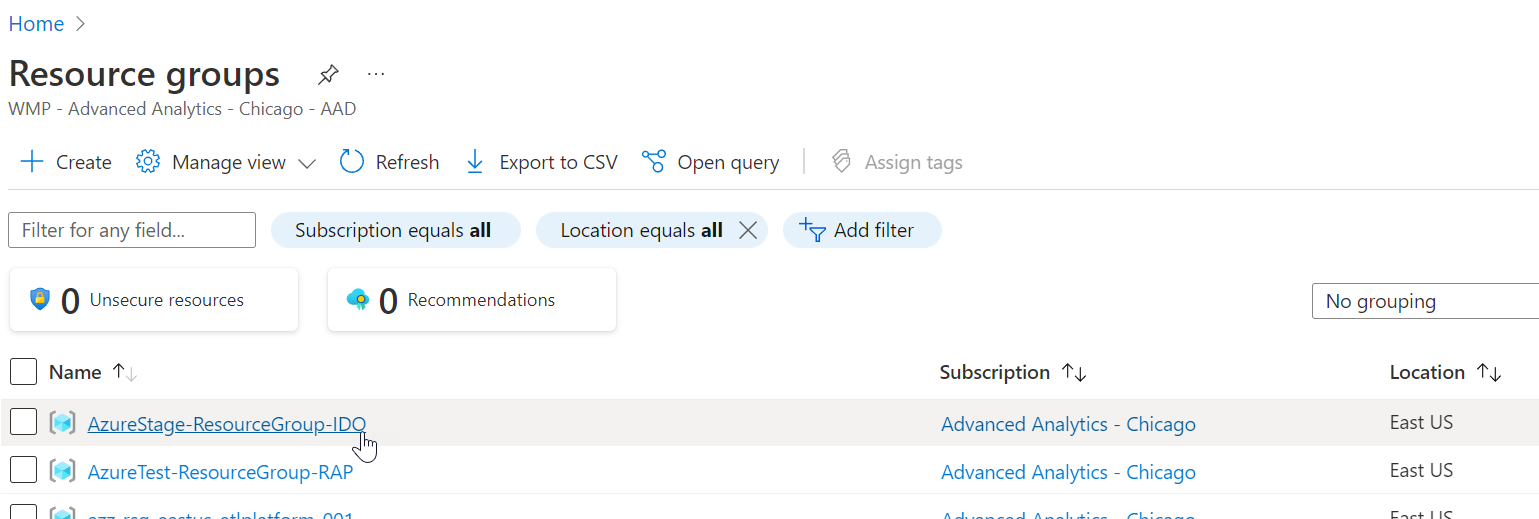
- Find (scroll or search) and open the Resource Group that reads as "environmentname-ResourceGroup-clientname"
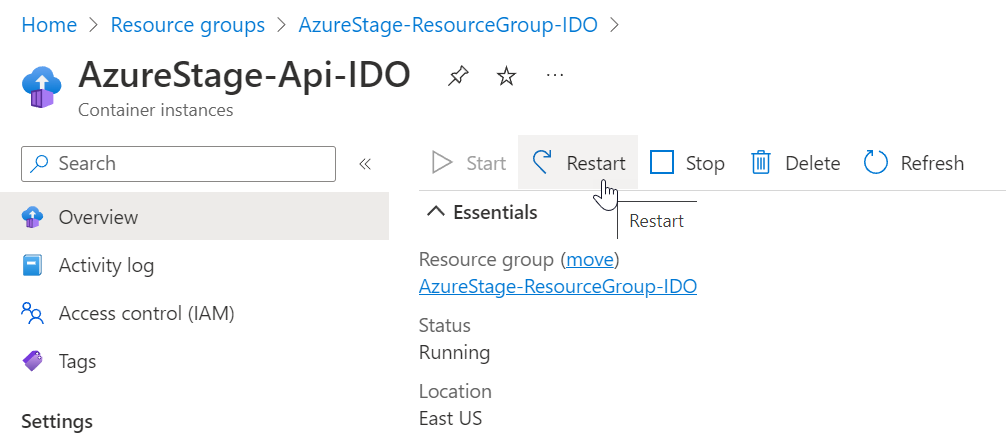
- Find and open the container that reads as "environmentname-API-clientname"
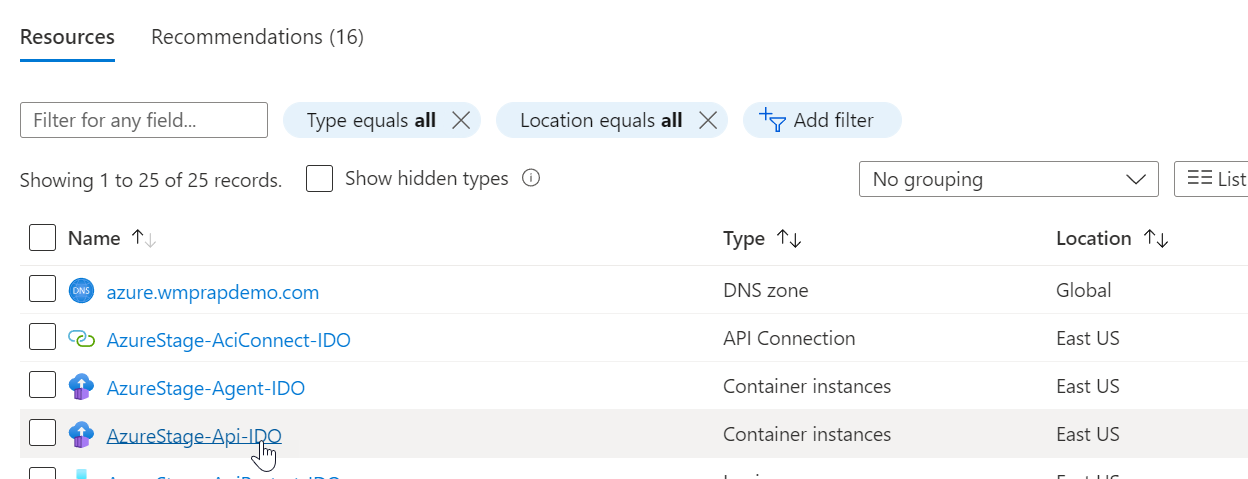
- Select the "Restart" option or click on "Stop", wait 30 seconds, and click "Start"
Restarting Core
Restart Core when Databricks jobs are not reaching L (launching) status.
To restart the Core container:
Follow steps 1-3 from the Restarting API section above
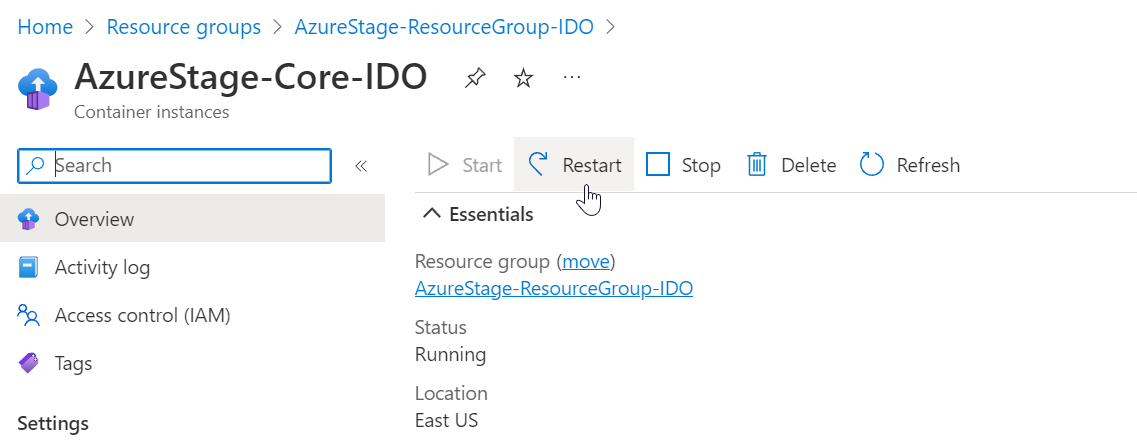
- Find and open the container that reads as "environmentname-Core-clientname"
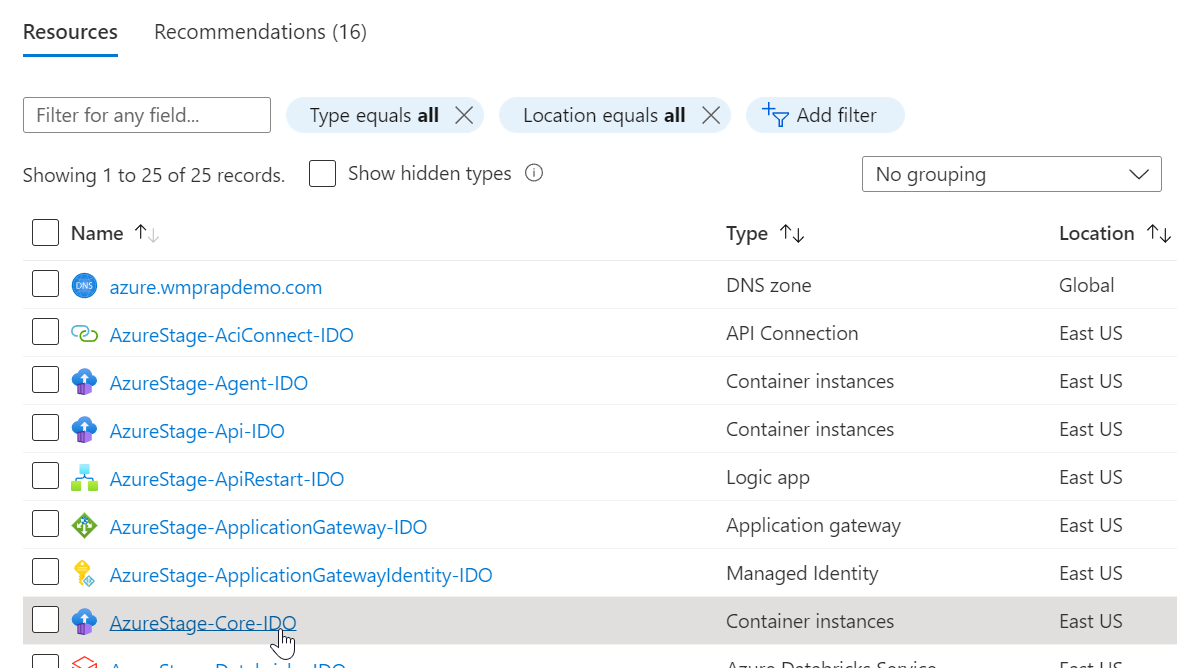
- Select the "Restart" option or click on "Stop", wait 30 seconds, and click "Start"
Restarting Agent
To restart the Agent container:
Follow steps 1-5 from the Restarting API section above
- Select the checkbox next to the row that has Task Definition "environmentname-Agent-clientname"
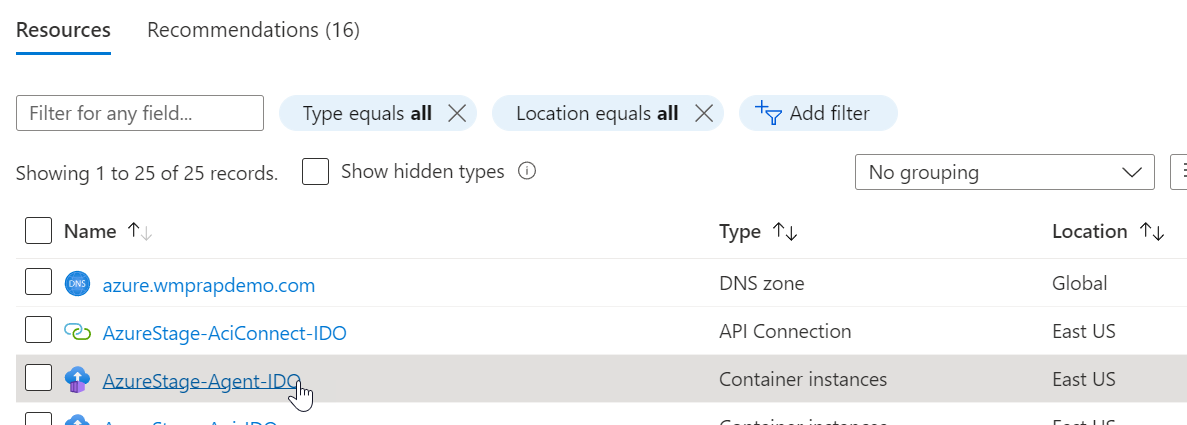
- Select the "Restart" option or click on "Stop", wait 30 seconds, and click "Start"