Unity Catalog
DataForge supports reading from and writing to tables stored in Databricks Unity Catalog.
Requirements
Unity Catalog is enabled on the Databricks workspace and a Unity Catalog exists to read from/write to. For more information, see Databricks Unity Catalog Get Started guide.
Source Connection
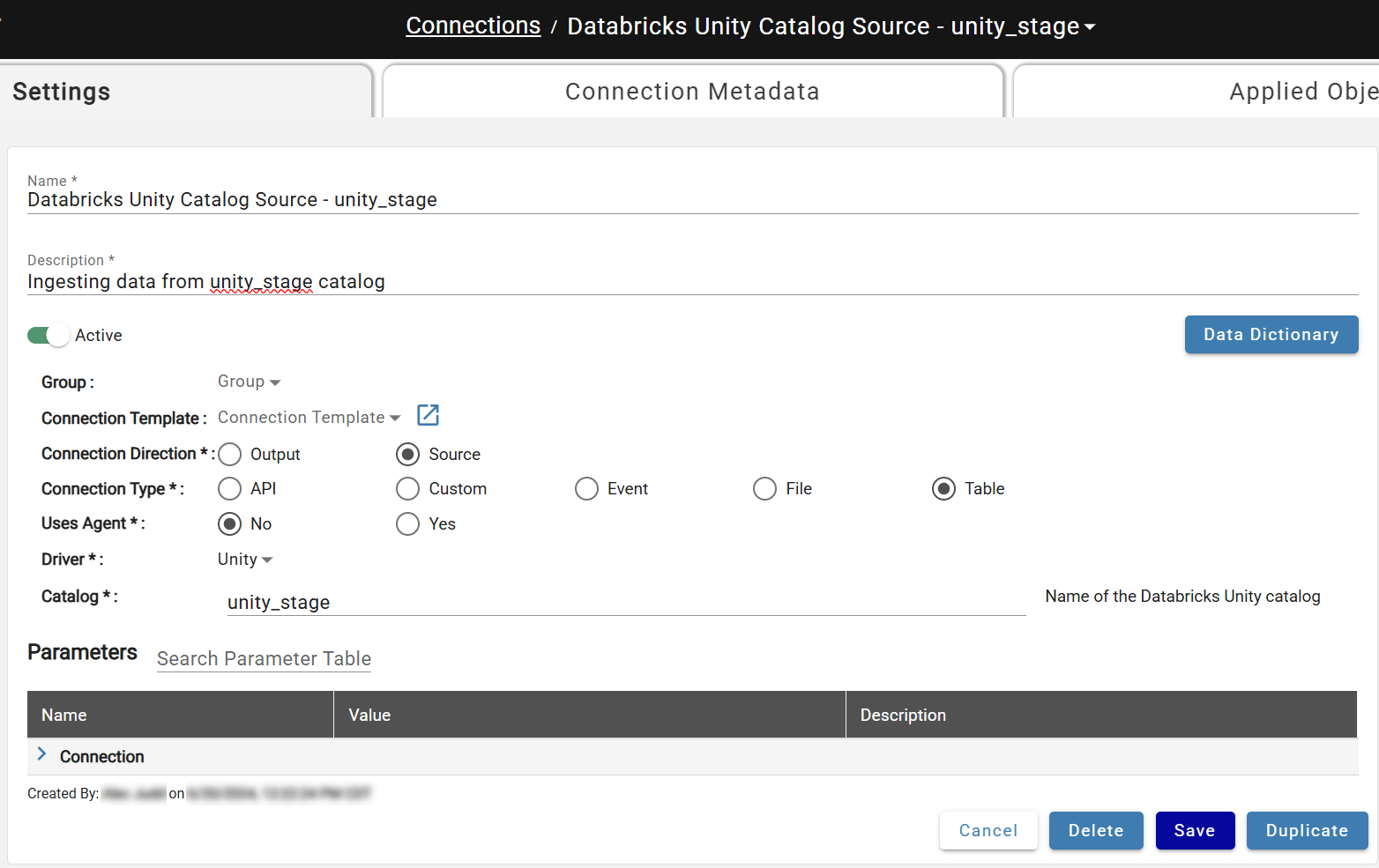
Navigate to the Connections page and create a new Connection with:
- Connection Direction: Source
- Connection Type: Table
- Uses Outcrop: No (shown as Agent in the DataForge UI)
- Catalog: Your Unity Catalog name
Connection Metadata parameters are optional. Save and attach to Sources using Connection Type: Table.
Output Connection
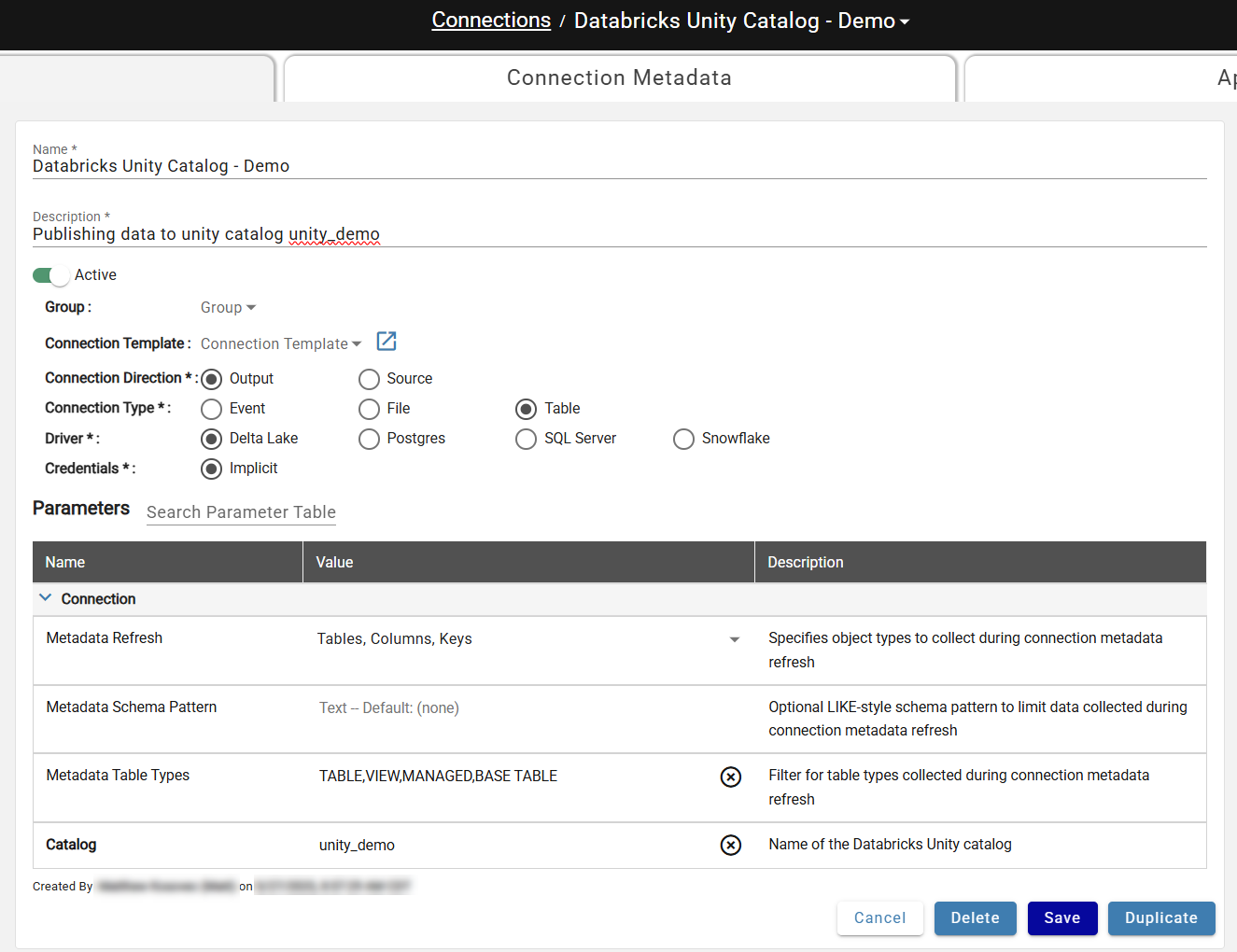
Navigate to the Connections page and create a new Connection with:
- Connection Direction: Source
- Connection Type: Table
- Driver: Delta Lake
- Credentials: Implicit (already selected)
Expand Parameters and set Catalog to your Unity Catalog name. Save and attach to Outputs using Output Type: Table.