Creating a Multi Group Connection
We will start off by taking a look at an example Connection. It is configured to output data to Delta Tables in Databricks and is attached to the Multi Group Output that includes channels from multiple Groups.
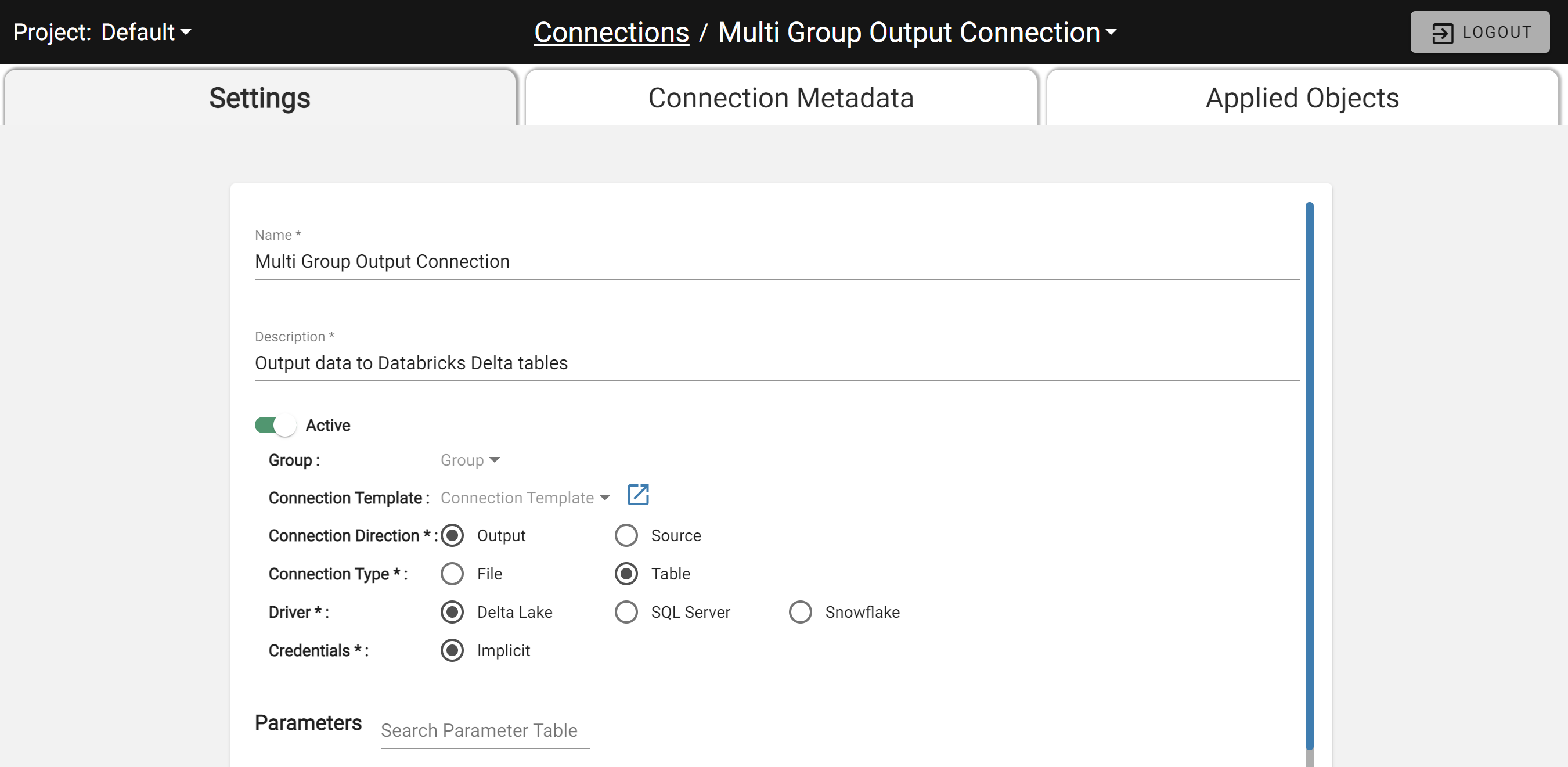
The Multi Group Connection
Notice in the above image that the Group and Connection Template fields are both blank and the Connection Name is hard coded to "Multi Group Output Connection".
A Connection with no Group can connect to any Output in the environment — similar to a Global Source. When an Output using this Connection is cloned, the new Output attaches to the same Connection.
Multi Group is the default behavior and requires no extra configuration. See the next section for Single Group Connection setup.