Cleanup Configuration
Cleanup Configuration defines retention settings for data lake objects and metadata. Access it via System Configuration → Cleanup Configurations.
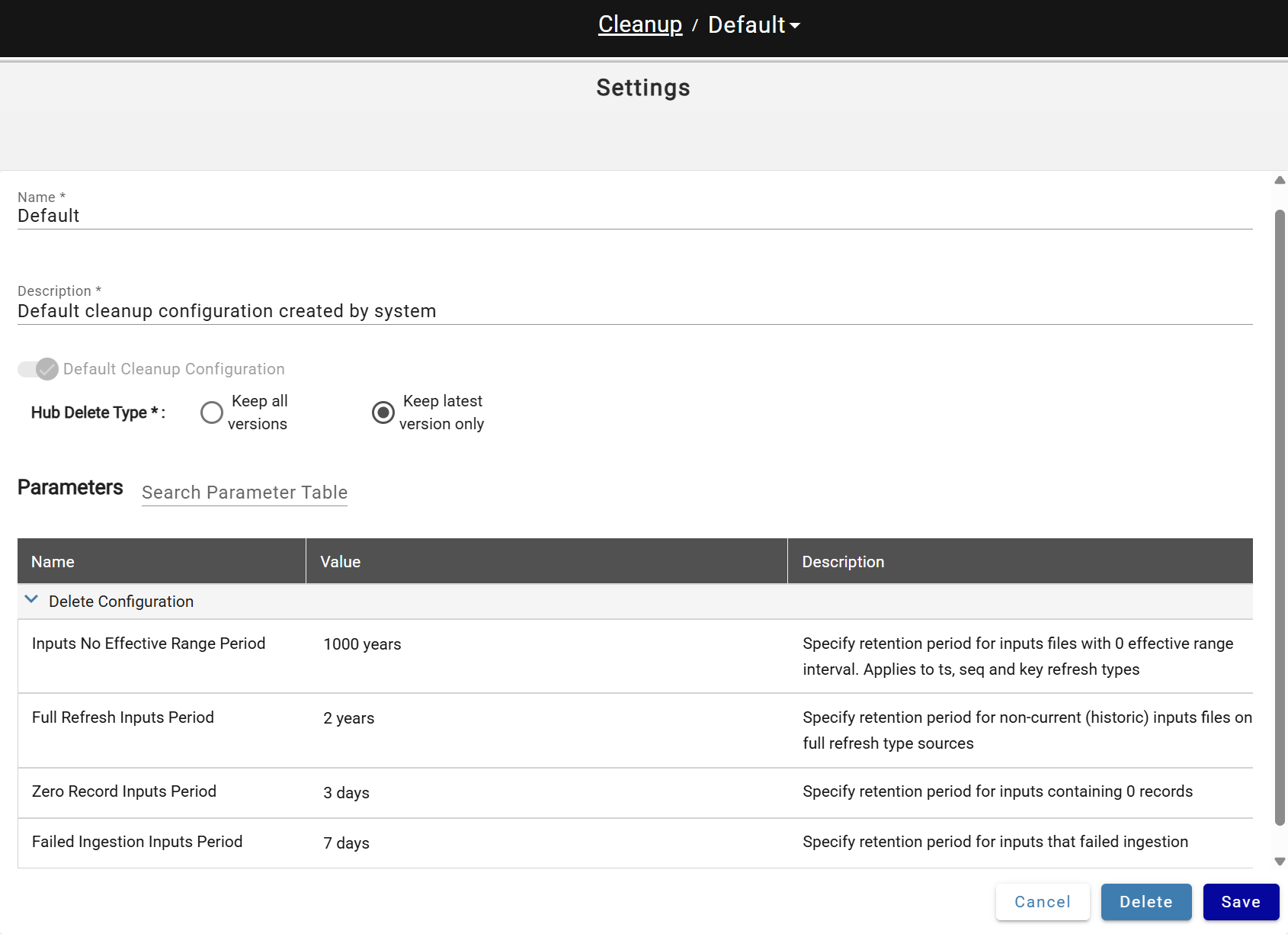
A default configuration is created automatically and assigned to all sources.
Cleanup Parameters
| Parameter | Description |
|---|---|
| Hub delete type | "Keep latest version only" setting will remove all non-current files and folders with hub table data from data lake "Keep all versions" disables hub data objects cleanup |
| Inputs No Effective Range Period | Retention period for batches (inputs) of data with no effective range (data). Applies to sources with key, timestamp and sequence refresh types |
| Full Refresh Inputs Period | Retention period for not current/latest batches (inputs) of data. Applies to sources with full refresh type |
| Zero Record Inputs Period | Retention period for inputs (batches) containing zero records. Applies to all source refresh types |
| Failed Ingestion Inputs Period | Retention period for inputs that failed Ingestion |
Cleanup deletes inputs from the metadata store per these settings, then removes orphaned data lake objects (deleted inputs and sources).
Configuring Cleanup for the Source
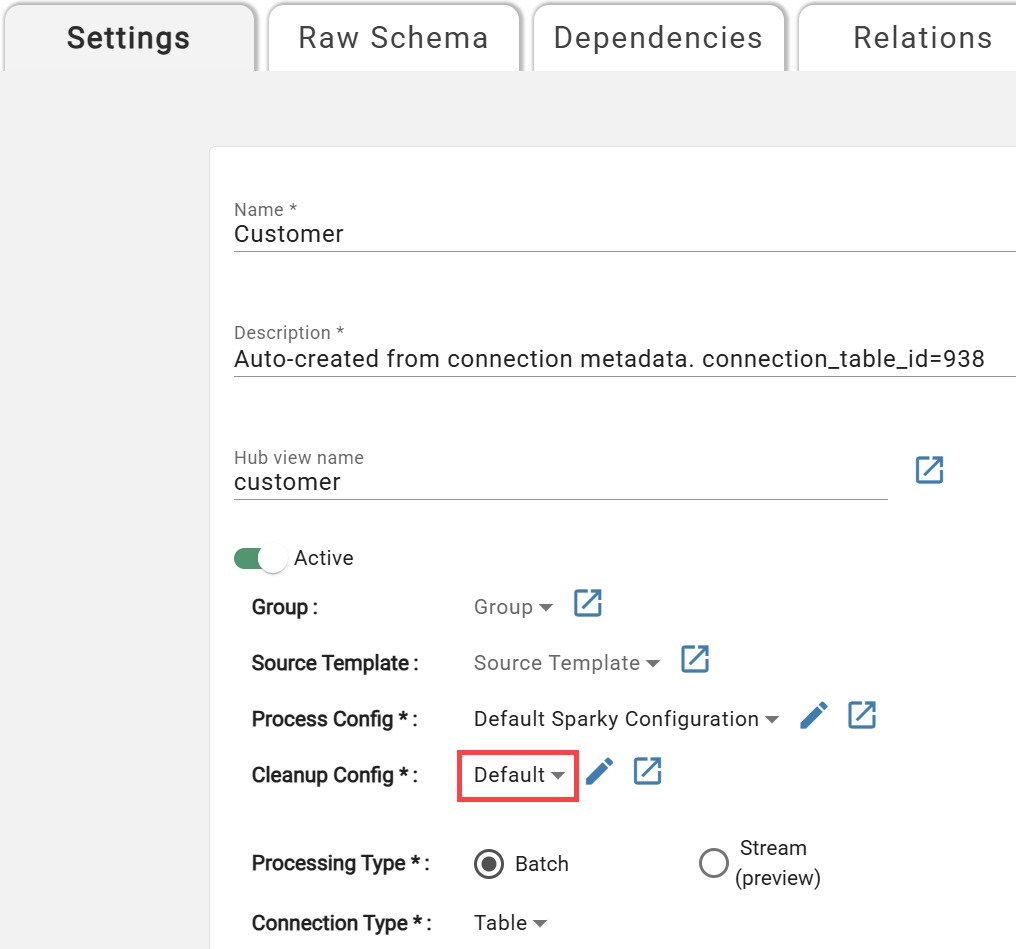
Sources are assigned the default cleanup configuration on creation. To change it, open source settings and select a different configuration:
Customizing Cleanup Run Schedule
A default "Cleanup" schedule is created in every environment set to run nightly at 12PM UTC. Do not rename this schedule — the process recognizes it by name. To adjust run times, open the Cleanup schedule, update the cron values, and save; changes take effect after the next run or a Core service restart.
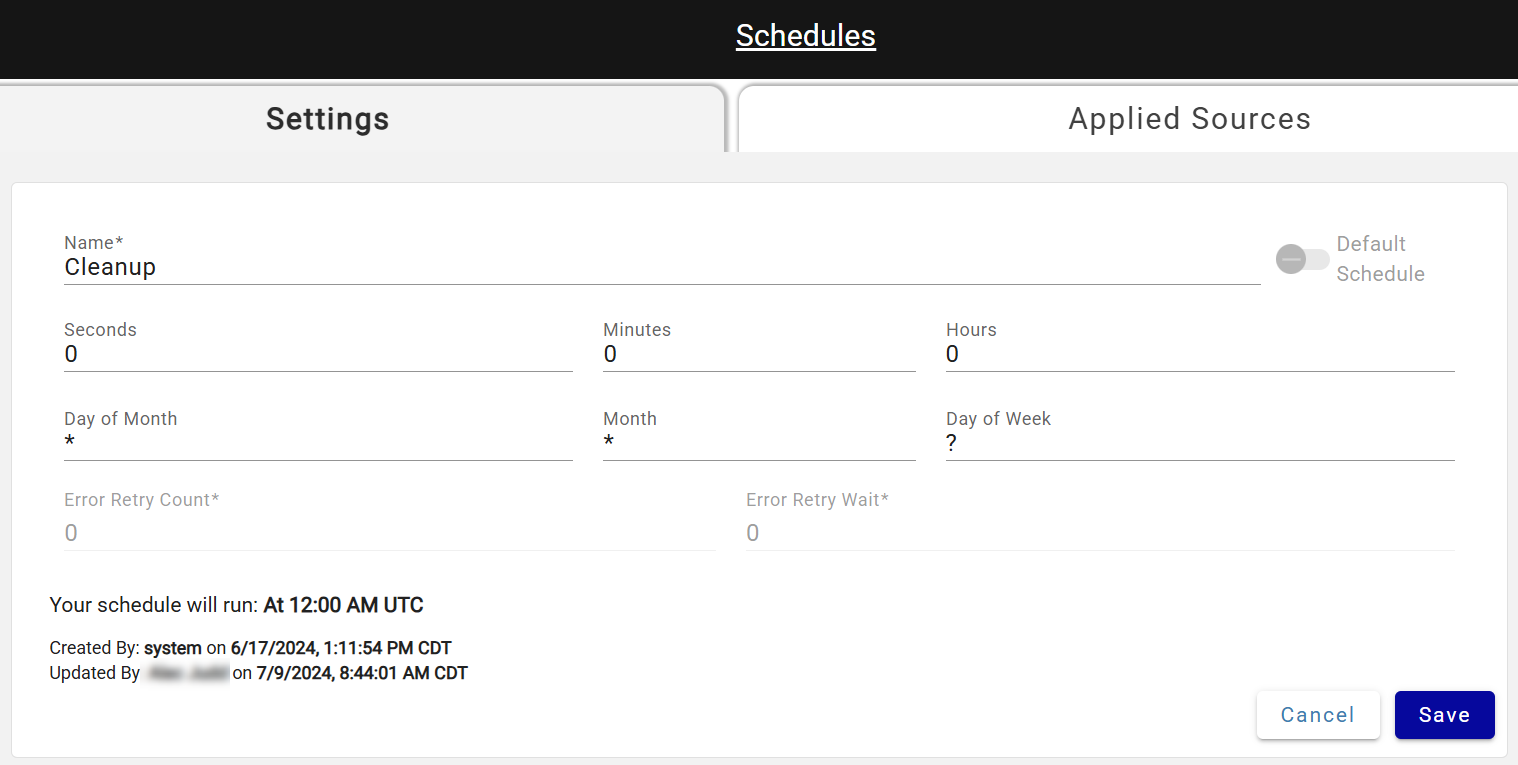
DataForge recommends running Cleanup at least once per week to control cloud costs. Sources that haven't had Cleanup run in over 7 days show a garbage can icon in their status. 
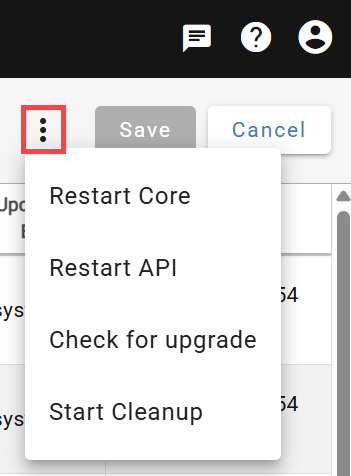
Cleanup can also be started manually from System Configuration → Service Configurations.
Customizing Compute Configuration for Cleanup
To customize compute for cleanup, open the compute configuration named Cleanup and save your changes.
If cleanup is running slowly, switching to Single Node can reduce processing time and costs.
Suggested settings to use for this configuration:
- Name: Cleanup
- Description: Cleanup compute config
- Compute Type: Job
- Scale Mode: Single Node
- Job Task Type: DataForge jar
- Spark Version: 15.4.x-scala2.12
- Node Type: m-fleet.2xlarge (or equivalent type for respective data platform, may want to scale up or down depending on size of environment)
- Enable Elastic Disk: True