Creating A Single Group Output with Output Name Templates
A Single Group Output requires two objects: a Group and an Output Name Template. This example edits the existing "Company 1 Single Group Output".
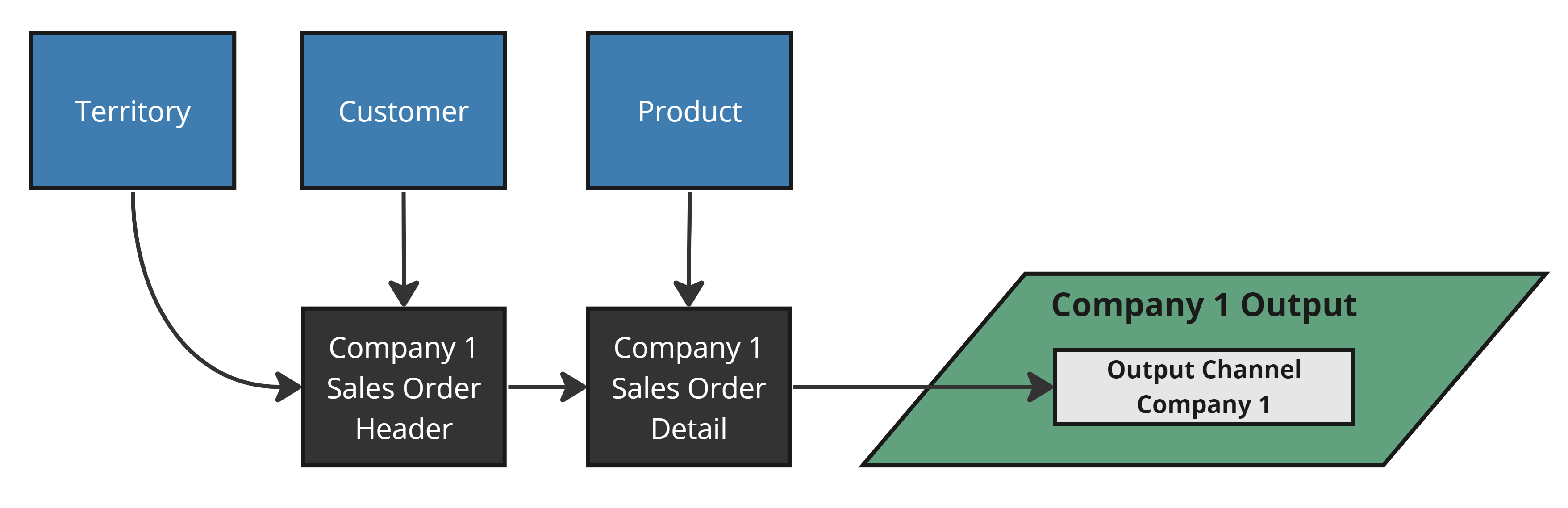
Like a Source name, the output name contains the Group ("Company 1") and the data descriptor ("Single Group Output"). Similarly, we'll use a Group and a Name Template to configure it.
The Group
For information on creating and using Groups, refer to this page.
The Output Name Template
Output Name Templates dynamically insert the Group name into the Output name. An Output Name Template has two fields:
- Output Name — must contain
${GROUP}somewhere. - View Name — only used for Virtual Outputs (views). Recommend including
${GROUP}here too to avoid collisions when cloning. Only letters, numbers, and underscores are allowed; spaces in the Group name are normalized automatically.
Creating an Output Name Template for a single group output would look like the image below.
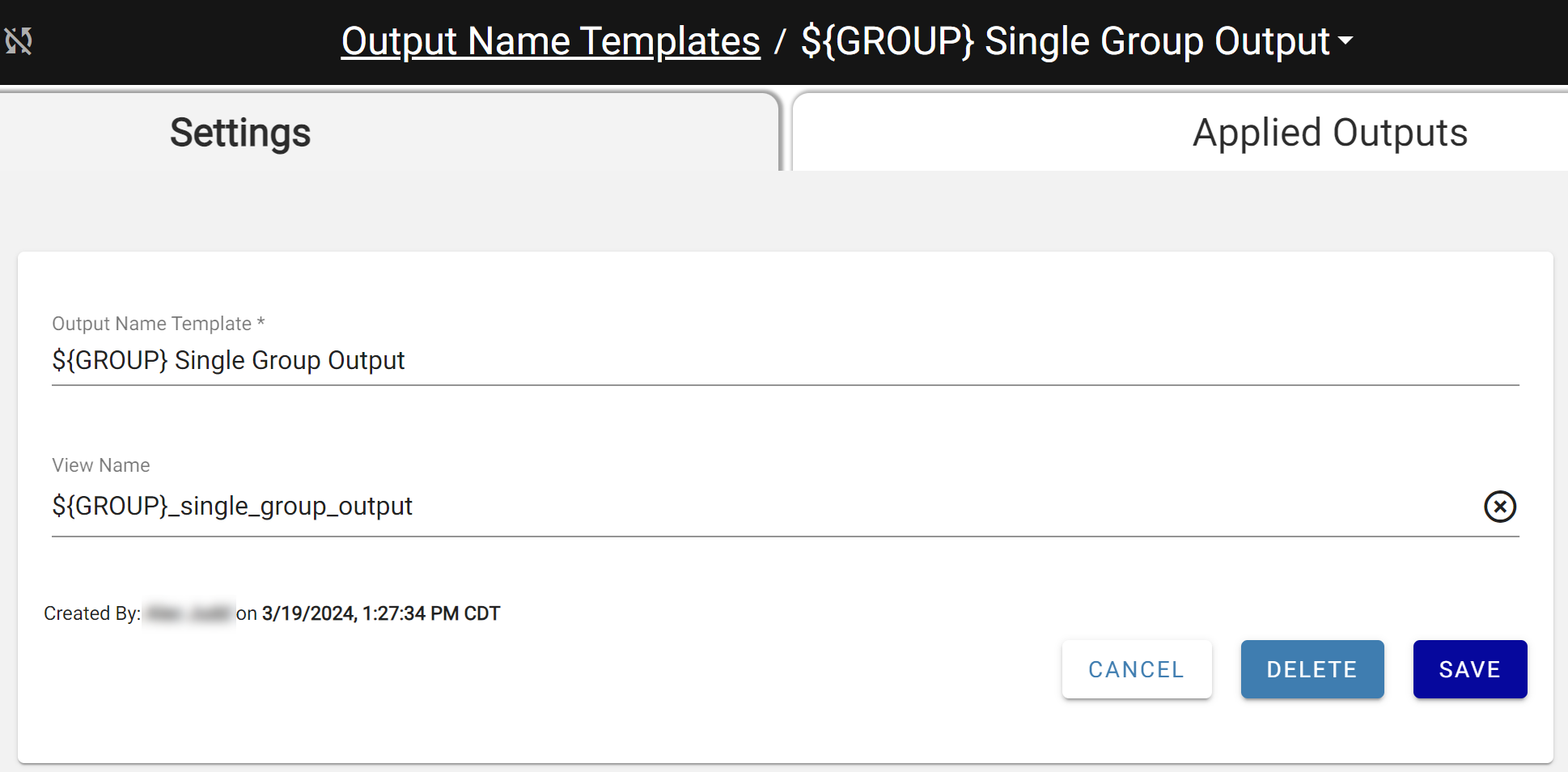
The Single Group Output Template
Applying the Group & Template
Without a Group and Template, the output behaves as Multi Group when cloned. Apply both from the associated dropdowns — the Output Name field becomes read-only and is calculated automatically.
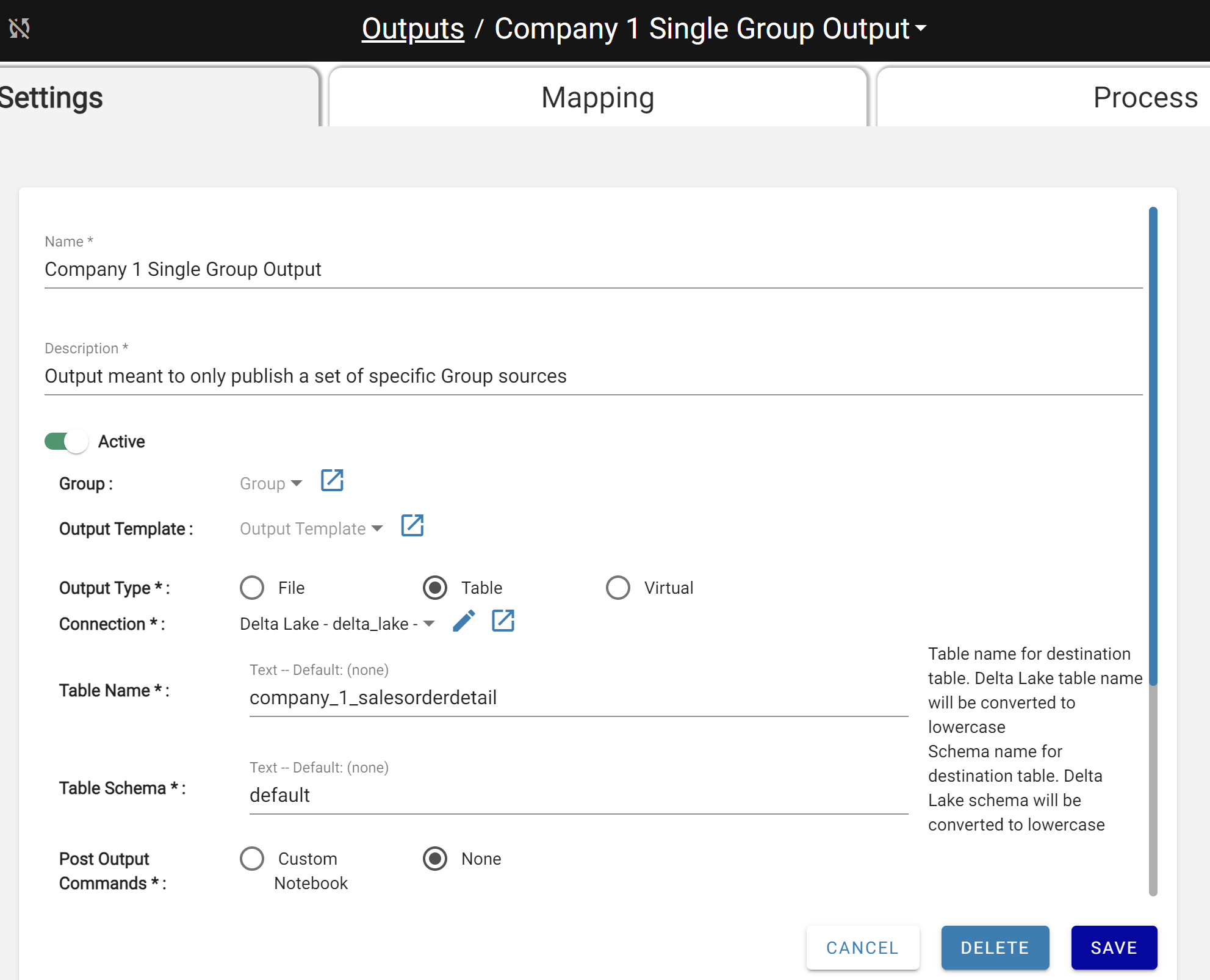
Since this output will be cloned as part of a Group, a Connection using a Connection Template must also be applied. This prevents cloned outputs with matching schema and table names from overwriting each other. Review output destinations and schema/table names after cloning.
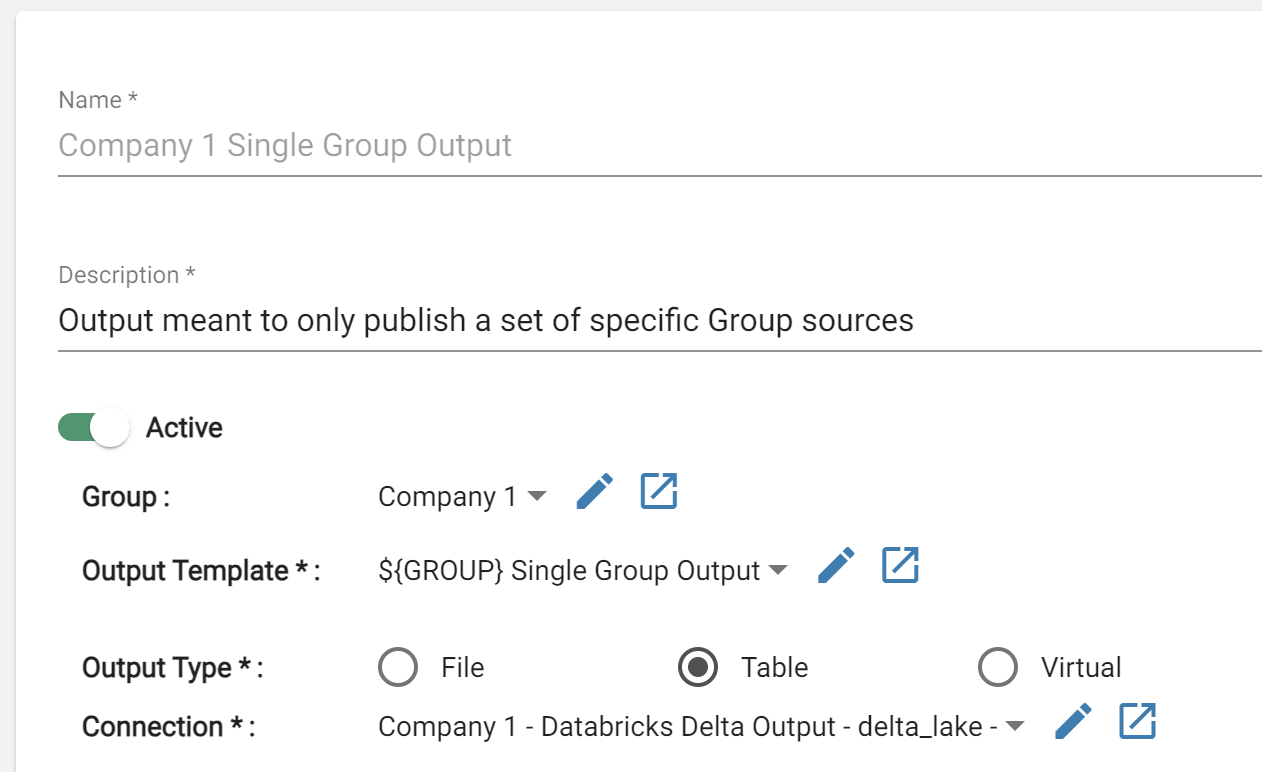
When Company 1 is cloned, a new Output for the new Group is created. After cloning, update table names on the new outputs to avoid writing to the same destination. The next section performs the clone.
Notes
An Output with a Group must have all mapped Sources in the same Group (or ungrouped). Mapping a Source from a different Group into a Grouped Output will cause an error.