Cloning with Connections Overview
Summary and Use Case
Every Source and Output requires a Connection defining its credentials and data location. In cloning environments, two Connection patterns arise: Multi Group Connections and Single Group Connections.
Multi Group Connections
Multi Group Connections are useful when Cloning Groups that all pull from the same Database/File Path. When a Source or Output attached to a Multi Group Connection is Cloned, the new versions will be attached to the existing Connection, similar to the image below.
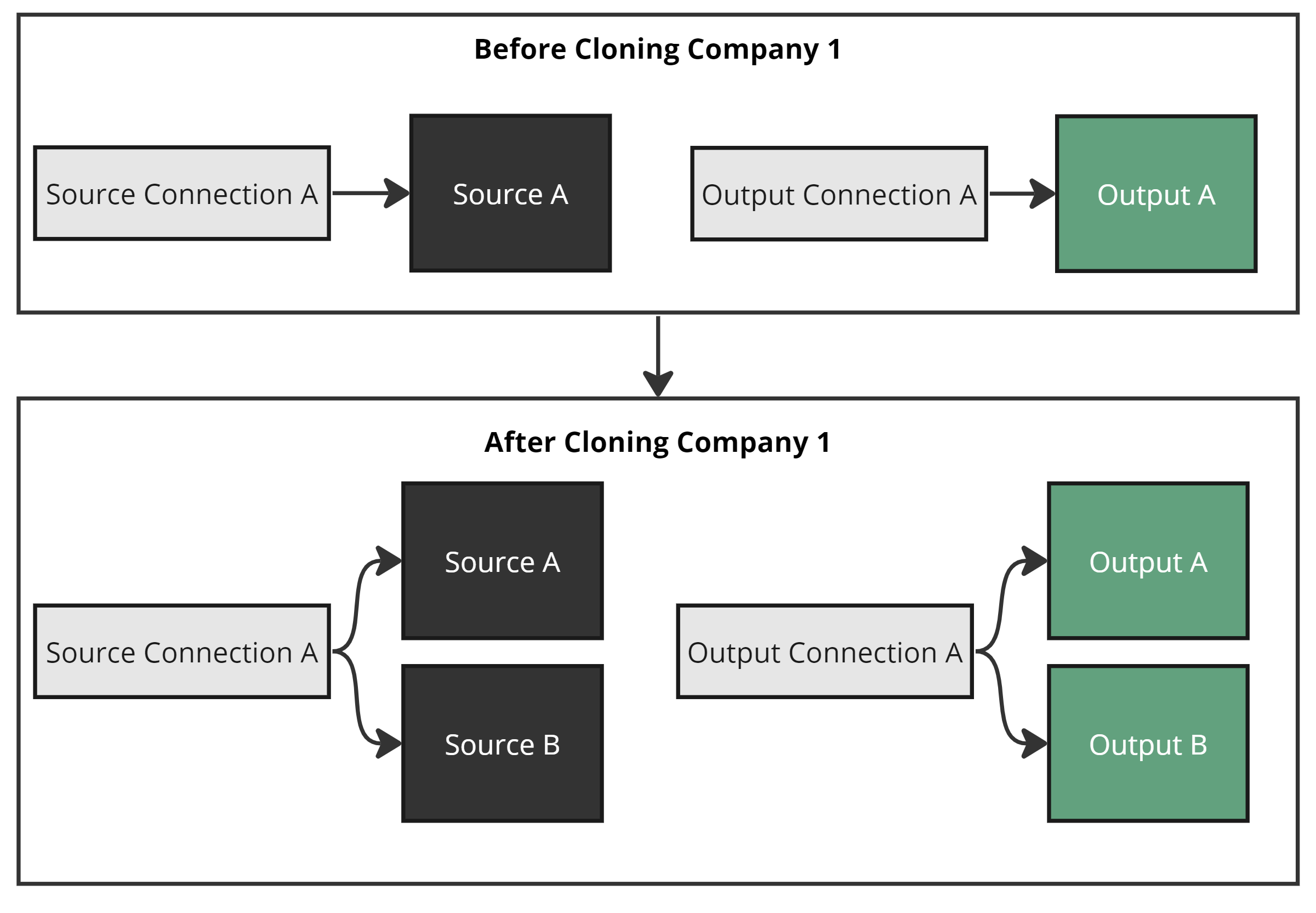 Multi Group Connection behavior
Single Group Connections
Single Group Connections are for Groups that each have a distinct Database/File Path. Cloning creates a separate Connection for the new Group. These are required for Group Outputs pointed to databases — using a Multi Group Connection in that scenario causes the clone to fail because both Groups would resolve to the same output path, table, and schema.
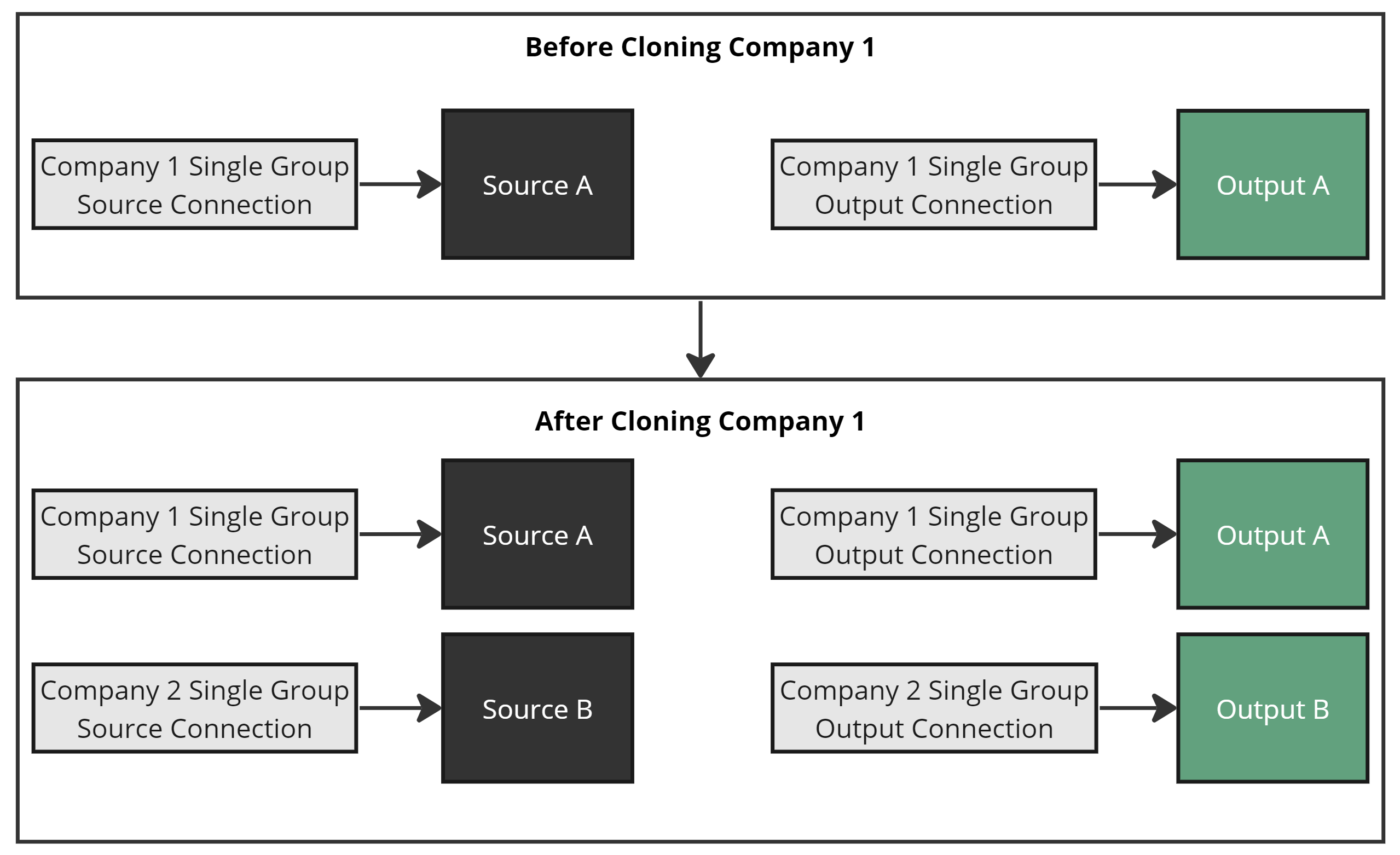
A Single Group Connection Clone
The Example
The upcoming sections show how Connection Name Templates control Single Group vs. Multi Group behavior. The example extends the Cloning Overview by adding two Connections.
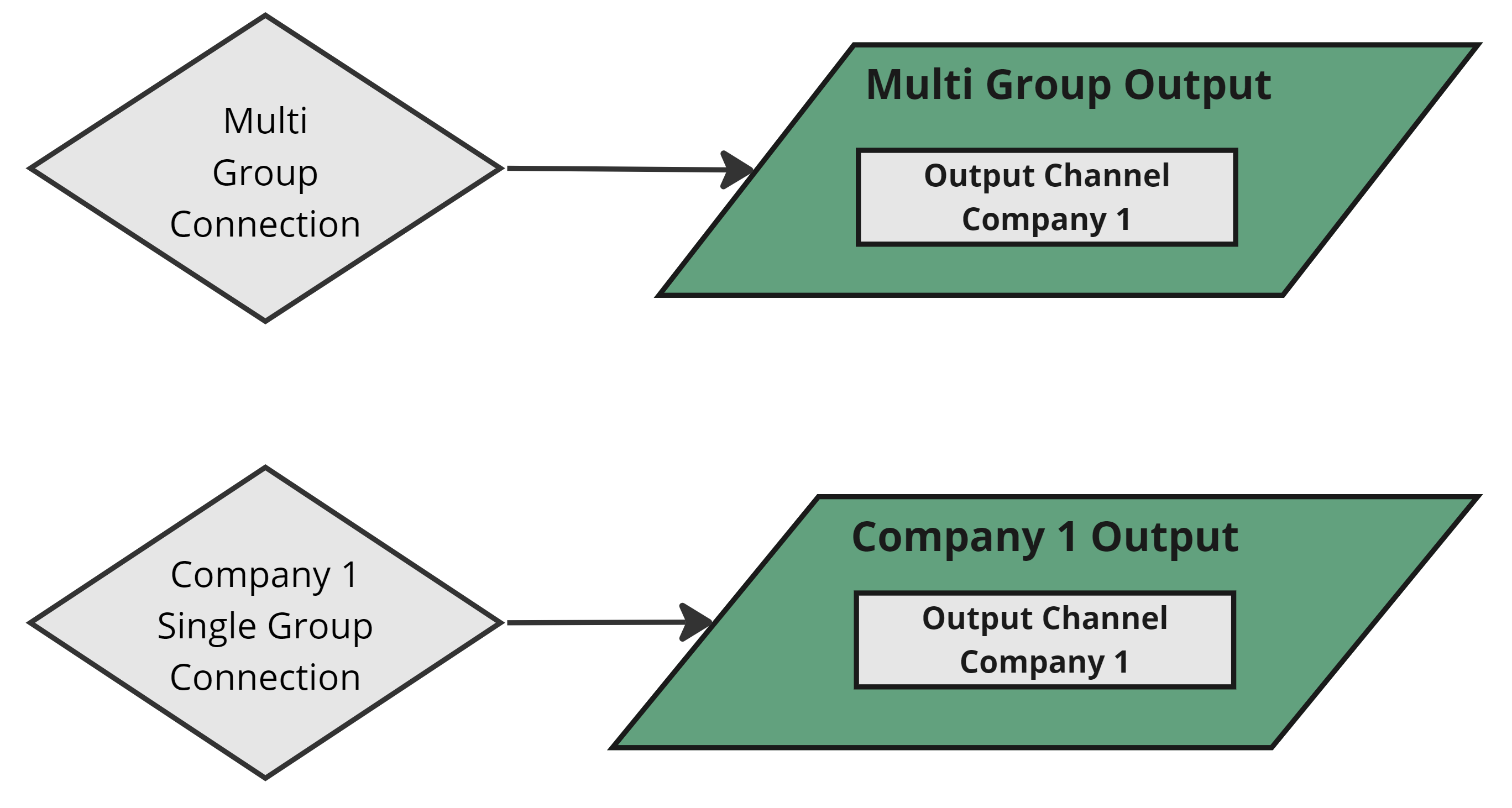
Connections of each type exist
After cloning, the Multi Group Connection is shared across both Groups, while each Single Group Connection belongs to its own Group.
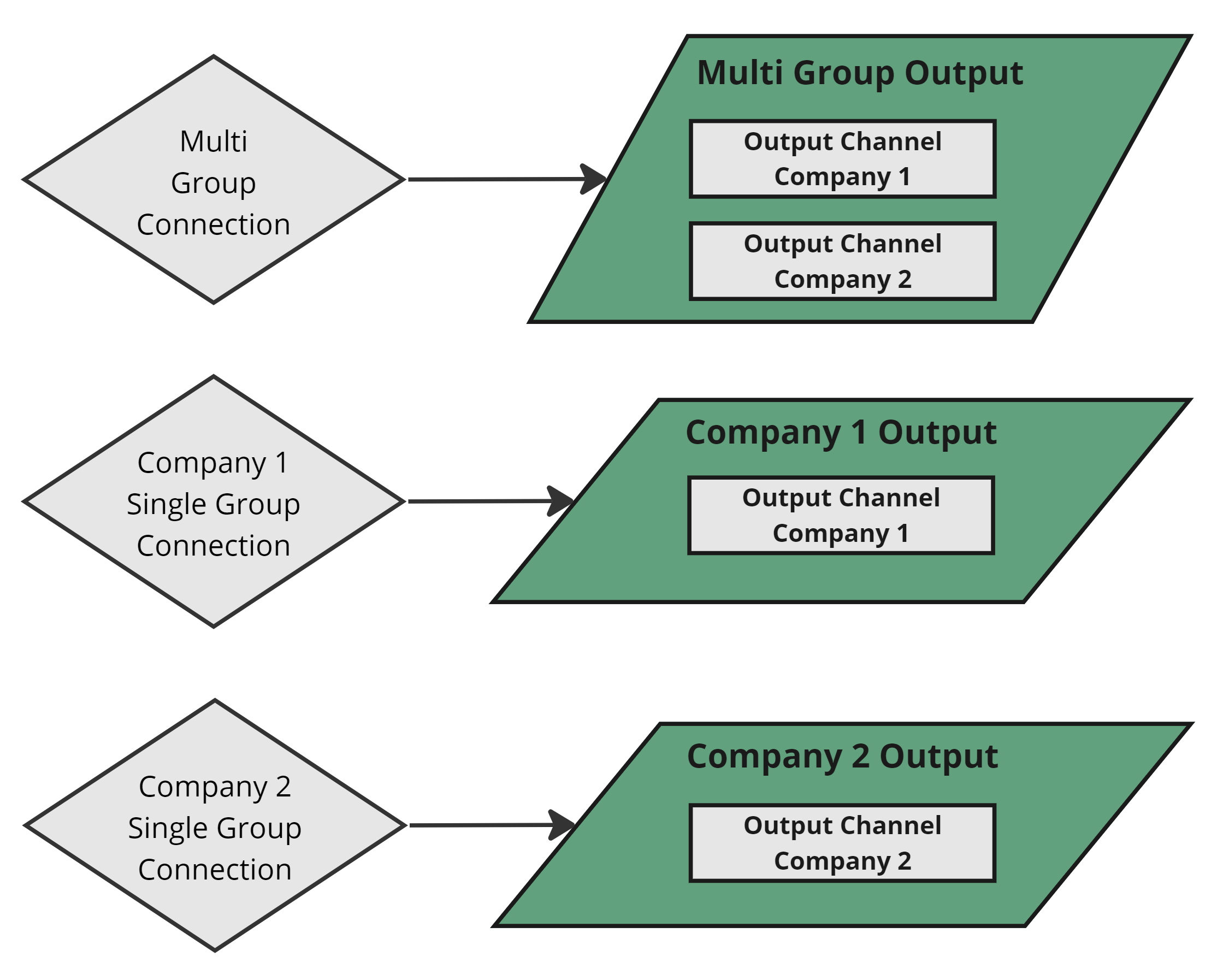
The Configuration Post Clone