Lineage Graphs
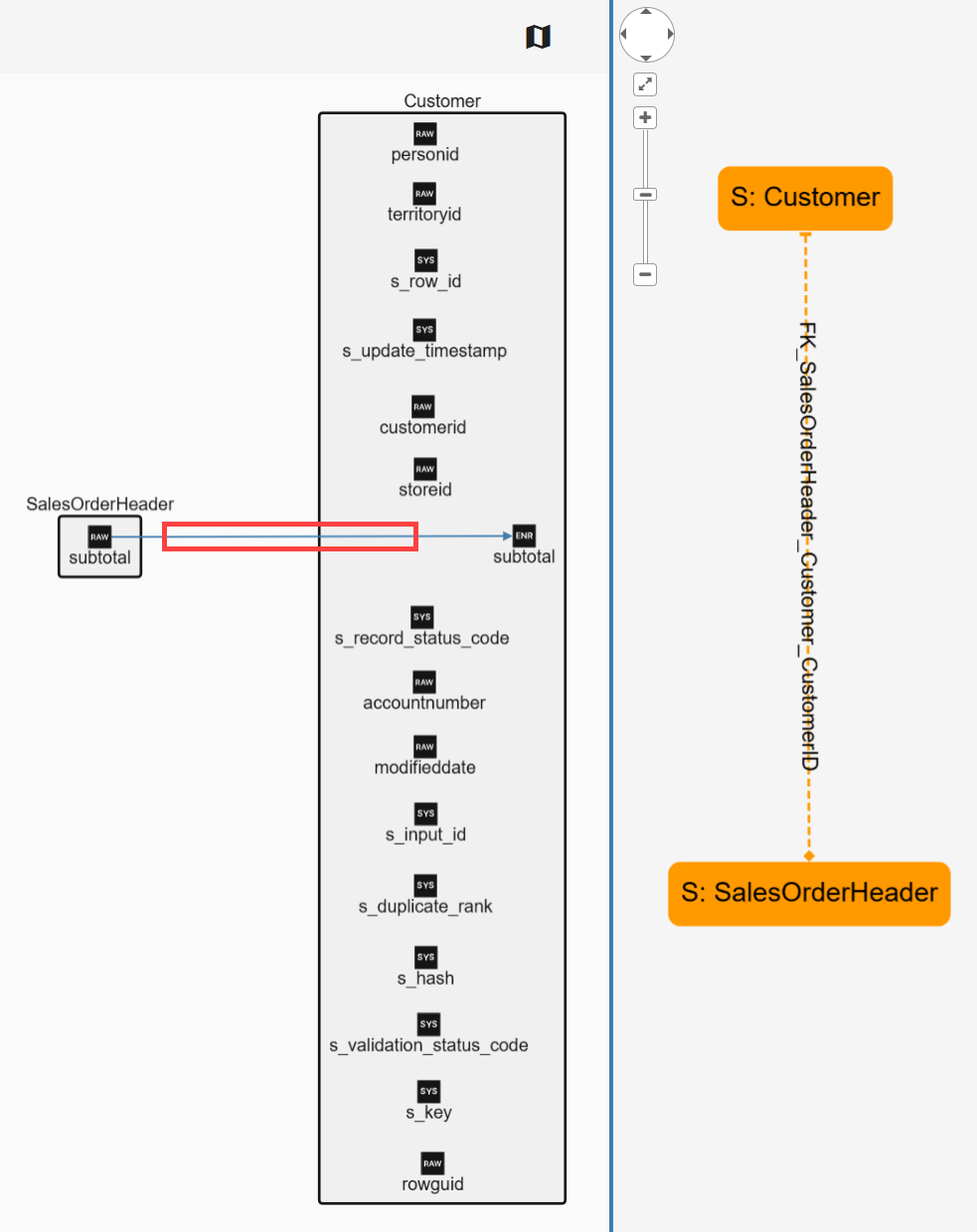
Lineage refers to a directed acyclic graph (DAG) generated by DataForge describing how data is processed, tracked at the rule, column, and input level. Lineage displays the dataflow between nodes. Origin starts from the left and goes to destination on the right. Nodes can be a variety of datatypes within DataForge
Starting a Session
Click the lineage icon on any supported object to start or add to a lineage graph.
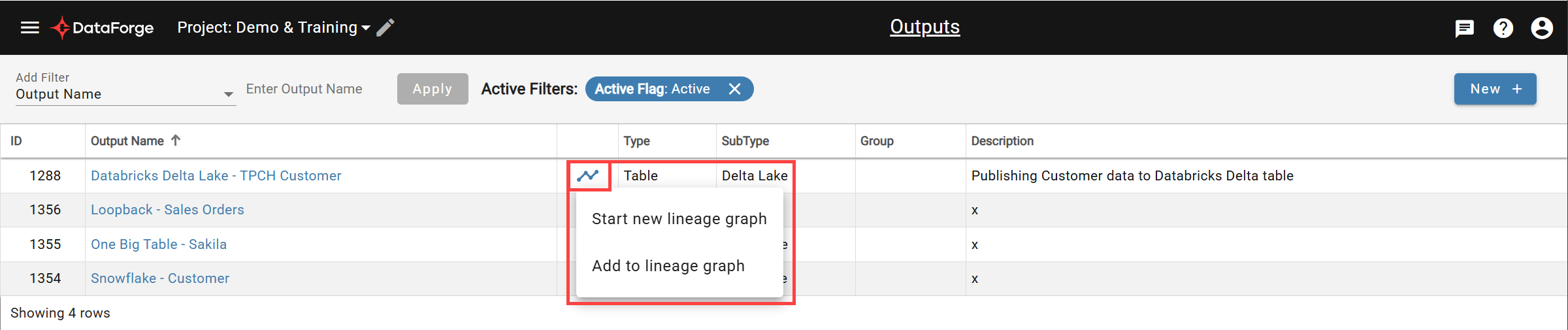
Supported objects: sources, relations, outputs, output source channels, raw attributes (raw schema), rules, and output columns.
Expanding the Lineage Graph
To trace the lineage graph further upstream or downstream, right-click on any box or object and use the menu options to add a destination or origin. Both can be traced recursively to see the full lineage path.
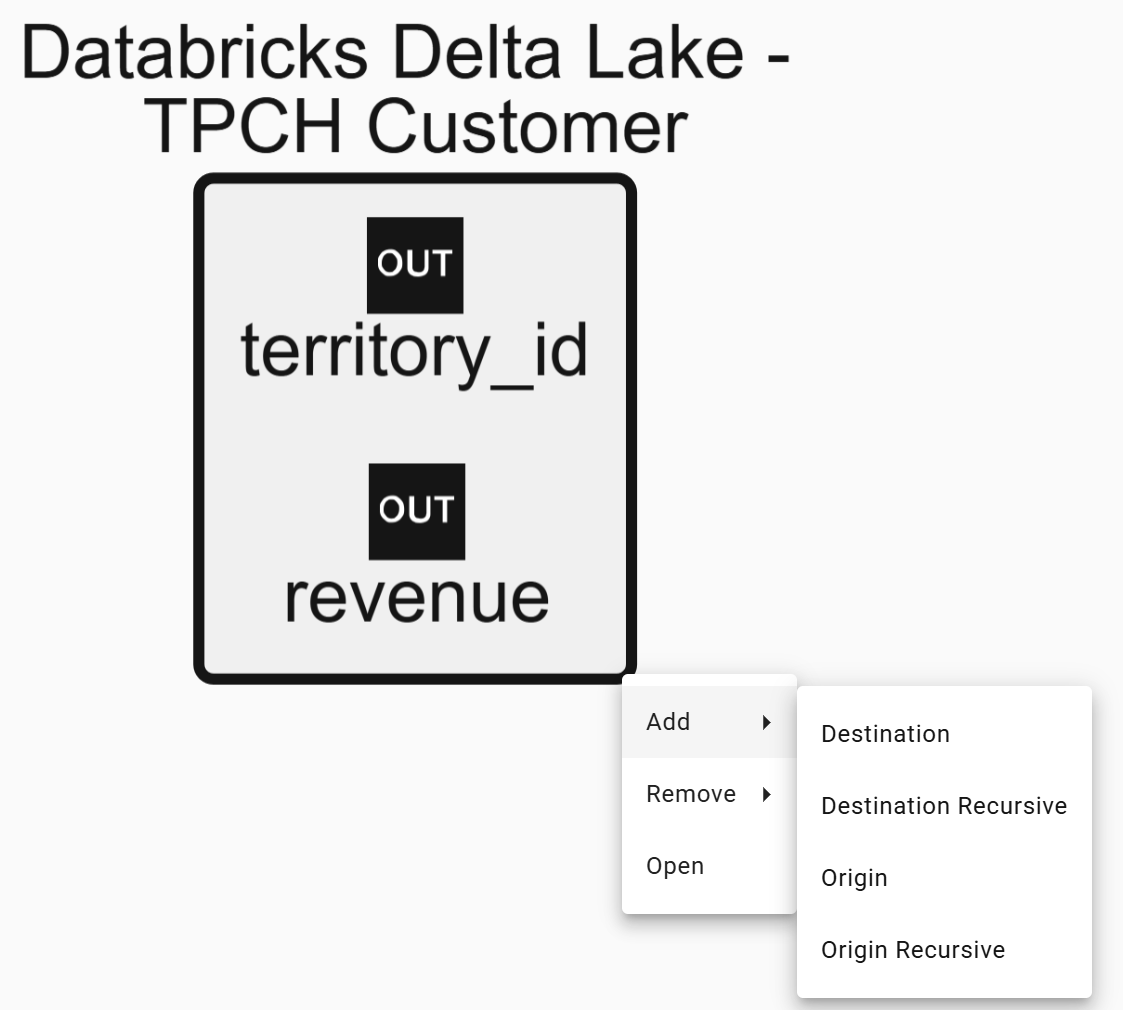
Remove object nodes from the lineage graph by using the right-click menu and Remove options.
Directly open any object through the same menu.
Legend
Objects are represented by combinations of symbols and attribute categories. Click the map icon (upper right) to toggle the legend on or off.
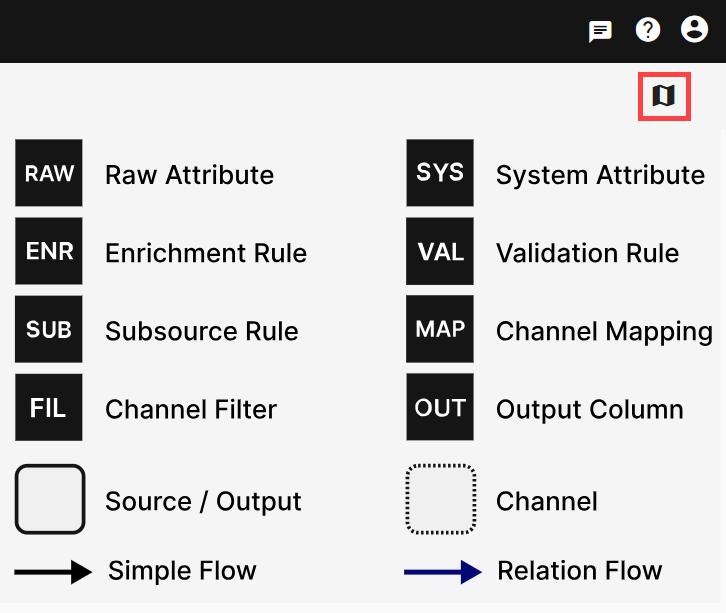
Attribute and object references are designated via arrows.
A simple flow (black arrow) represents a direct reference between objects with no intermediate tables or relations involved.
A relation flow (blue arrow) represents a reference between objects where a relation is used. Click the relation arrow to see the relation name used.