Ingestion Queue
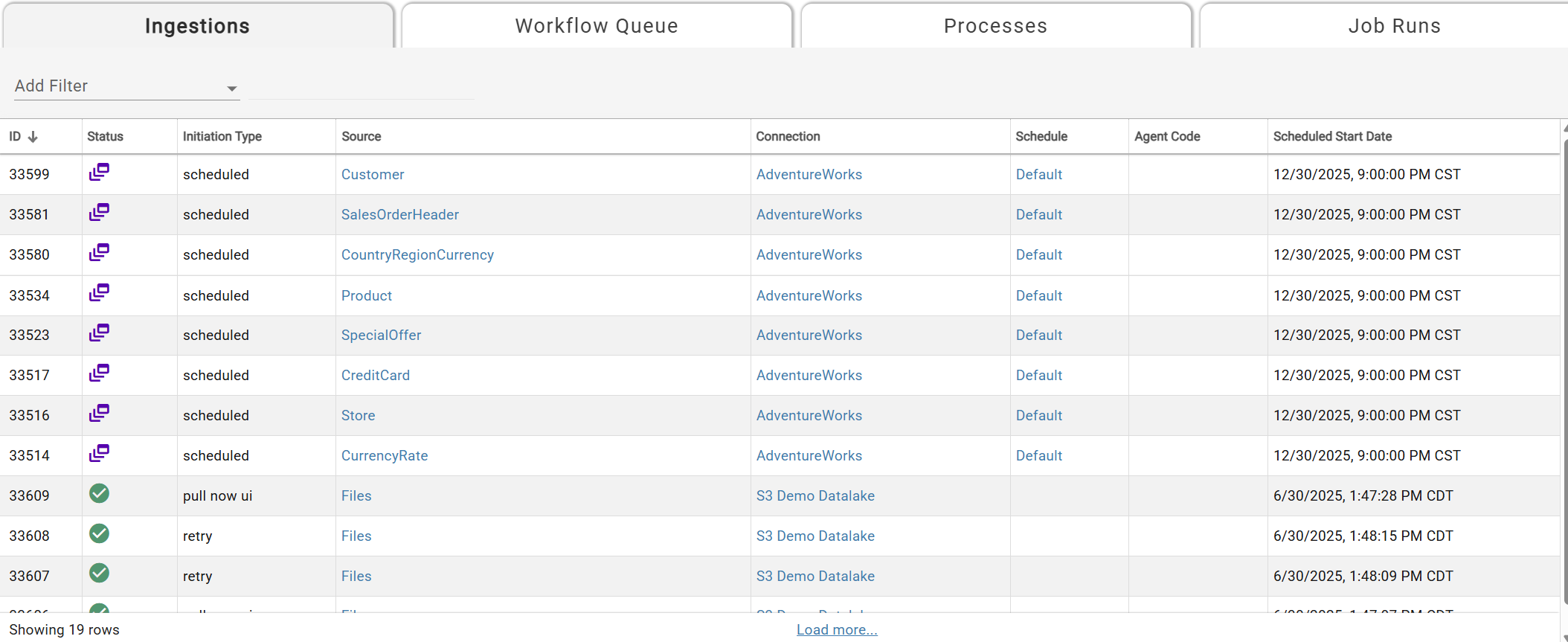
Sample Ingestion Queue
The Ingestion Queue shows all ingestions that are queued, running, or completed. Filter by Status, Agent, Connection, Schedule, or Source — only one filter per type is allowed. The queue auto-refreshes; use Load More if there are additional rows. Source, Connection, Agent, and Schedule columns link to their respective pages.
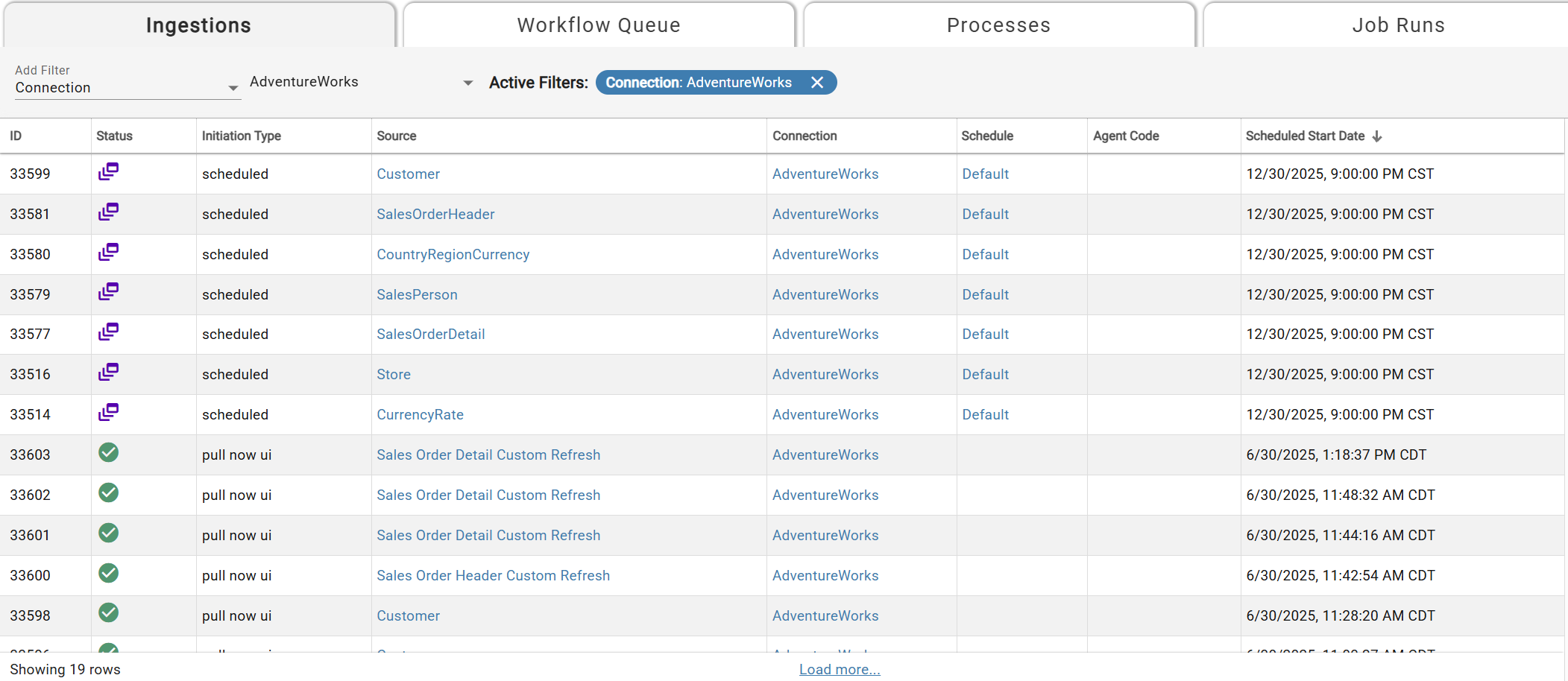
Detailed breakdown of each header:
- ID:Job Run ID of the ingestion record
- Status:Current status of the ingestion. Queued if in the future and Completed if in the past.
- Initiation Type:Reason for the ingestion record to be in the queue. Options include: Scheduled, Pull now ui, and Retry. Pull now ui is triggered from a user using "Pull Data Now" option in source. Retry is based on number of retries set in the Performance & Cost parameters of the source settings.
- Source:Name of the Source for the ingestion record.
- Connection:Name and link to the Connection tied to the source for the ingestion.
- Schedule:Name and link to the Schedule set on the source for the ingestion.
- Agent Code: Outcrop, the DataForge agent that runs inside your network, used for the ingestion tied to the Connection. Local or on-premise set up in the Agents page (shown as Agent in the DataForge UI).
- Scheduled Start Date:Date and Time the ingestion is/was set to run in local time.
If ingestion records remain queued with a past scheduled start date, Outcrop may be down and need to be restarted, or the core service may need attention.