Performing the Clone
As a reminder, this is the current setup of the environment.
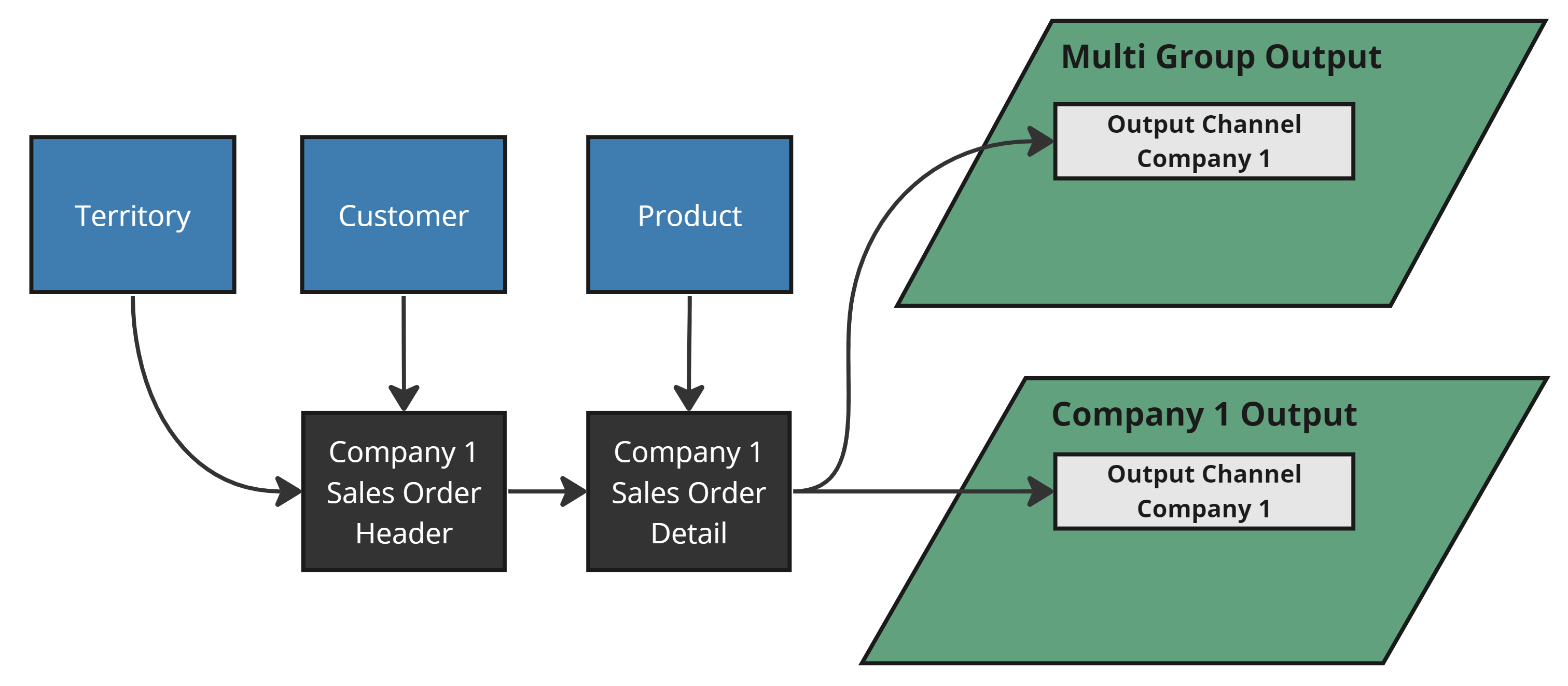
The Setup
Performing the Clone
We will clone the Company 1 Group and create a new Group called "Output Clone". To perform the clone, follow the steps described here, this time updating the Group name to "Output Clone". Be sure to validate all of the screen to ensure no unexpected objects are exported or cloned!
The Results
The Multi Group Output now contains an additional Output Channel for "Output Clone Sales Order Detail" as seen below.
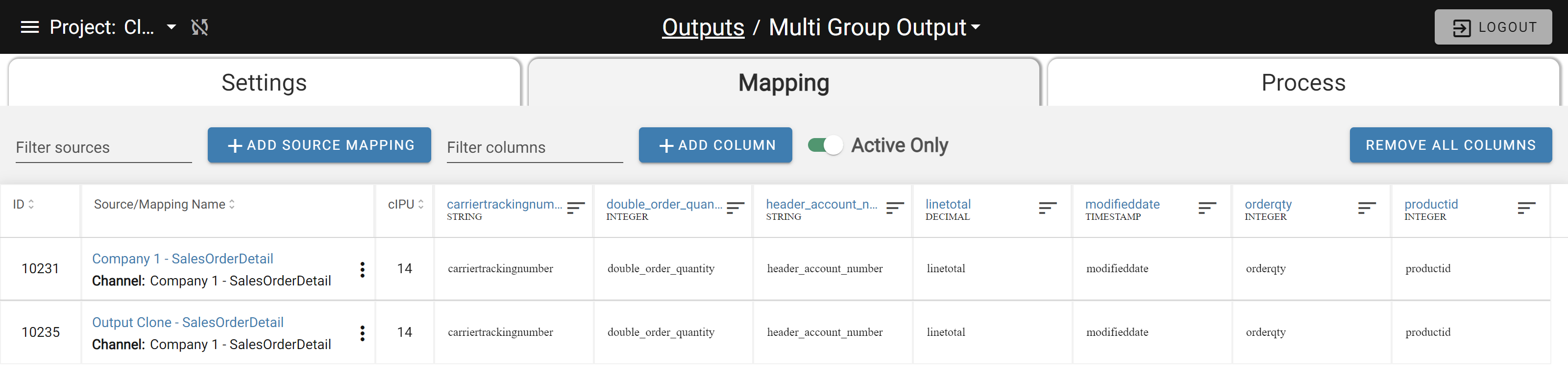
An additional Channel has been added to the existing Multi Group Output
The Company 1 Single Group Output has been left alone. It still only has one Output Channel mapped to Company 1 Sales Order Detail.
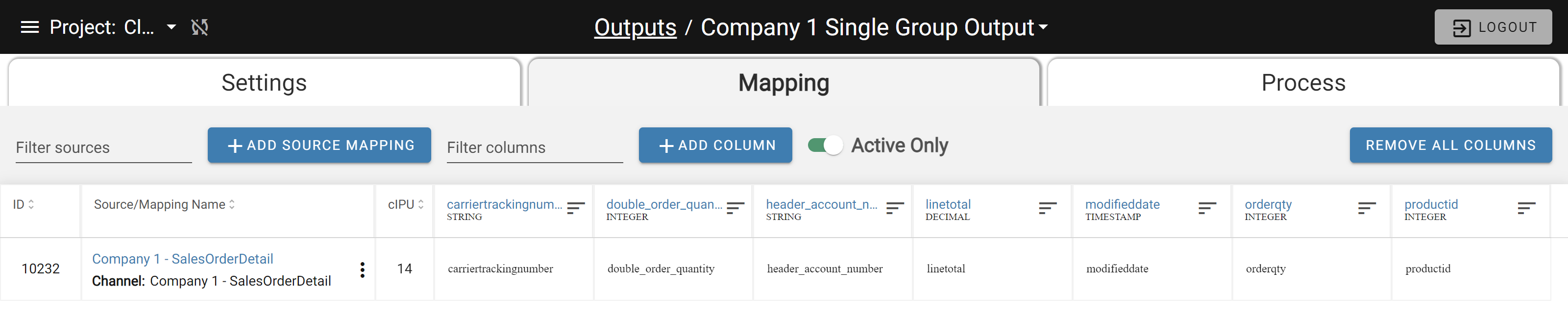
Only the Company 1 Mapping
There is a newly created Output Clone Single Group Output in the environment. It has the Output Clone Sales Order Detail Source mapped into it.

The newly created Output Clone Single Group Output The clone preserved the intended output behavior. The updated environment is shown below.
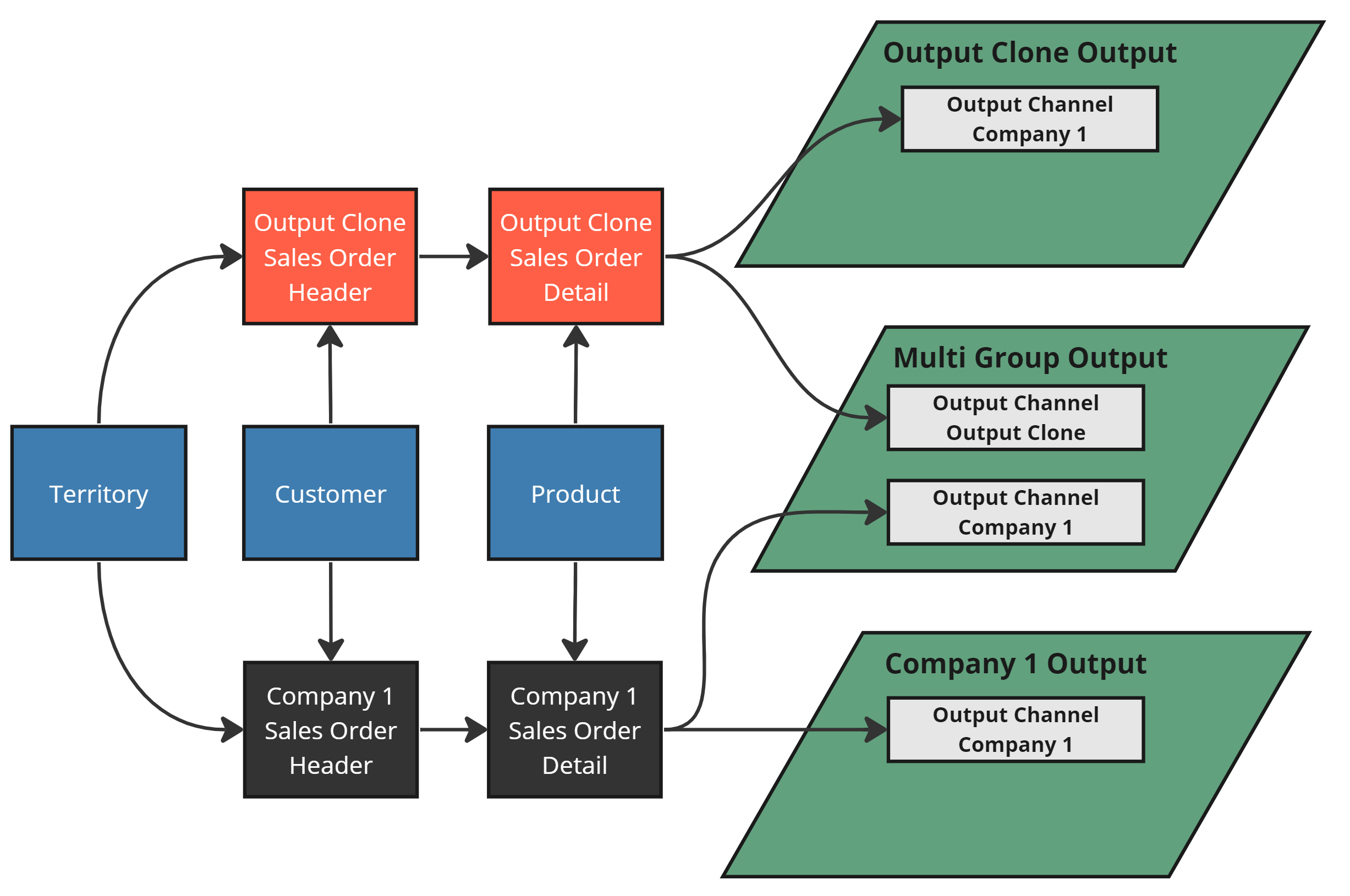
The updated environment