Restarting API, Core, or Agent Containers
Restarting API
Restart the API container when you see this error accessing DataForge:
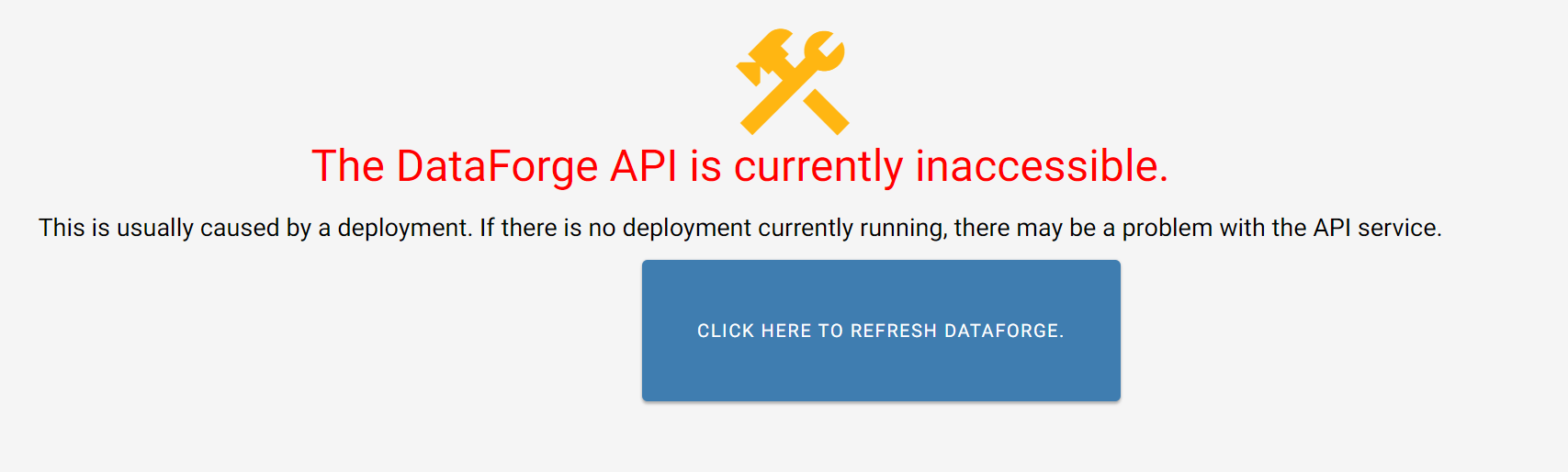
To restart the API container:
-
Open Amazon Web Services
-
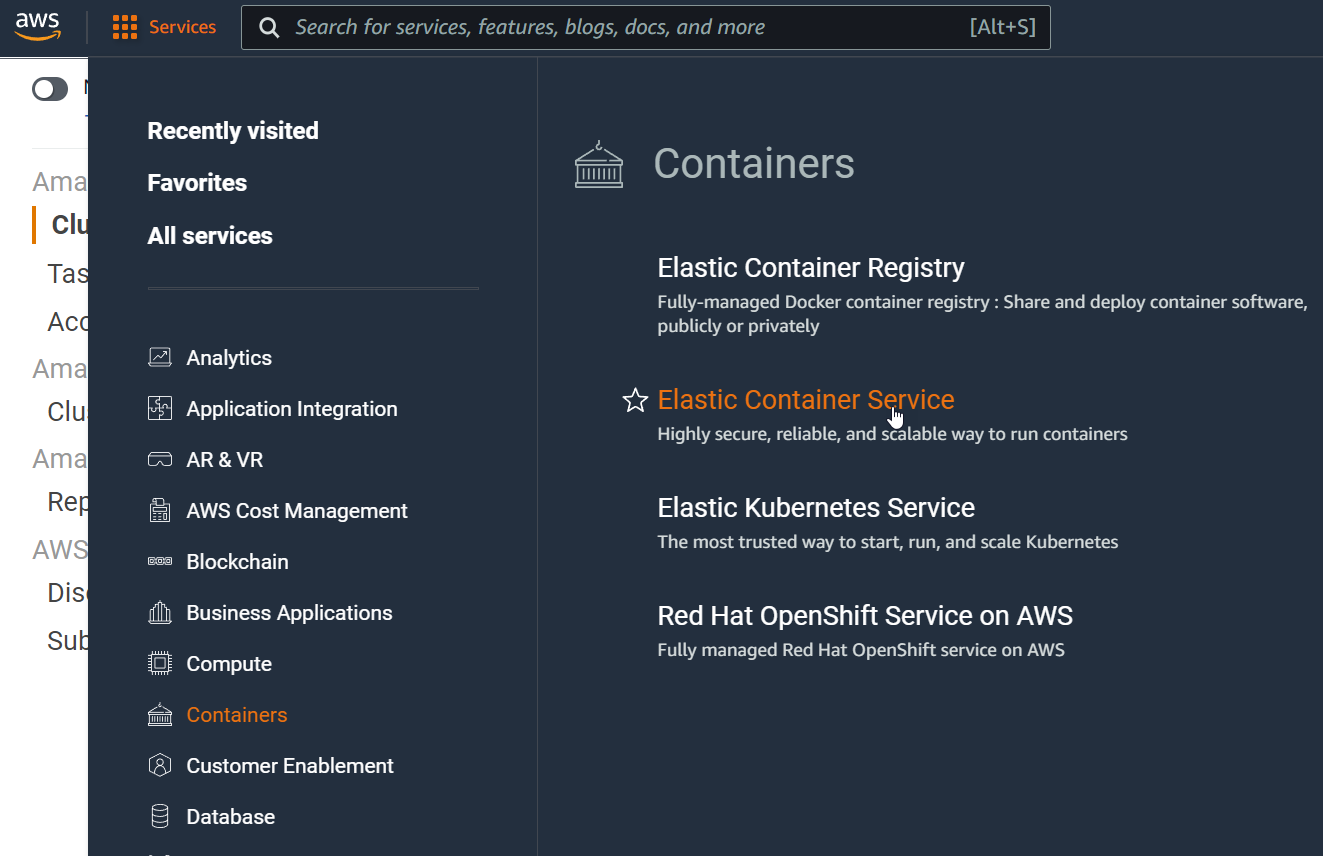
Navigate to the Containers section
-
Choose Elastic Container Service
-
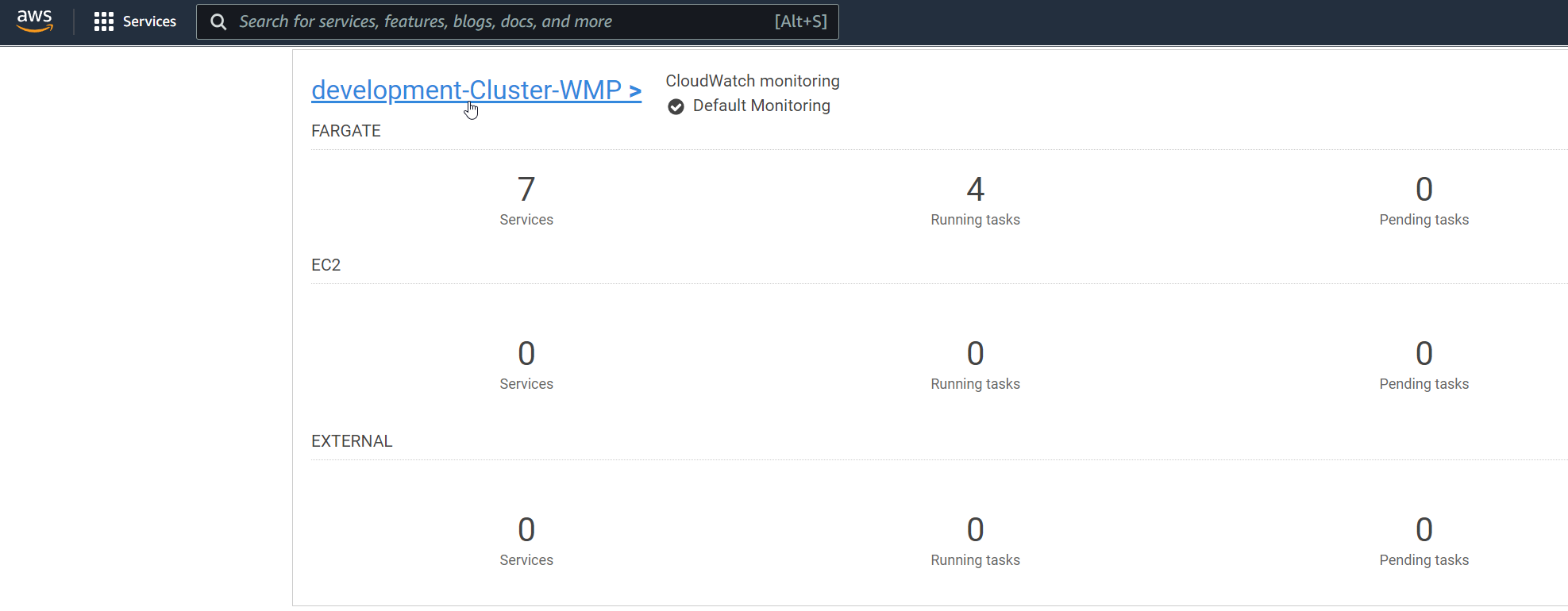
Find and click on the hyperlink that reads as "environmentname-Cluster-clientname"
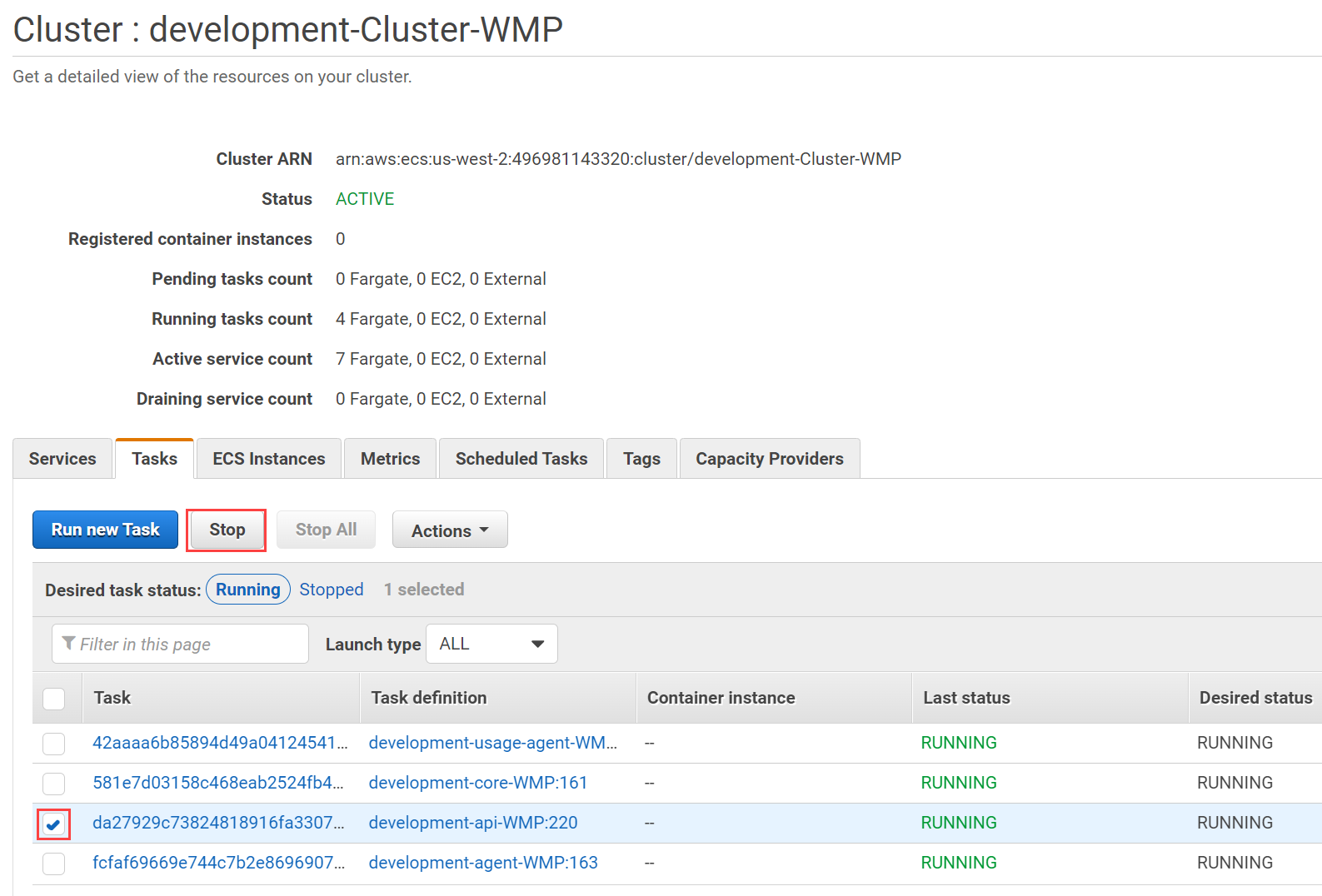
- Select the Tasks tab
-
Select the checkbox next to the row that has Task Definition "environmentname-api..."
-
Select the Stop option and wait 30 seconds
-
Wait 30 seconds and you should see the api task begin to activate again
Restarting Core
Restart Core when Databricks jobs are not reaching L (launching) status.
To restart the Core container:
Follow steps 1-5 from the Restarting API section above
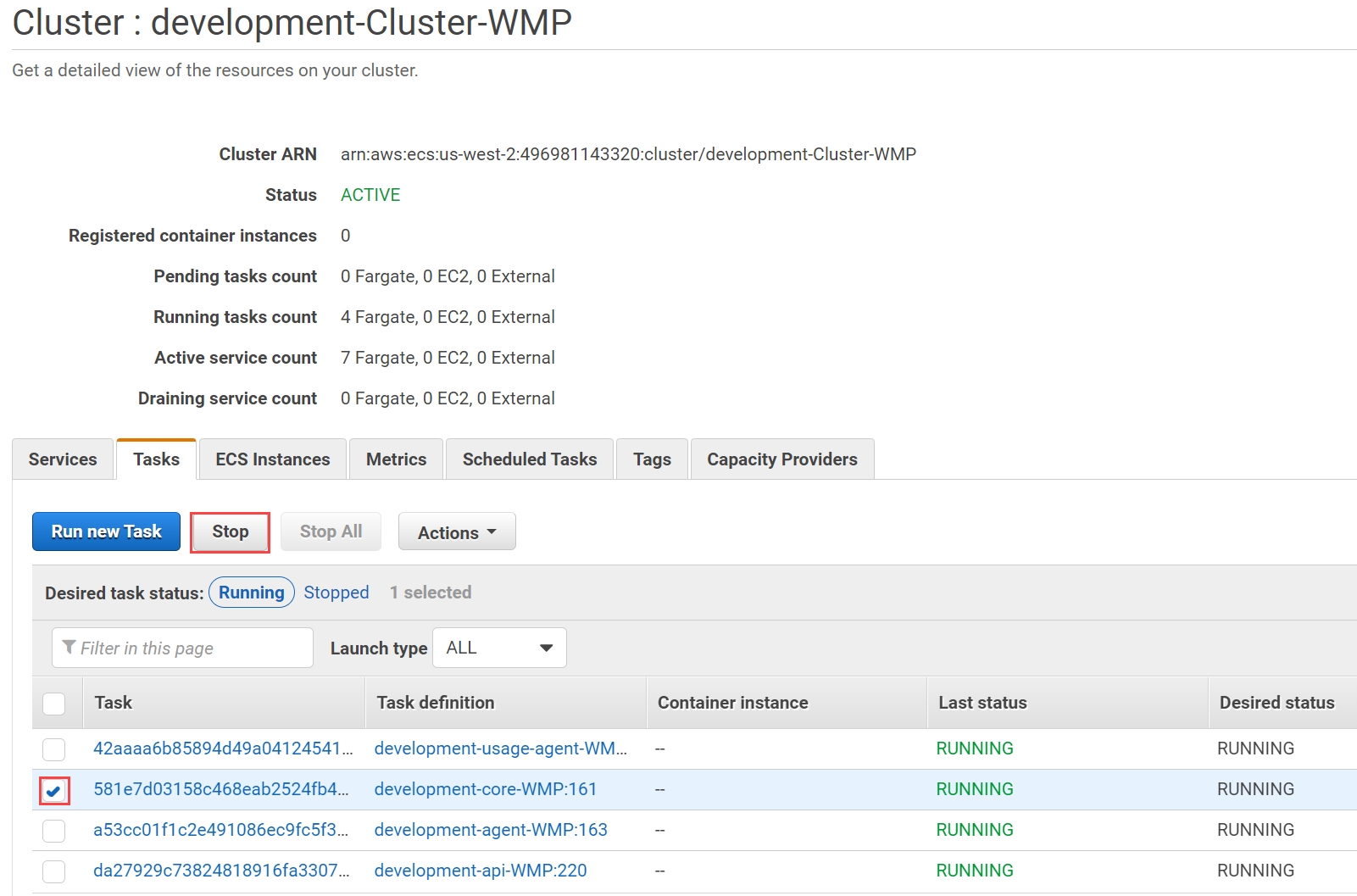
-
Select the checkbox next to the row that has Task Definition "environmentname-core..."
-
Select the Stop option
-
Wait 30 seconds and you should see the core task begin to activate again
Restarting Agent
To restart the Agent container:
Follow steps 1-5 from the Restarting API section above
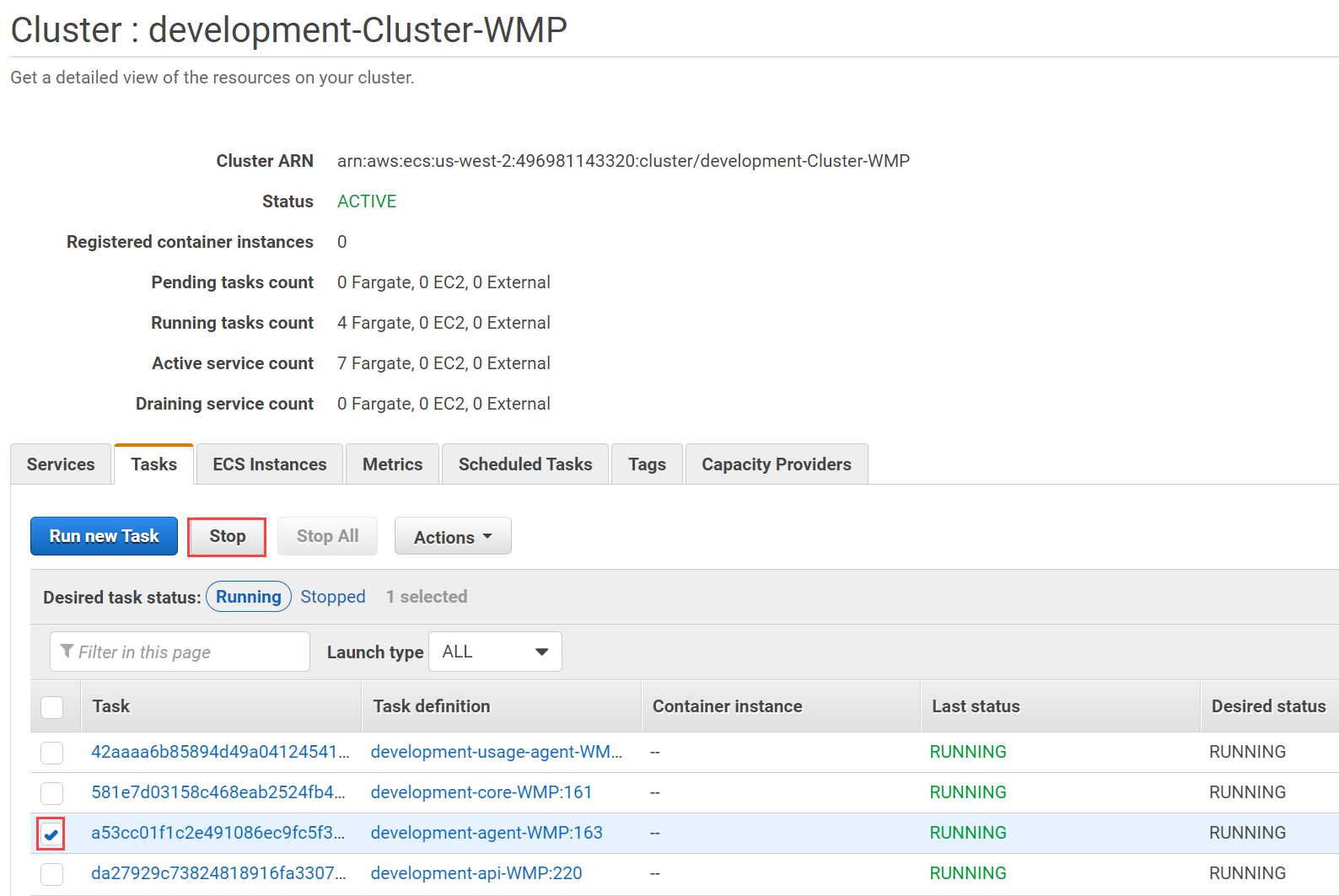
-
Select the checkbox next to the row that has Task Definition "environmentname-agent..."
-
Select the Stop option
-
Wait 30 seconds and you should see the agent task begin to activate again