Deploying On-Prem Agent to Troubleshoot Local Agent Certificate
Find Agent MSI file in jars folder (azure)
Make sure Coretto Java is installed by opening command prompt and using "java -version"
Install on-prem agent in the virtual machine of Azure Resource Group
Check log files for the agent C://logs/intellio/agent.log
Restart Agent service if seeing errors
If still not working >>>
Open lock icon on chrome -> Connection is Secure -> Certificate is valid -> Details tab -> Export -> Save as "Base64-encoded ASCII, single certificate" if possible, if not then use DER (DER-encoded binary, single certificate)
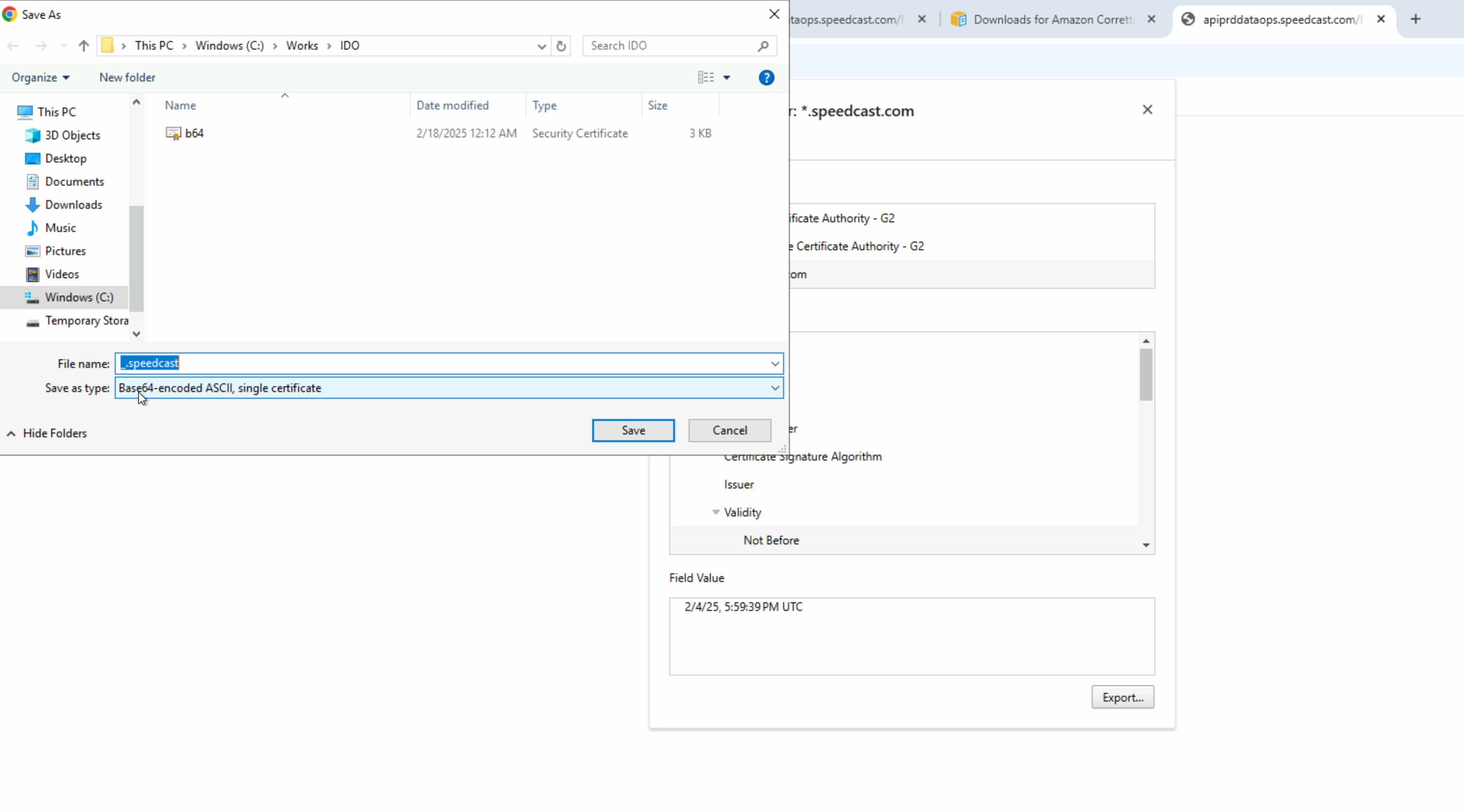
Open file properties on downloaded Certificate and confirm file extension is CRT or DER
Open command prompt -> enter the below but replace the cert name in file path and the java location
keytool -importcert -file "C:\Users\idoadmin\Downloads\<cert-name>" -keystore "C:\Program Files\Amazon Corretto\jre8\lib\security\cacerts" -storepass changeit -noprompt
If error in command prompt about keytool need to find right path for keytool in java Amazon Coretto\jre8\bin, change command prompt to that directory and rerun the above keytool script.
Go back to App explorer -> find agent and restart